
Updated: July 2026
SpeakFlow Alternative — $14.99 Once, Not $180/yr
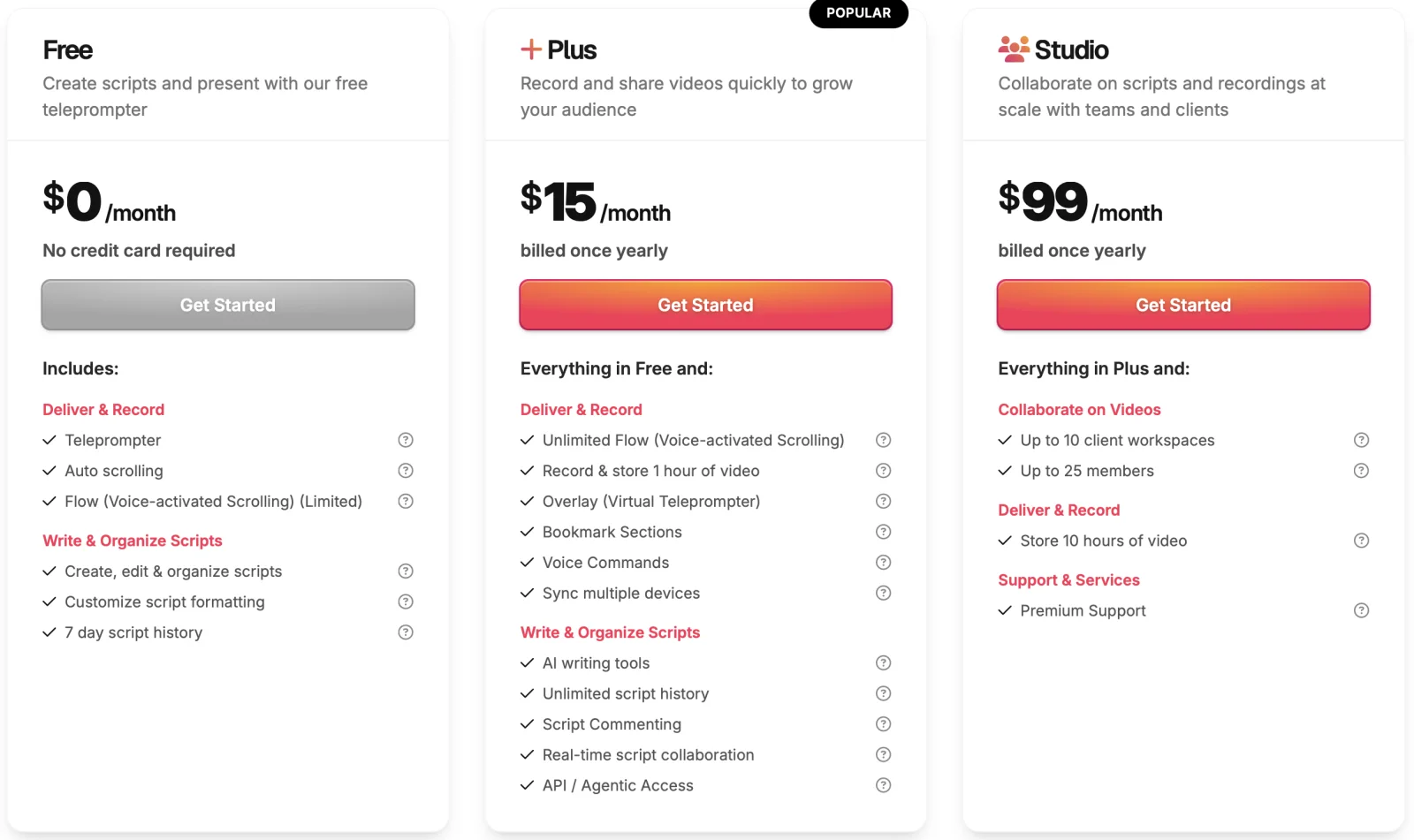
As of July 2026, SpeakFlow is a browser-based subscription: the free plan gives you "Limited Flow" with no video recording, and Plus is $15/month billed yearly ($180/year), with Studio at $99/month for teams. ShareSpeak is a one-time $14.99 alternative — the same voice-following scroll, but a native desktop app that's invisible on screen share and works offline. Full SpeakFlow pricing breakdown here, or a head-to-head ShareSpeak vs SpeakFlow comparison.
Our verdict
Switch to ShareSpeak if you record or present from a desktop and want a one-time price plus a prompter that stays hidden in OBS, Zoom, and Loom. Stay on SpeakFlow if you want an all-in-one browser tool — writing, video recording, real-time team collaboration, and client workspaces — with nothing to install. One-line why: SpeakFlow is a subscription web suite; ShareSpeak is a one-time desktop overlay built to disappear on screen share.
| Feature | ShareSpeak | SpeakFlow |
|---|---|---|
| Price model | $14.99 one-time | Free (limited); Plus $15/mo yearly ($180/yr); Studio $99/mo yearly |
| Runs as | Native Mac & Windows app | Web browser |
| Works offline | ✓ | ✗ |
| Invisible to screen capture | ✓ | ✗ |
| Voice-following scroll | ✓ | Flow (unlimited on Plus) |
| Video recording + team workspaces | ✗ | ✓ |
| Account required | No | Yes (cloud) |
What SpeakFlow actually is
SpeakFlow is a polished, browser-based teleprompter with a genuinely useful feature set. Its voice-activated scrolling ("Flow") follows your speech, and the paid plans bundle AI script writing, in-browser video recording and storage, unlimited script history, and real-time collaboration. The Studio plan adds client workspaces and up to 25 members.
That makes it a strong all-in-one for teams and agencies that want to write, prompt, and record in one place without installing anything. If cross-device browser access and collaboration are what you're paying for, SpeakFlow delivers them.
Where it breaks for screen recording
It's a browser tab — so it shows on your screen
SpeakFlow runs in a browser tab. The moment you share or record that screen, the prompter — plus the tab strip, address bar, and bookmarks around it — is in the frame. You also inherit the browser's memory overhead and need a live connection. For a talking-head video that's fine; for a screen recording it's the whole problem.
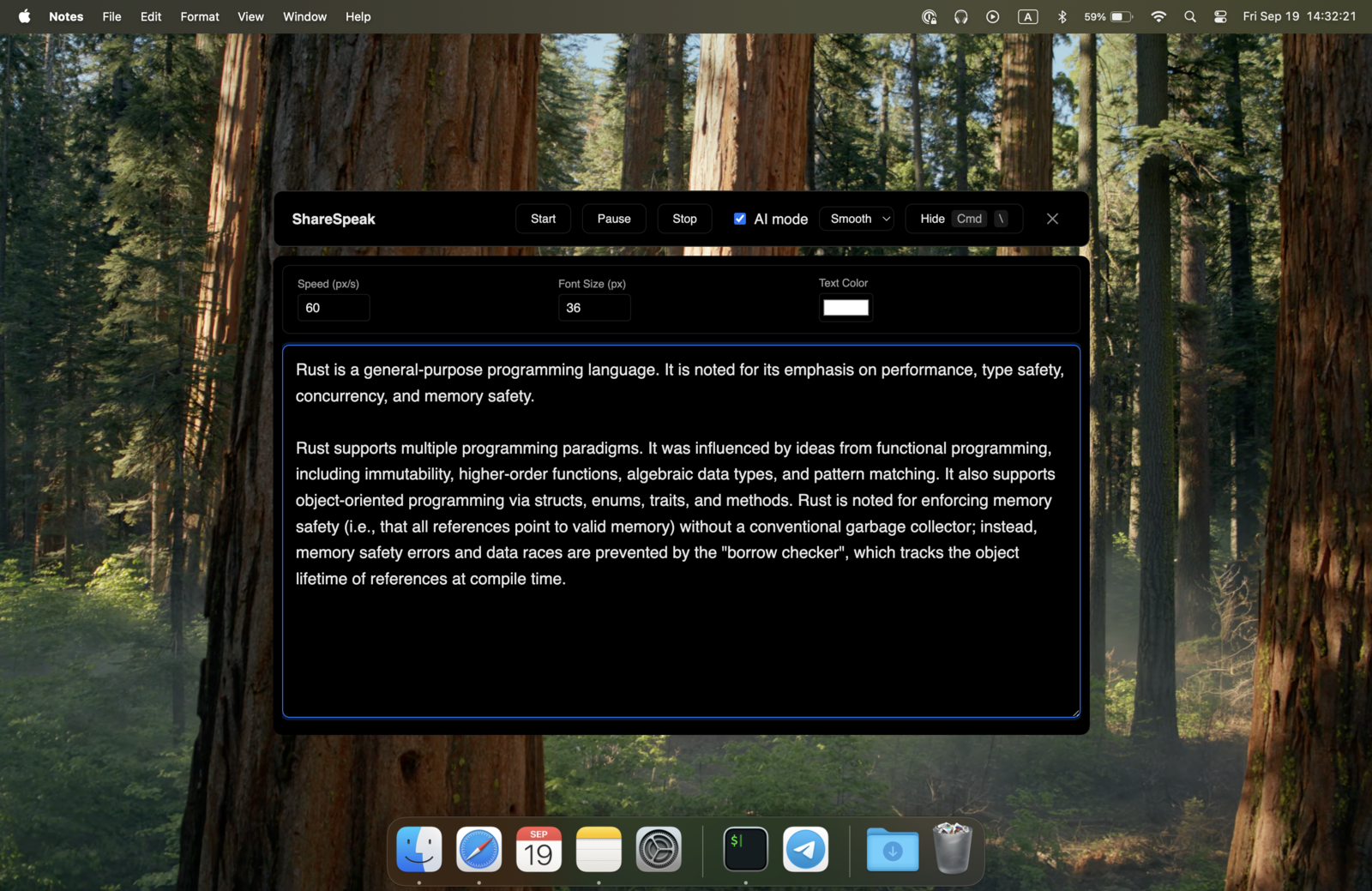
ShareSpeak is a native overlay hidden from capture at the OS level, so one laptop is all you need — the same technique behind our invisible teleprompter for screen sharing.
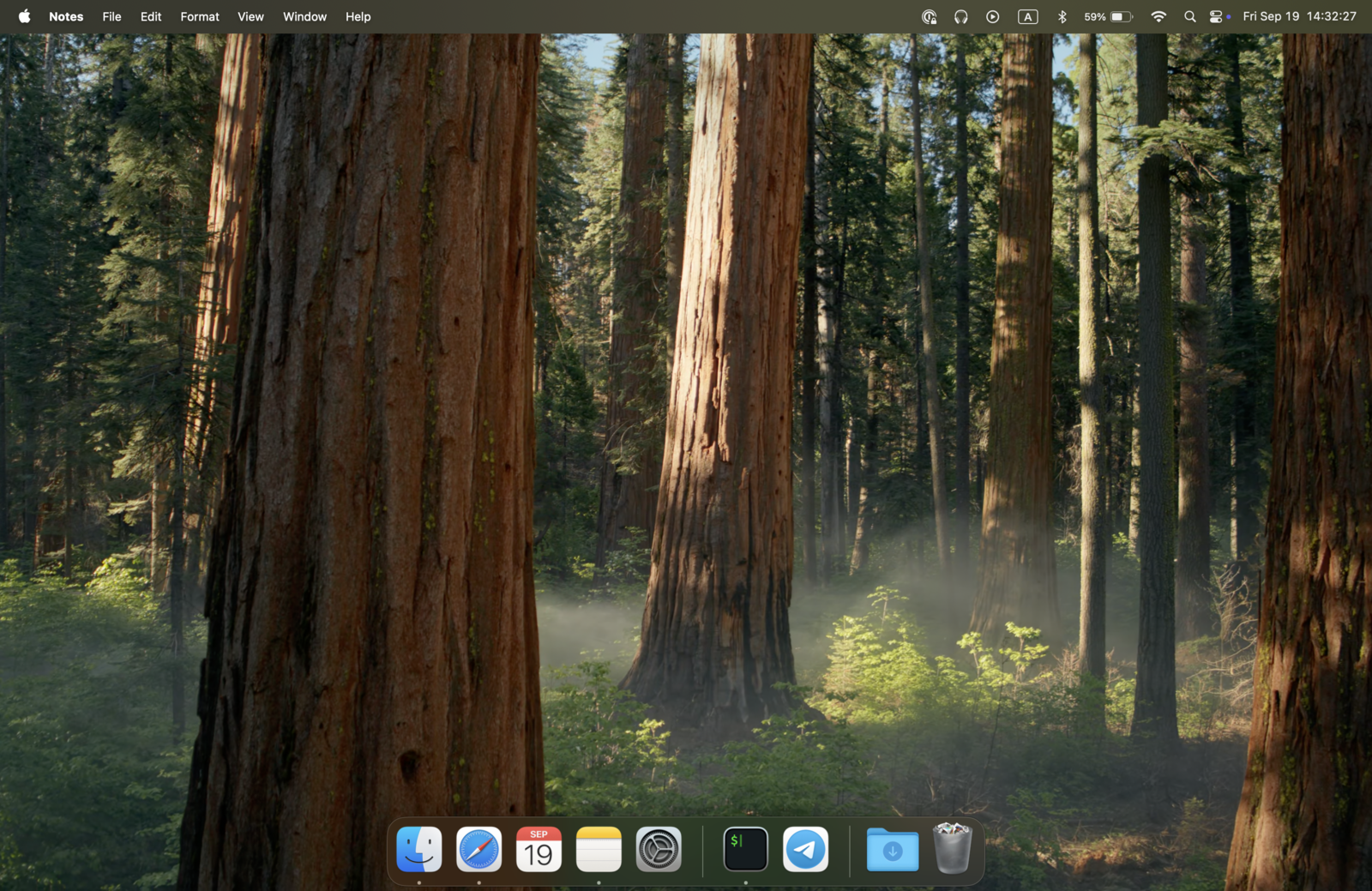
The moment it matters: mid-call, someone asks you to share your screen or walk a client through a demo. With a plain overlay like SpeakFlow's, they now watch you read your script. With ShareSpeak the script simply isn't in the shared frame — so you say "sure" and share without a second thought.
$180/year vs $14.99 once
To get unlimited Flow and video features you need Plus at $15/month billed yearly — $180/year, every year. The free plan can't record video and keeps only 7 days of script history. ShareSpeak is $14.99 once: less than one year of Plus covers it forever.
Cost over 2 years (per person):
- • SpeakFlow Plus (yearly): $360 ($180 × 2)
- • SpeakFlow Studio (yearly): $2,376 ($99/mo × 24)
- • ShareSpeak: $14.99 once
See the tier-by-tier SpeakFlow pricing, or how the category compares in our teleprompter pricing comparison. Prompting from a Windows PC? See which teleprompter app for Windows suits you in our ranked roundup.
You probably already own the extras
SpeakFlow bundles recording, AI writing, and file sync into the subscription. Most creators already have those: OBS, Loom, or Camtasia for recording; ChatGPT or Claude for scripts; Drive or iCloud for files. ShareSpeak does one thing — a voice-following teleprompter that stays invisible — and leaves the rest to the tools you already pay for (or don't).
Voice-following, included — not gated
SpeakFlow's free plan limits Flow; unlimited voice scrolling is a Plus feature. ShareSpeak includes voice tracking from the first launch, no tier: speak naturally and it follows your pace — pause and it waits, speed up and it keeps up, all on-device.
When SpeakFlow is still the right choice
ShareSpeak isn't for everyone. Keep SpeakFlow if:
- You want an all-in-one browser suite. Writing, prompting, and recording in one tab, nothing to install, works on any OS through the browser — that's SpeakFlow's lane.
- You work as a team. Real-time collaboration, client workspaces, and up to 25 members (Studio) are things ShareSpeak — a single-user desktop app — doesn't do.
- You need built-in video recording and cloud storage. If you don't already run OBS/Loom, SpeakFlow's bundled recording saves you a step.
Switching from SpeakFlow in 4 steps
- Copy your scripts out of SpeakFlow (plain text — no export tool needed).
- Download ShareSpeak for Mac or Windows and install it — no account, no card.
- Paste each script into ShareSpeak's Scripts Library (save one per video, call, or client; live word count + speaking-time estimate).
- Keep recording with OBS, Loom, or Camtasia — ShareSpeak's overlay stays invisible while voice tracking follows your pace.
Built for solo desktop creators
YouTube creators
Record tutorials with no browser tabs in frame and no monthly fee — see the teleprompter for YouTube creators.
Course creators
Produce online courses without subscription overhead — a lifetime license means fixed costs, not a yearly renewal.
Sales & demos
Talking points on screen, invisible on the share — built for a teleprompter for sales demos.
Podcasters
Scripted intros and outros for video podcasts, with desktop reliability instead of a browser tab.
Own it once, for less than a year of Plus
Download ShareSpeak, paste a script, and record — no account, no subscription, no browser tab in your capture. It's one of 25 tools on our teleprompter alternatives hub, and the one built to disappear on screen share.
Use code FIRST100 for 25% off — $11.24 instead of $14.99
Frequently asked questions
Is SpeakFlow free?
There's a free plan, but it's limited. As of July 2026 SpeakFlow Free includes "Limited Flow" (voice-activated scrolling), unlimited script writing, and 7-day script history — but no video recording or storage. To get unlimited Flow, video storage, and AI writing you upgrade to Plus at $15/month billed yearly ($180/year). ShareSpeak's full voice tracking is included in the one-time $14.99 with no tier.
How much does SpeakFlow cost in 2026?
SpeakFlow is a subscription. The Plus plan is $15/month billed yearly ($180/year), or $19/month billed monthly. The Studio plan (team workspaces, up to 25 members, 10 hours of video storage) is $99/month billed yearly, or $129/month monthly. There's a free plan and student/teacher/non-profit discounts, but no separate free trial. See the full SpeakFlow pricing breakdown for the tier-by-tier detail.
Can ShareSpeak be invisible during screen recording?
Yes. ShareSpeak is a native overlay that's hidden from screen capture at the OS level — OBS, Loom, Zoom, Teams, and Camtasia record a clean screen. SpeakFlow runs in a browser tab, so it (and the tab, address bar, and bookmarks around it) is visible if you share or capture that screen. For screencasters that's the main reason to switch.
Does ShareSpeak work offline and without an account?
Yes. ShareSpeak is a native Mac and Windows app that runs fully offline with on-device speech recognition — no account, no login, no cloud sync. SpeakFlow is a web app, so it needs an account and an internet connection to work.
Can ShareSpeak record video or do team collaboration like SpeakFlow?
No — and that's deliberate. ShareSpeak is a teleprompter, not a video suite or a team platform. If you need built-in recording, client workspaces, or real-time collaboration, SpeakFlow's Plus and Studio plans are built for that. If you already record with OBS/Loom/Camtasia and just want a prompter that stays invisible, ShareSpeak is the cheaper, simpler fit.
Can I move my scripts over from SpeakFlow?
Yes, by copy-paste. ShareSpeak accepts plain text, so copy a script out of SpeakFlow and paste it into a new entry in ShareSpeak's Scripts Library (save one per video, call, or client, with a live word count and speaking-time estimate). No import tool or account needed.
One-time $14.99, not a yearly subscription
Voice-following scroll, native Mac and Windows, invisible on screen share — bought once, not rented.
Buy ShareSpeak Now — $14.99