
Updated: July 2026
VEED Teleprompter Review (2026): Limits + a Lighter Option
Yes, VEED has a teleprompter — it's built into VEED's browser-based video editor. You can use it free, but exports carry a "Made with VEED" watermark, and removing it means a paid plan starting at €22/month (or €11/month billed yearly). If the teleprompter is all you actually want, ShareSpeak is a dedicated one-time $14.99 app — with AI voice-following and, unlike a browser tab, invisible on screen share. Full VEED pricing breakdown here.
Our verdict
Use VEED's teleprompter if you already want VEED for editing, subtitles, and AI video tools — the prompter is a nice bonus inside that suite. Reach for a lighter option if the teleprompter is the only part you need: paying a monthly subscription (and shipping watermarked free exports) for one feature is a poor trade. One-line why: VEED is a video-editing platform with a prompter attached; ShareSpeak is a one-time desktop prompter built to stay invisible on screen share.
How VEED's teleprompter works
VEED is an all-in-one browser video platform — record, edit, add subtitles, and use AI tools, all in a tab. The teleprompter is one feature inside it: open the recorder, paste your script, and it scrolls on screen while you film from your webcam or capture your screen. Because it lives in the browser, it needs an account and a connection, and the script sits in the same window you're recording.
For someone who's already editing in VEED, that's convenient — the script, the recording, and the edit are in one place. The question is whether you want the whole platform, or just a prompter.
The limits worth knowing
The free plan watermarks your exports
VEED's free plan puts a "Made with VEED" watermark on exported videos and limits length and quality. For anything client-facing — a sales demo, a course lesson, a marketing clip — the watermark is a non-starter. Removing it means the cheapest paid tier, Creator, at €22/month (or €11/month billed yearly).
A dedicated teleprompter doesn't have this problem: your recorder makes the file, so there's no VEED watermark to remove in the first place.
It's a browser tab — so it shows on your screen
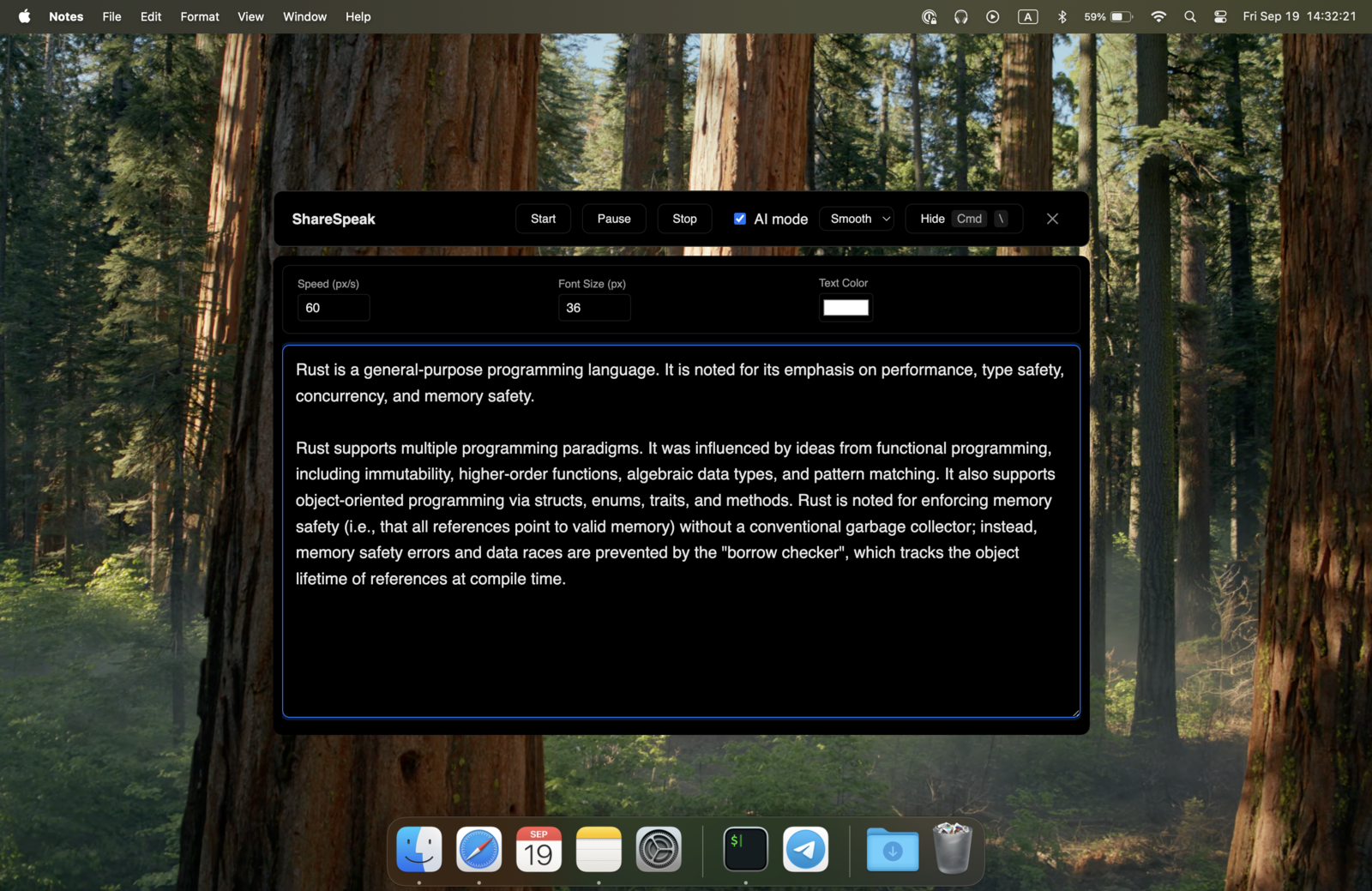
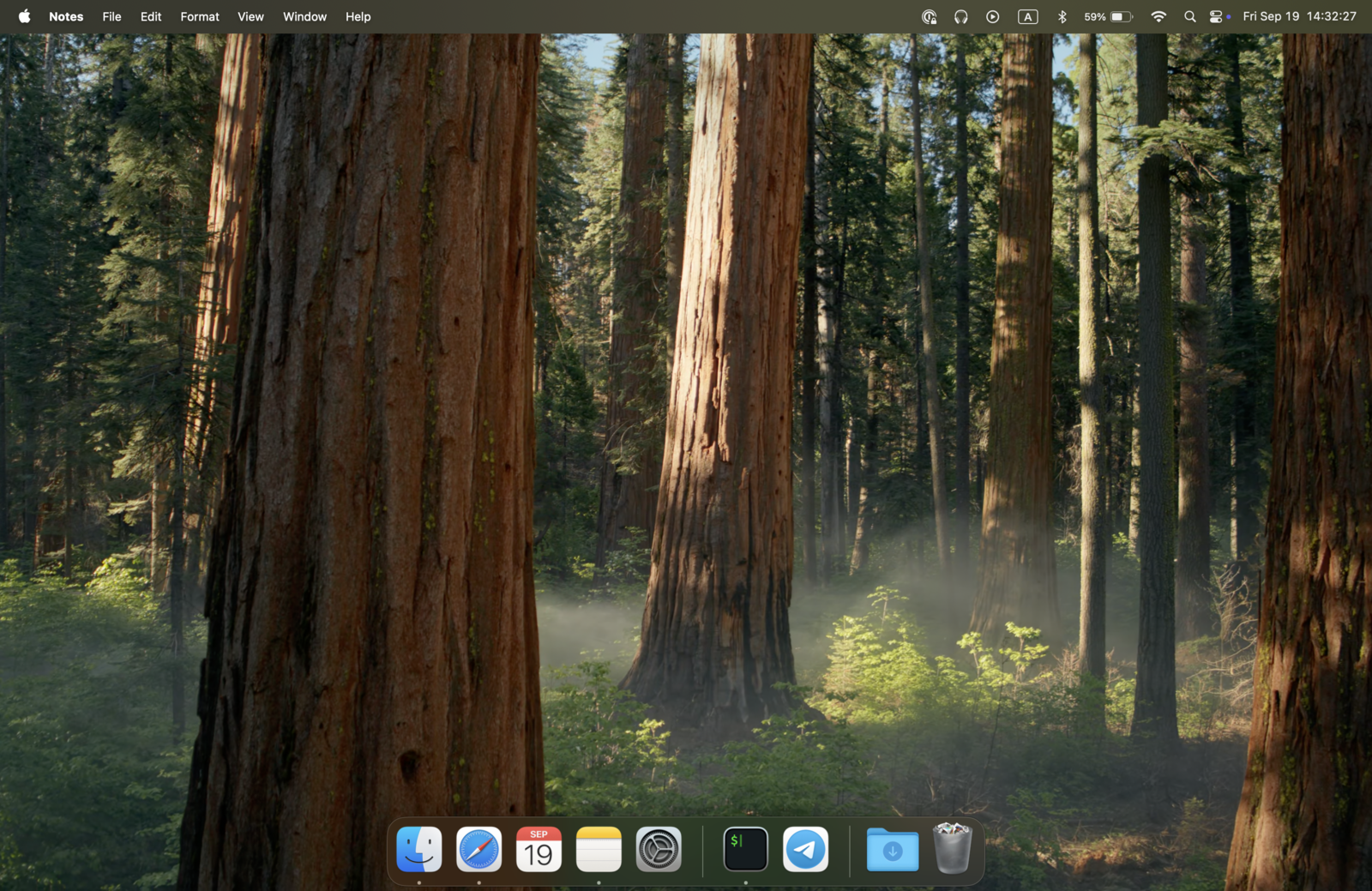
VEED's teleprompter runs in a browser window. The moment you share or record that screen, the prompter — and the tab, address bar, and bookmarks around it — is in the frame. ShareSpeak is a desktop overlay hidden from capture at the OS level, the same technique behind our invisible teleprompter for screen sharing.
The moment it matters: mid-call, someone asks you to share your screen or walk a client through a demo. A browser-based prompter is right there for everyone to see; with ShareSpeak the script simply isn't in the shared frame.
A subscription for one feature
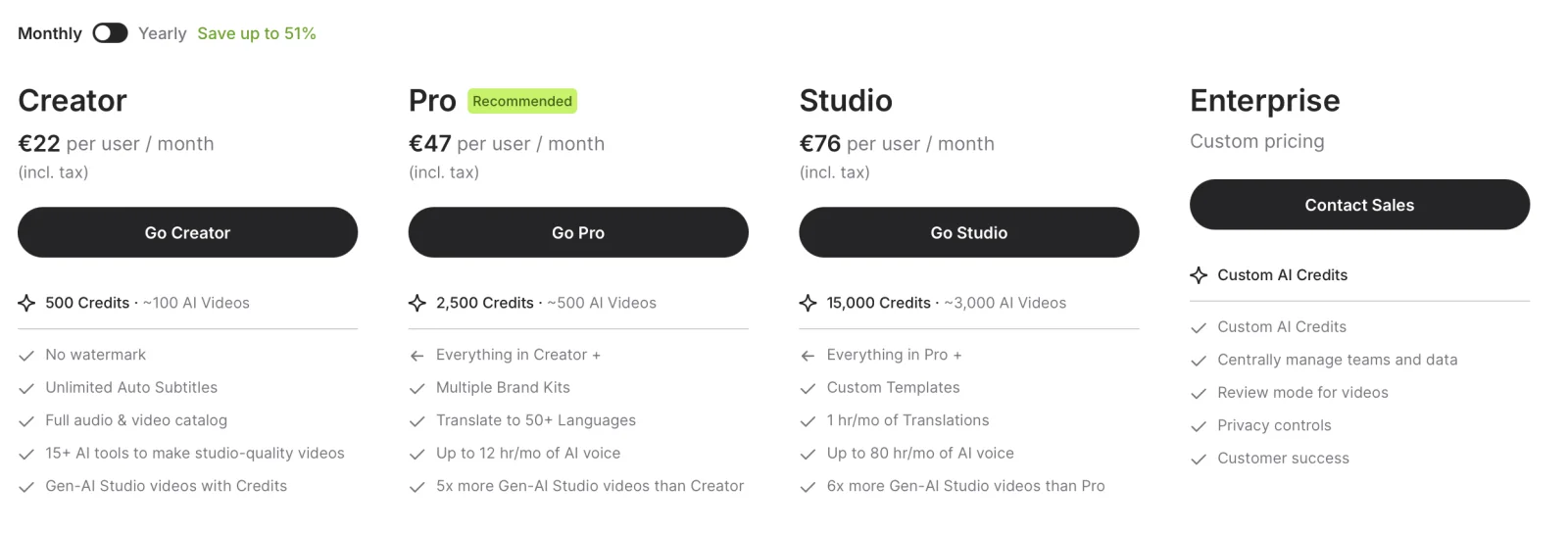
VEED is priced as an editing platform (Creator €11/mo yearly, Pro €23, Studio €37, all billed in EUR incl. tax). If you use the editor, the AI tools, and the subtitles, that can be worth it. If the teleprompter is the only part you touch, you're renting a whole suite to read a script.
VEED plans vs a one-time teleprompter
| Plan | Price (monthly · yearly) | Watermark-free? |
|---|---|---|
| VEED Free | €0 | ✗ |
| VEED Creator | €22/mo · €11/mo yearly | ✓ |
| VEED Pro | €47/mo · €23/mo yearly | ✓ |
| VEED Studio | €76/mo · €37/mo yearly | ✓ |
| ShareSpeak | $14.99 one-time | ✓ |
VEED prices are per user in EUR, incl. tax, as shown on veed.io (July 2026); the annual option is roughly half the monthly rate. Confirm current pricing on the VEED pricing page, or compare the category in our teleprompter pricing comparison.
When VEED is the right choice
To be fair, VEED is a strong product — keep it if:
- You want the whole editor. Trimming, subtitles, brand kits, translations, and AI video tools in one browser tab — that's what you're really paying for, and the teleprompter rides along.
- You film talking-head video, not screen recordings. If you're not sharing your screen, a browser prompter being on-screen doesn't matter.
- You produce and publish in one place. Record, edit, caption, and export without switching apps.
A lighter option if you only want the prompter
ShareSpeak does one thing: it's a Mac and Windows teleprompter for a one-time $14.99. It adds AI voice-following (the script scrolls as you speak, not at a fixed speed), stays invisible to screen capture, works offline with its local Whisper engine, and needs no account. You bring your own recorder — OBS, Loom, Camtasia, or QuickTime — and there's no watermark to remove because VEED isn't making the file. On a PC? See our ranking of the best teleprompter software for Windows.
If you switch, it takes about 4 steps
- Copy your script out of VEED (plain text is fine).
- Download ShareSpeak for Mac or Windows and install it — no account, no card.
- Paste the script into ShareSpeak's Scripts Library (live word count + speaking-time estimate).
- Record with whatever tool you like — ShareSpeak's overlay stays invisible while voice tracking follows your pace.
Best for screen-recording creators
YouTube creators
Record tutorials with no browser tab in frame and no watermark — see the teleprompter for YouTube creators.
Sales & demos
Talking points on screen, invisible on the share — built for a teleprompter for sales demos.
Course creators
Record lessons without a subscription or a watermark on every export — a lifetime license means fixed costs.
Camtasia & OBS
Pair it with your recorder of choice — for example a teleprompter for Camtasia, hidden from the capture.
Just want the teleprompter? $14.99 once.
Skip the subscription and the watermark. Get a dedicated, voice-following teleprompter that stays invisible on screen share — one of 33 apps on our teleprompter alternatives hub.
Use code FIRST100 for 25% off — $11.24 instead of $14.99
Frequently asked questions
Does VEED have a teleprompter?
Yes. VEED (veed.io) is a browser-based AI video editor and recorder with a built-in teleprompter: you paste a script, it scrolls on screen while you record from your webcam or screen. It's one feature inside a much larger editing suite, not a standalone prompter. It works in the browser, so it needs an internet connection and an account.
Is VEED's teleprompter free, and does it watermark videos?
You can use the teleprompter on VEED's free plan, but exports carry a "Made with VEED" watermark, and the free tier limits length and quality. Removing the watermark requires a paid plan — the cheapest, Creator, is €22/month or €11/month billed yearly. If you only need the teleprompter (not the editor), that's a lot of subscription for one feature.
How much does VEED cost in 2026?
As of July 2026 VEED is subscription-only, priced in EUR (incl. tax), per user: Creator €22/month or €11/month billed yearly; Pro €47/month or €23/month billed yearly; Studio €76/month or €37/month billed yearly; Enterprise is custom-quoted. The annual option is roughly half the monthly rate. See our full VEED pricing breakdown for the tier-by-tier detail.
What's a lighter alternative to VEED just for the teleprompter?
ShareSpeak is a dedicated desktop teleprompter for a one-time $14.99 — no subscription, no watermark, and no video editor bolted on. It adds AI voice-following (the script scrolls as you speak) and, unlike a browser tab, it's invisible to screen capture, so it stays out of your recordings and screen shares.
Can ShareSpeak be invisible during screen recording?
Yes. ShareSpeak is a desktop overlay hidden from screen capture at the OS level — OBS, Loom, Zoom, Teams, and Camtasia record a clean screen. VEED's teleprompter runs in a browser tab, so it (and the tab around it) shows if you share or capture that screen. That's the main reason to reach for a dedicated tool.
Can I move my script from VEED to ShareSpeak?
Yes. Copy your script out of VEED and paste it into a new entry in ShareSpeak's Scripts Library, or, since ShareSpeak 0.4.2, save it as a text, Markdown or Word (.docx) file and import it. Save one per video, with a live word count and speaking-time estimate. No account needed.
A teleprompter, not a subscription
Voice-following scroll, Mac and Windows, invisible on screen share — $14.99 once, no watermark, no renewal.
Buy ShareSpeak Now — $14.99