
Imaginary Teleprompter Alternative — ShareSpeak: The $14.99 Upgrade from Free & Open Source
Imaginary Teleprompter is a great open-source project — free, cross-platform, honest. But it's in legacy mode with no active development, runs full-screen only, and has no voice tracking. For $14.99, ShareSpeak adds AI voice control, invisible overlay, and an app that's actually maintained.
| Feature | ShareSpeak | Imaginary Teleprompter |
|---|---|---|
| Pricing | $14.99 Lifetime | Free (Open Source) |
| AI Voice Tracking | ✓ | ✗ |
| Invisible During Recording | ✓ | ✗ |
| Windowed Overlay | ✓ | Full-screen only |
| Actively Maintained | ✓ | Legacy (since 2022) |
| macOS Support | ✓ | ✓ |
| Windows Support | ✓ | ✓ |
| Lightweight (Non-Electron) | ✓ | Electron-based |
What $14.99 Gets You Over Free
AI Voice Tracking — The Feature Open Source Can't Easily Build
Imaginary Teleprompter gives you manual scroll speed control. You set a speed and press play. If your pace doesn't match the scroll — too bad. Pause to answer a question? The text keeps moving. This is the fundamental limitation of every manual-scroll teleprompter.
ShareSpeak uses AI speech recognition to follow your voice in real time. Speak naturally, and the text moves at your exact pace. Pause for 30 seconds — it waits. Speed through a section — it keeps up. This single feature changes how natural you sound on camera and how many retakes you need.
Invisible During Screen Recording — Not Full-Screen Text on Your Desktop
Imaginary Teleprompter runs full-screen only. It takes over your entire display with scrolling text. You can't overlay it on top of Zoom, OBS, or any other app. And because it's a full-screen Electron window, screen capture software records everything — your script, the interface, all of it.
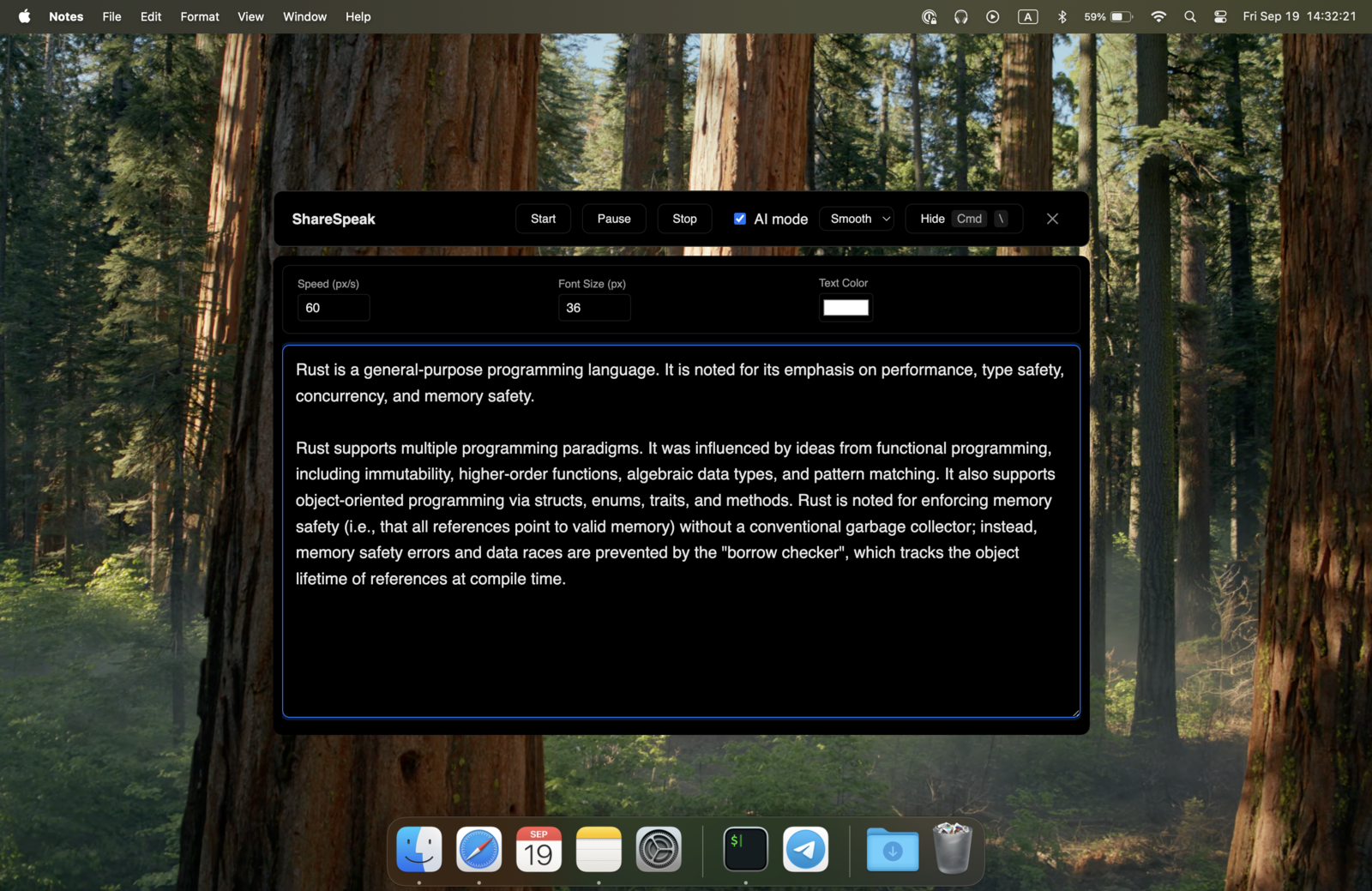
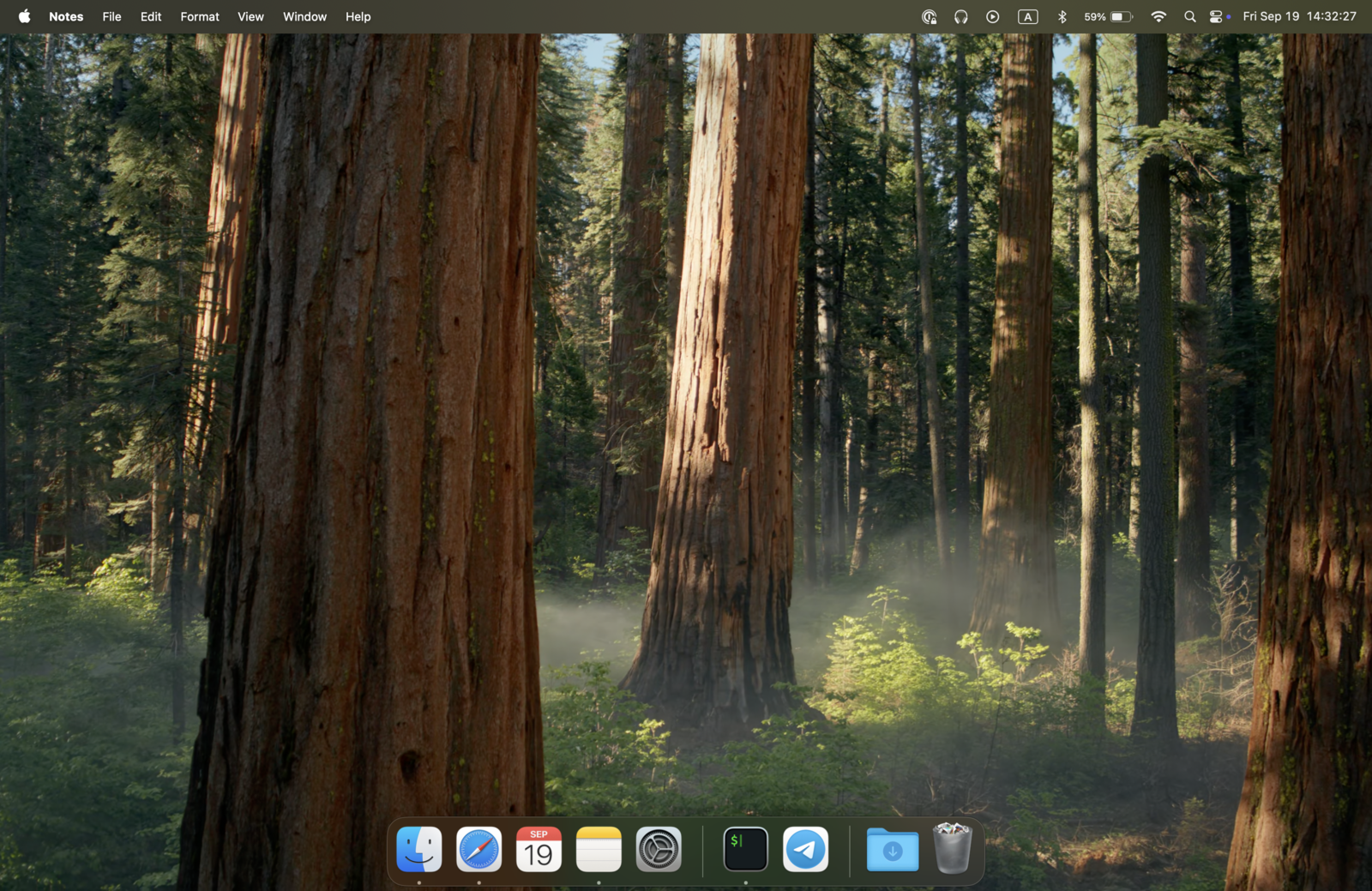
ShareSpeak is a small, resizable overlay that sits on top of any application. More importantly, it's invisible to screen capture at the OS level. Record a tutorial, share your screen on Zoom, stream on Twitch — your viewers see a clean desktop. You see your script. This is the feature that justifies $14.99 by itself for any screencaster. It's the same approach behind our invisible teleprompter for screen sharing, hidden from OBS and Zoom capture without any workarounds.
Actively Maintained — Not Legacy Software
Imaginary Teleprompter is officially in legacy mode. The last significant update was in 2022. The developers themselves recommend switching to a different app. There are 50+ open issues on GitHub with no one actively resolving them. Using legacy software means no bug fixes, no OS compatibility updates, and no new features — ever.
ShareSpeak is actively developed and maintained. When macOS or Windows ships an update that breaks something, it gets fixed. When users request features, they get considered. You're paying $14.99 for software that someone is actually working on — not a GitHub repo that's been archived in all but name. Still comparing PC options? See our roundup of the best teleprompter software for Windows.
Windowed Overlay — Not Full-Screen Takeover
Imaginary Teleprompter's biggest user complaint: it only runs full-screen. You can't see your video call, your recording app, or anything else while using it. Users have been requesting windowed mode for years — it's in the open issues — but since the project is in legacy mode, it's never coming.
ShareSpeak is an overlay window you can position and resize anywhere on your screen. Place it near your webcam for eye contact, move it to the side during a presentation, or center it for maximum readability. It works alongside your other apps, not instead of them.
Lightweight Native App — Not an Electron Browser Tab
Imaginary Teleprompter is built on Electron — it bundles an entire Chromium browser to display scrolling text. That means 200-400MB of disk space and significant RAM usage for what is essentially a text scroller. When you're recording video, you want your system resources going to OBS or your camera, not to a teleprompter's embedded browser.
ShareSpeak is a native desktop app. Minimal memory footprint, no browser engine running in the background, no performance overhead competing with your recording software.
Same Privacy — Download, Install, Use
This is where Imaginary Teleprompter got it right: no account, no cloud, no tracking. It's open-source software you download and run locally.
ShareSpeak follows the same philosophy. No account required, no cloud storage, no analytics. Your scripts stay on your machine. We're not interested in your data — just in making a good teleprompter. The difference is that ShareSpeak adds AI voice tracking and invisible overlay on top of that same privacy-respecting foundation.
Ready to Step Up from Open Source?
Screencasters & YouTubers
Record with an invisible teleprompter overlay — the one thing a full-screen open-source app fundamentally can't do. See how it works as a teleprompter for YouTube creators.
Zoom & Teams Presenters
Present with a voice-tracked script overlaid on your call. Imaginary Teleprompter takes over your whole screen — ShareSpeak sits on top of it as a teleprompter for Zoom.
Open Source Power Users
Familiar with open source, appreciate native apps over Electron bloat. ShareSpeak is lightweight and runs natively on Mac and Windows — try the AI teleprompter for Mac.
Course Creators
AI voice tracking means fewer retakes and more natural delivery. $14.99 pays for itself the first time you save an hour of re-recording — it doubles as a teleprompter for Loom lessons.
$14.99 for What Open Source Can't Deliver
We respect open source — Imaginary Teleprompter is a solid project that served its users well. But it's in legacy mode, and some features — invisible overlay, AI voice tracking — require a different approach. ShareSpeak picks up where they left off, for the price of a lunch.
Compare to other free and web-based teleprompters: EasyPrompter, Teleprompter.com, or browse the full teleprompter alternatives hub. ShareSpeak is the one with AI voice tracking and an overlay you can hide.
Use code FIRST100 for 25% off — $11.24 instead of $14.99
Frequently Asked Questions
Imaginary Teleprompter is free. Why pay $14.99?
Free is great — until you need features it can't provide. Imaginary Teleprompter has no voice tracking, no invisible overlay, runs full-screen only, and hasn't been updated since 2022. ShareSpeak adds AI voice control, screen recording invisibility, windowed overlay mode, and active development. If you record your screen or present on video calls, $14.99 saves you hours of workarounds.
Is Imaginary Teleprompter still being developed?
No. It's officially in legacy mode. The developers themselves recommend moving to other solutions. There are 50+ open issues on GitHub with no active development. You can still download and use it, but expect no bug fixes, no new features, and no OS compatibility updates.
Can Imaginary Teleprompter run in windowed mode?
No. It only runs full-screen, taking over your entire display. This has been a top user request for years but since the project is in legacy mode, it will never be implemented. ShareSpeak runs as a resizable overlay window that sits on top of any application.
Is ShareSpeak open source too?
ShareSpeak is not open source, but it shares the same privacy values: no account required, no cloud storage, no tracking, fully offline. The $14.99 pays for active development, AI features, and ongoing maintenance — things that are hard to sustain with pure open-source funding.
Is ShareSpeak lighter than Imaginary Teleprompter's Electron app?
Yes. Imaginary Teleprompter bundles a full Chromium browser via Electron. ShareSpeak is a native app with a much smaller footprint — less disk space, less RAM, less CPU. When you're recording video, every bit of performance matters.
Should I stick with Imaginary Teleprompter if I don't record my screen?
If you just need basic text scrolling for practice or speech prep and full-screen mode works for you, Imaginary Teleprompter still functions. But be aware it's legacy software — if a future OS update breaks it, nobody's fixing it. For $14.99, ShareSpeak gives you a maintained app with voice tracking that fundamentally changes how you deliver scripts.
Free Got You Started. $14.99 Gets You There.
Imaginary Teleprompter proved you need a teleprompter. ShareSpeak gives you the one you actually want — with AI voice tracking, invisible overlay, and an app that's not abandonware.
Buy ShareSpeak Now — $14.99