
VODIUM Alternative — ShareSpeak: AI Teleprompter Overlay Without the $180/Year Subscription
VODIUM charges $15/month for a teleprompter overlay with manual scrolling. ShareSpeak gives you the same overlay experience plus AI voice tracking for $14.99 — once, forever. Stop paying rent for a tool that should just work.
| Feature | ShareSpeak | VODIUM |
|---|---|---|
| Pricing Model | $14.99 Lifetime | $15/month |
| AI Voice Tracking | ✓ | ✗ |
| Scroll Method | Voice + Auto + Manual | Auto + Manual only |
| Invisible During Recording | ✓ | ✗ |
| macOS Support | ✓ | ✓ |
| Windows Support | ✓ | ✓ |
| Account Required | ✗ | ✓ |
Same Concept, Better Execution, No Subscription
$14.99 Once vs $180/Year — Do the Math
VODIUM costs $15/month. That's $180 every year for a teleprompter overlay. Cancel? You lose access entirely. Every month you're essentially renting a text scroller.
ShareSpeak costs $14.99 once. That's less than one month of VODIUM. After 4 weeks, ShareSpeak has already paid for itself. After a year, you've saved $165.01. After two years, $345.01.
Cost Over 2 Years:
- • VODIUM: $360 ($15/mo x 24 months)
- • ShareSpeak: $14.99 forever
- • You save: $345.01
AI Voice Tracking vs Scrolling and Hoping for the Best
VODIUM gives you two options: set a fixed auto-scroll speed and hope you keep pace, or manually scroll with a mouse/keyboard while presenting. Both break your flow. You're either rushing to match the scroll or fumbling with controls during a live call.
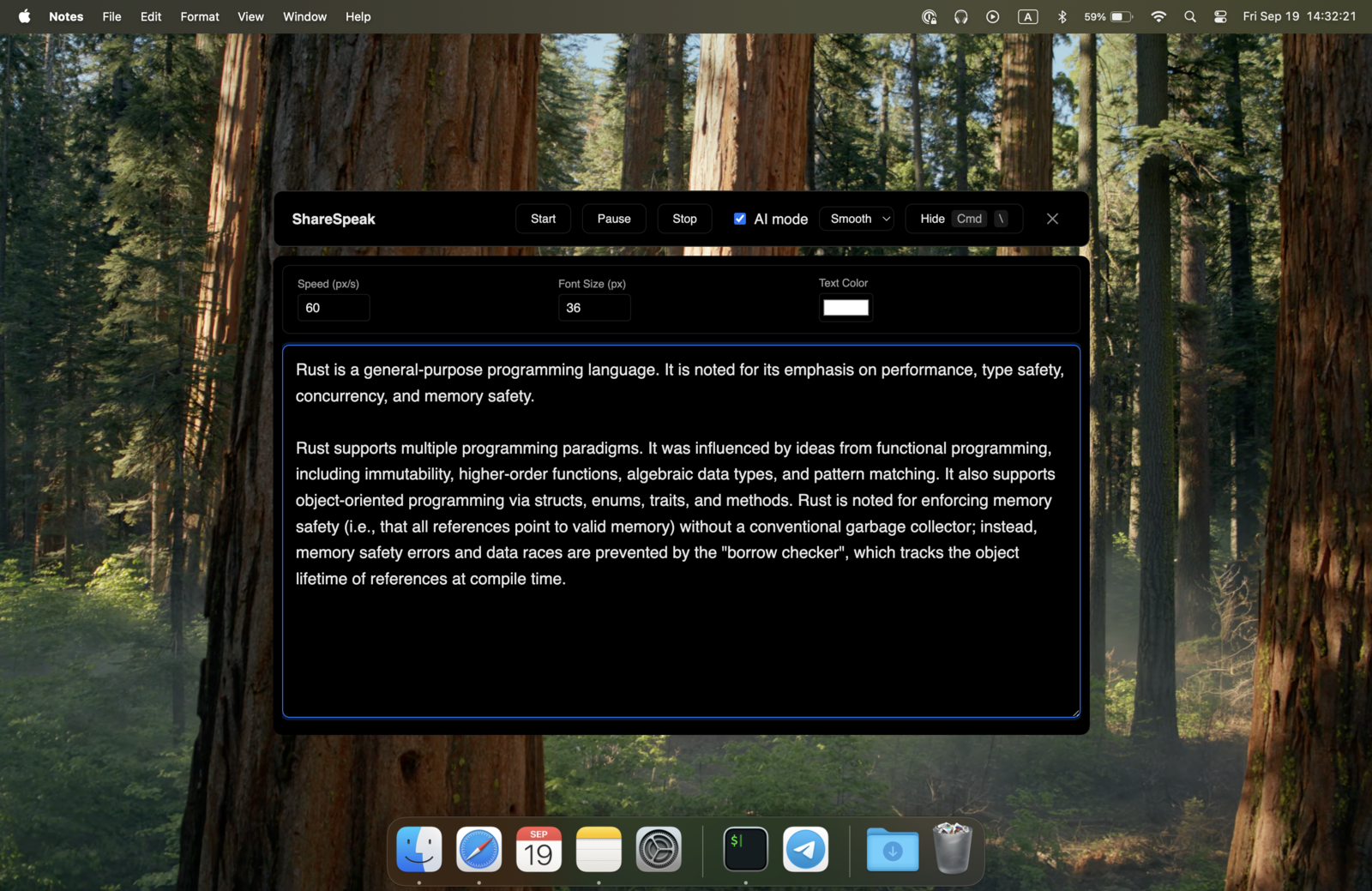
ShareSpeak follows your voice. Speak naturally, and the text moves with you. Pause to answer a question from your audience — it waits. Speed through a familiar section — it keeps up. Go off-script for a minute — pick up where you left off. No fixed speed to wrestle with, no manual scrolling to distract you.
Actually Invisible — Not Just an Overlay
VODIUM is a visible overlay that sits on top of your screen. It works for Zoom calls where you're showing your face, but the moment you share your screen or record a tutorial, the overlay is captured too. VODIUM also has a known issue where PowerPoint presentations push the overlay behind, making it disappear when you need it most.
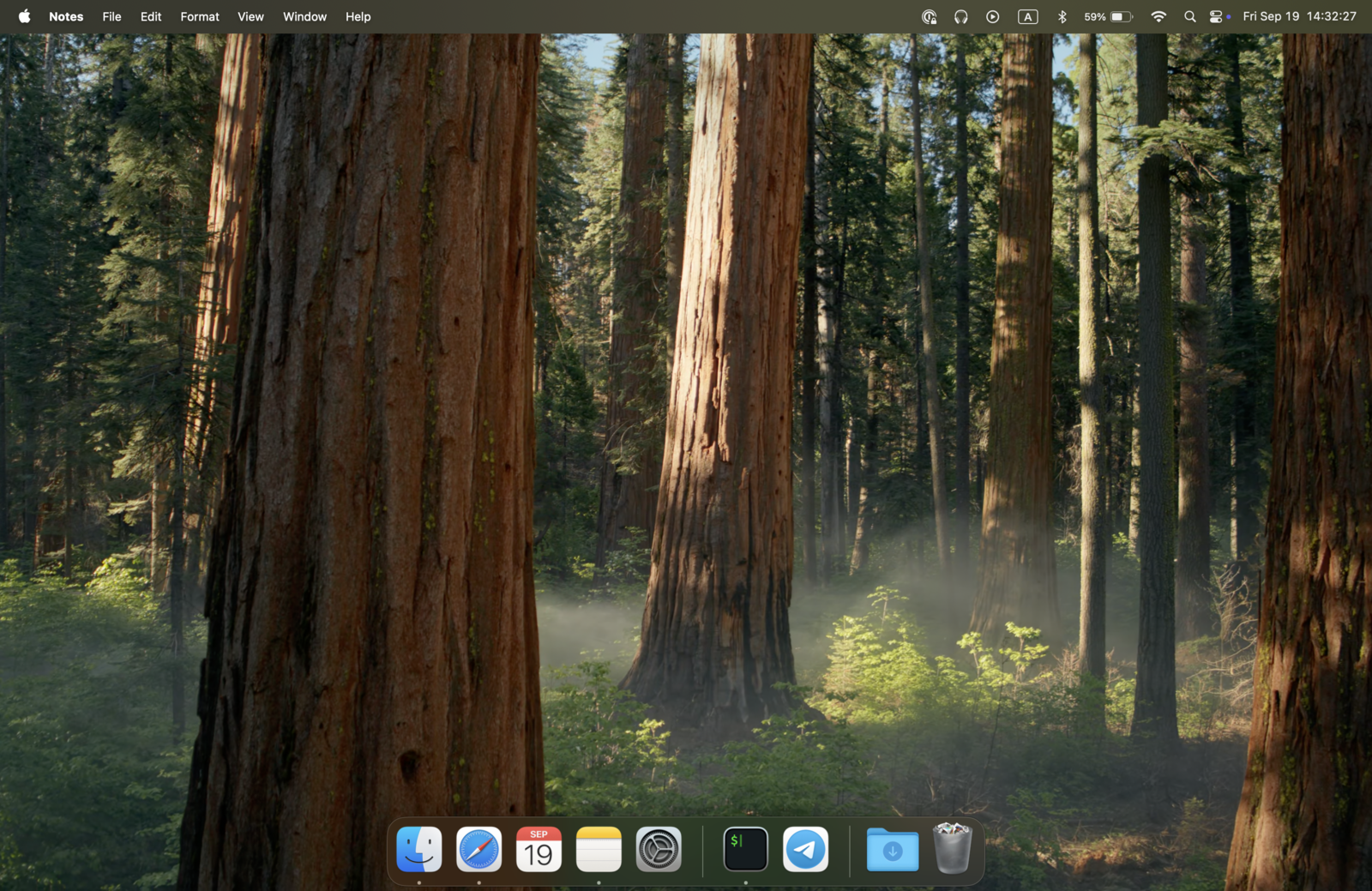
ShareSpeak is invisible to screen capture at the OS level. Share your screen on Zoom, record with OBS, stream on Twitch — your viewers see a clean screen while you see your script. It's not just an overlay that sits on top; it's engineered to be undetectable by recording software. That's the same OS-level approach behind our invisible teleprompter for screen sharing.
You Don't Need Enterprise Pricing for a Teleprompter
VODIUM positions itself as an enterprise tool with per-seat pricing, bulk licensing, and IT-friendly deployment. That's great if your company is buying 50 licenses. But if you're an individual creator, freelancer, or small team, you're paying enterprise margins for a tool that scrolls text.
ShareSpeak is built for individual creators. No per-seat licensing, no enterprise sales calls, no procurement process. Buy it, download it, use it. The same professional-grade teleprompter experience without the corporate price tag.
Mac and Windows — One License Covers Both
VODIUM supports Mac and Windows — but you pay per seat, per month, on every machine. If you work across a MacBook and a Windows desktop, that's the same recurring bill following you everywhere.
ShareSpeak runs natively on macOS and Windows. One $14.99 purchase covers both platforms. Use it wherever you work, without buying separate licenses or worrying about compatibility.
No Account, No Subscription Management
VODIUM requires an account, a payment method on file, and active subscription management. Forget to cancel? You're billed again. Change your credit card? Update it in VODIUM too. It's another subscription to track in a world of subscription fatigue.
ShareSpeak needs no account. No login, no password, no subscription to manage or cancel. Buy it once, download the app, use it forever. One less subscription cluttering your credit card statement.
Perfect for Presenters and Creators Alike
Zoom & Teams Calls
Deliver polished presentations on any video platform — set it up as a teleprompter for Zoom, Microsoft Teams, or Google Meet. AI voice tracking means no fumbling with scroll controls while your colleagues watch.
Screen Recording
Record tutorials and demos with your script on screen — completely invisible to capture software. Something VODIUM's visible overlay can't do.
Webinars & Live Events
Host webinars with confidence. Voice tracking follows your natural pace — no need to pre-time your auto-scroll speed.
YouTube & Content Creation
Record polished videos without monthly overhead. Lifetime access means your teleprompter costs are done after one $14.99 payment.
Cancel VODIUM, Keep Your Teleprompter
Switch to ShareSpeak and stop paying monthly. One purchase, both platforms, AI voice tracking included. Your VODIUM subscription cost covers ShareSpeak 14 times over.
Still weighing options? Compare our Demodesk alternative and Speakflow alternative, or see how ShareSpeak handles a teleprompter for sales demos — all for $14.99 flat. You can also browse our full teleprompter alternatives hub.
Use code FIRST100 for 25% off — $11.24 instead of $14.99
Frequently Asked Questions
Does ShareSpeak work with Zoom, Teams, and Google Meet like VODIUM?
Yes. ShareSpeak overlays on top of any application — Zoom, Microsoft Teams, Google Meet, WebEx, or anything else. The difference is ShareSpeak also becomes invisible when you share your screen, so your audience only sees your presentation, not your teleprompter.
VODIUM lets me upload Word docs and PDFs. Can ShareSpeak do that?
ShareSpeak works with plain text — paste your script directly or load a text file. For Word docs and PDFs, just copy the text and paste it in. Most presenters write scripts in Google Docs or Notion anyway, so copy-paste is the natural workflow.
Does ShareSpeak have the PowerPoint overlay issue that VODIUM has?
No. VODIUM has a known problem where PowerPoint pushes the overlay behind the presentation, making it invisible when you need it. ShareSpeak uses OS-level window management to always stay on top — regardless of what application is in the foreground.
Why doesn't VODIUM have voice tracking?
VODIUM relies on fixed-speed auto-scroll or manual scrolling. ShareSpeak uses AI speech recognition to follow your natural pace. This means you never have to pre-set a scroll speed or manually adjust during a live presentation — the teleprompter adapts to you, not the other way around.
Is ShareSpeak suitable for enterprise teams?
ShareSpeak is designed for individual creators and small teams. If you need centralized billing, IT deployment, and user management for 50+ people, VODIUM's enterprise plan may suit that. But if you're an individual or small team tired of paying $15/user/month, ShareSpeak is the smarter choice.
What happens if I cancel VODIUM and switch to ShareSpeak?
Buy ShareSpeak ($14.99), download it, copy your scripts over, and cancel your VODIUM subscription. You'll have a better teleprompter with voice tracking, and you'll save $15/month going forward. The switch takes about 2 minutes.
One Month of VODIUM = ShareSpeak Forever
Stop renting your teleprompter. Get AI voice tracking, true screen invisibility, and Mac and Windows support — for less than one month of VODIUM.
Buy ShareSpeak Now — $14.99