
Updated: July 2026
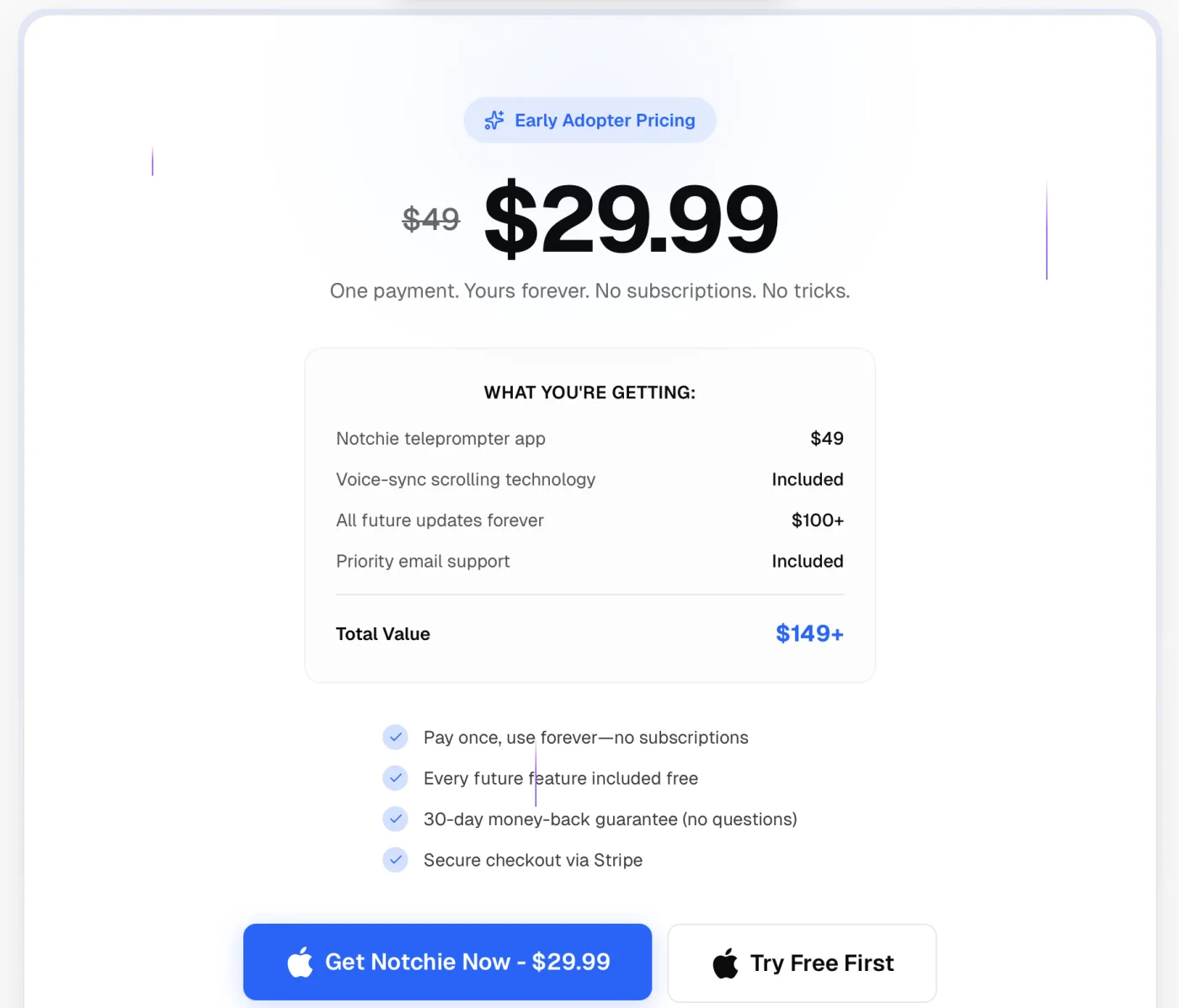
Notchie Alternative (2026): $14.99 vs $29.99
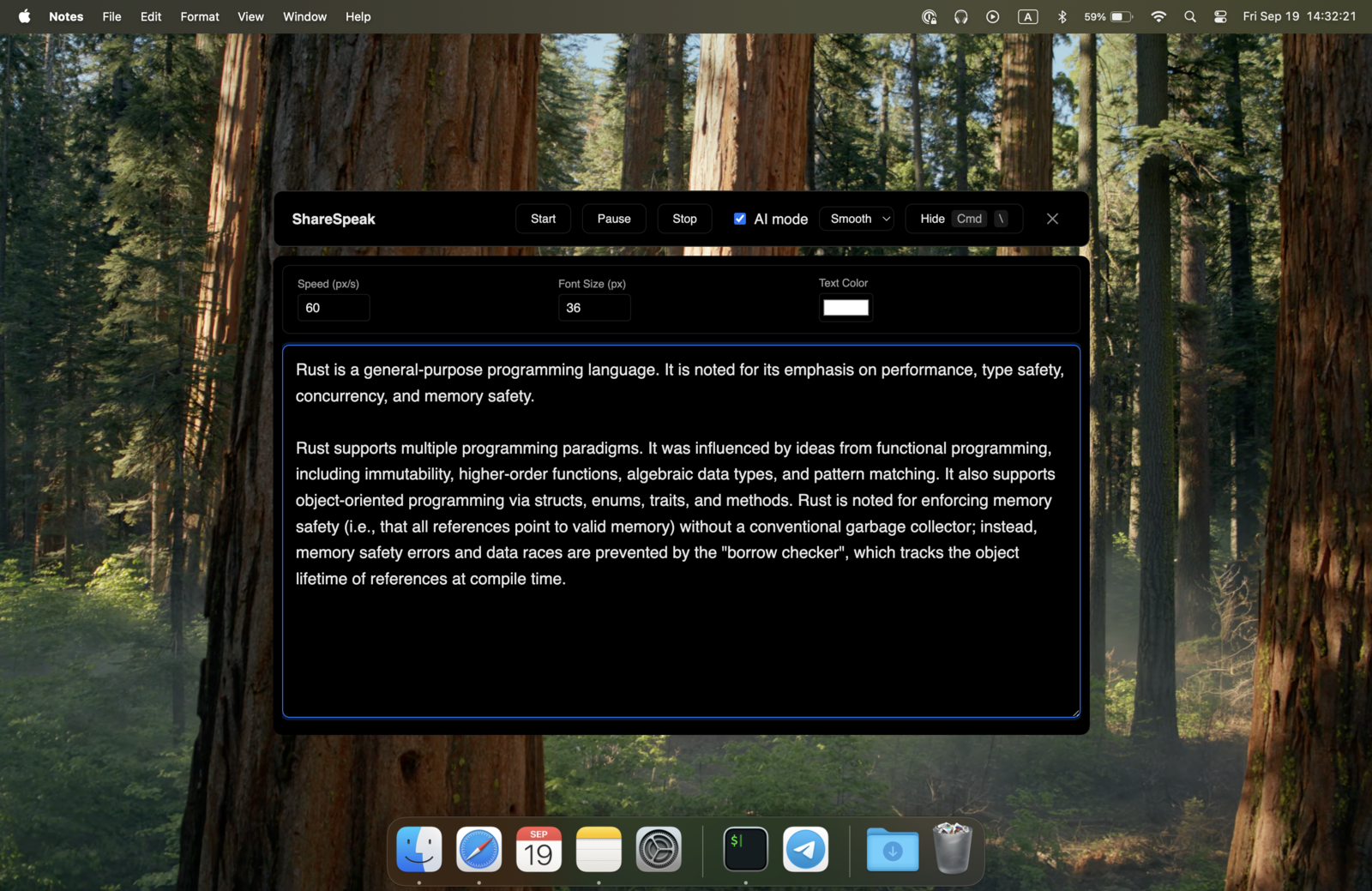
Notchie is a genuinely nice notch teleprompter — invisible during screen sharing, and a one-time $29.99 (no subscription). Two things it isn't: cheap, or cross-platform. As of July 2026 it's Mac-only. ShareSpeak does the same job — notch mode, invisible overlay, voice-following — for a one-time $14.99, and it also runs on Windows.
Our verdict
Switch to ShareSpeak if you want to pay less than half ($14.99 vs $29.99), you're on Windows or move between Mac and Windows, or you want a choice of speech engines. Stay with Notchie if you're Mac-only, you specifically want its polished, notch-first app, and the extra ~$17 doesn't matter to you. One honest line: these are close cousins — both one-time, both invisible notch teleprompters — so this really comes down to price and whether you need Windows.
What Notchie actually is
Notchie is a Mac teleprompter that tucks your script into the MacBook notch area, so it's on your screen but hidden from screen capture — you read while Zoom, Meet, or OBS see a clean desktop. It has voice-sync scrolling, it's a one-time purchase rather than a subscription, and it comes with a free trial and a 30-day money-back guarantee. For a Mac-only creator who wants a dedicated notch app, it's a solid, well-made pick.
The two friction points are the price ($29.99, listed as early-adopter pricing down from $49) and the platform: it doesn't run on Windows yet.
Notchie vs ShareSpeak, side by side
| Feature | ShareSpeak | Notchie |
|---|---|---|
| Price | $14.99 one-time | $29.99 one-time |
| Subscription? | No | No |
| macOS (notch mode) | ✓ | ✓ |
| Windows | ✓ | Mac-only ("in the works") |
| Invisible to screen capture | ✓ | ✓ |
| Voice-following scroll | Whisper + Google | Voice-sync |
| Floating overlay mode | ✓ | Notch-first |
The Windows gap
This is the clearest reason to choose ShareSpeak: Notchie is a Mac app, and its own FAQ lists Windows as "in the works," not shipped. If you record on a Windows PC — or bounce between a MacBook at home and a Windows machine at work — Notchie can't come with you. One ShareSpeak license runs natively on both, so your teleprompter travels with your workflow. It's the same overlay behind our invisible teleprompter for screen sharing, on either OS. Shopping for a teleprompter app for Windows more broadly? See our ranked comparison.
When Notchie is the right choice
We won't pretend otherwise — Notchie is worth it if:
- You're Mac-only and want a notch-first app. Notchie is built around the MacBook notch and does that one thing cleanly.
- The price gap doesn't matter to you. Both are one-time; if $29.99 vs $14.99 is a rounding error for your setup, pick the app you like the feel of.
- You want to try before you buy. Notchie offers a free trial; give it a spin and see.
Moving over from Notchie in 3 steps
- Copy your scripts out of Notchie (plain text is fine).
- Download ShareSpeak for Mac or Windows — no account, no card.
- Paste each script into ShareSpeak's Scripts Library, pick notch or overlay mode, and read — voice-following follows your pace.
Built for Mac and Windows creators
YouTube creators
Record tutorials with the script in the notch or an overlay, invisible to capture — see the teleprompter for YouTube creators.
Sales & demos
Talking points on screen, invisible on the share — built for a teleprompter for sales demos on Mac or Windows.
Windows users
Notchie can't help here yet — grab the Windows download and get the same invisible teleprompter.
Other notch apps
Comparing dedicated apps? Our teleprompter alternatives hub lines up 25 of them — including Moody and Cue.
Same idea, less than half the price
A one-time $14.99 for an invisible notch teleprompter with voice-following — on Mac and Windows. No subscription, ever.
Use code FIRST100 for 25% off — $11.24 instead of $14.99
Notchie alternative FAQ
How much does Notchie cost?
As of July 2026, Notchie is a one-time $29.99 (early-adopter pricing, down from a listed $49) — pay once, no subscription. There's a free trial ("Try Free First") and a 30-day money-back guarantee. ShareSpeak is also one-time, but $14.99 — less than half the price.
Does Notchie work on Windows?
No. As of July 2026 Notchie is Mac-only; its own FAQ says Windows support is "in the works" but not yet released. ShareSpeak runs natively on both macOS and Windows today, and one $14.99 license covers both — so if you switch machines, you don't switch apps.
Is ShareSpeak cheaper than Notchie?
Yes. Both are one-time purchases with no subscription, but ShareSpeak is $14.99 versus Notchie's $29.99 — you pay less than half. You also get native Windows support and a choice of speech-recognition engines.
Does ShareSpeak have a notch mode like Notchie?
Yes. ShareSpeak has a notch mode that scrolls your script in the MacBook notch area, plus a floating overlay mode you can position anywhere. Both stay invisible to screen capture. And it works the same way on Windows, where there's no notch — the overlay just floats where you want it.
Can ShareSpeak be invisible during screen sharing, like Notchie?
Yes. Like Notchie, ShareSpeak uses OS-level rendering that screen-capture tools can't see, so it's hidden in Zoom, Google Meet, Microsoft Teams, OBS, Loom, and any other screen-sharing or recording software.
Which speech recognition does ShareSpeak use?
ShareSpeak lets you pick: OpenAI Whisper for high-accuracy offline recognition, or Google Speech Recognition for fast real-time processing — whichever suits your setup. Voice-following scrolls the script as you speak instead of at a fixed speed.
Mac and Windows. $14.99 once.
An invisible notch teleprompter with voice-following — for less than half of Notchie, on either OS.
Buy ShareSpeak Now — $14.99