
Updated: July 2026
Teleprompter.com Alternative (2026): $14.99 vs $20/mo
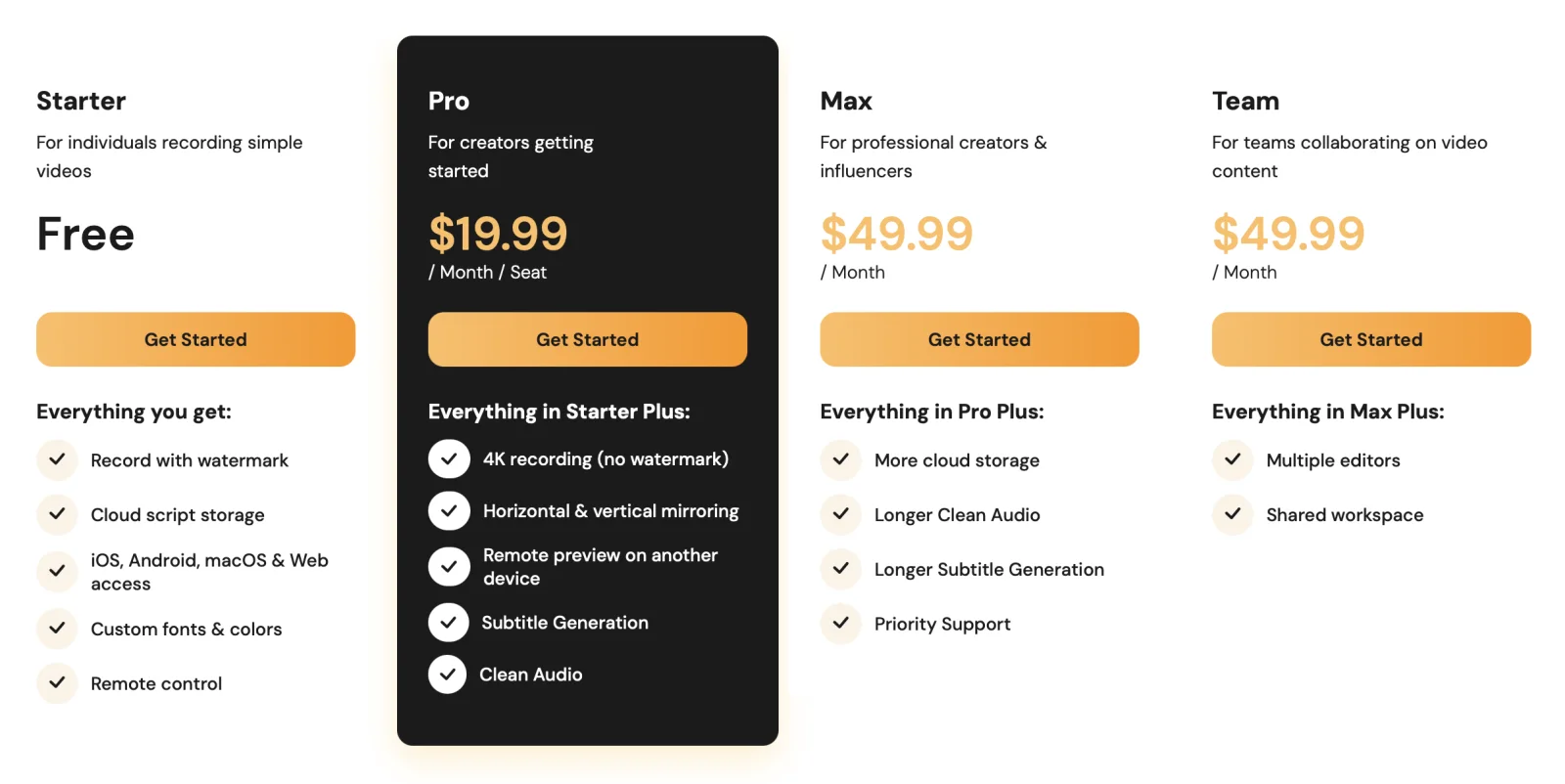
Teleprompter.com is free to start, but recordings carry a watermark — removing it means Pro at $19.99/month (or $7.50/month billed yearly, $90/year). ShareSpeak is a one-time $14.99 instead: no watermark, no subscription, AI voice-following, and — unlike a recorder aimed at your camera — invisible during screen sharing. Full Teleprompter.com pricing breakdown here.
Our verdict
Switch to ShareSpeak if you record screen content on a Mac or Windows desktop and want a one-time price plus a prompter that stays invisible in OBS, Zoom, and Loom. Stay on Teleprompter.com if you film to your phone or tablet camera, want its cloud sync and remote-control apps across devices, and don't mind a subscription. One-line why: Teleprompter.com is a cross-device recording app with a watermark on its free tier; ShareSpeak is a one-time desktop overlay built to disappear on screen share.
| Feature | ShareSpeak | Teleprompter.com |
|---|---|---|
| Price model | $14.99 one-time | Free (watermarked); Pro $19.99/mo ($7.50 yearly); Max $49.99/mo |
| Native Windows app | ✓ | Web only |
| Invisible to screen capture | ✓ | ✗ |
| Watermark-free recordings | ✓ | Paid plans only |
| AI voice-following | ✓ | Auto-scroll |
| Works offline, no account | ✓ | Cloud + account |
| Built-in recording + cross-device sync | ✗ | ✓ |
What Teleprompter.com actually is
Teleprompter.com is a well-made, cross-device teleprompter and recording app. It runs on iOS, Android, macOS, and the web, syncs your scripts to the cloud, and lets you control the prompter from another device — you read while filming to your phone, tablet, or webcam. The paid tiers add 4K recording, mirroring for beam-splitter rigs, subtitle generation, and cleaner audio.
If you film to a camera and want scripts synced across your devices, that's a solid package. The friction shows up when your goal is a screen recording rather than a camera shot.
Where it breaks for screen recording
It's on your screen — and free exports are watermarked
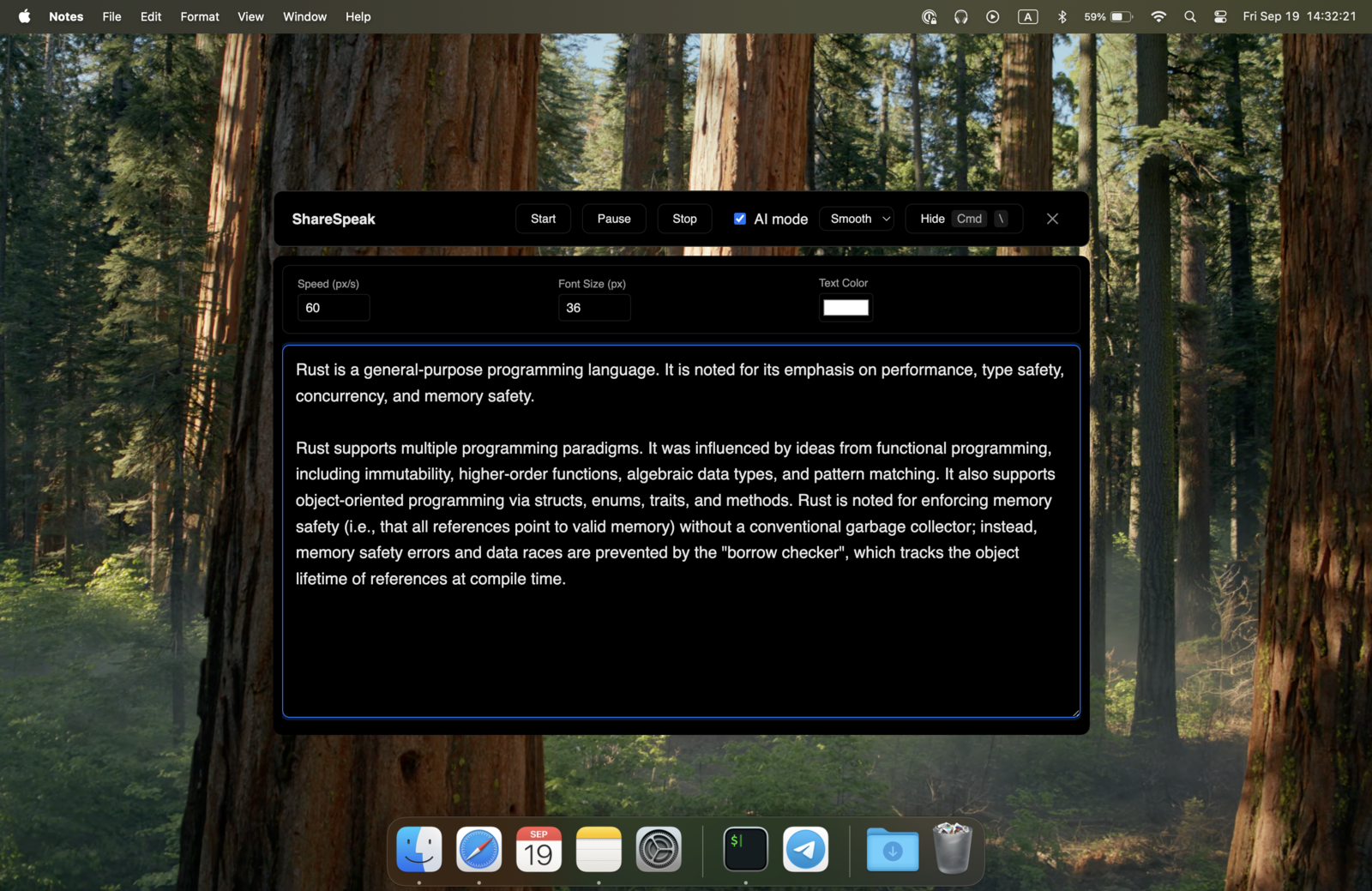
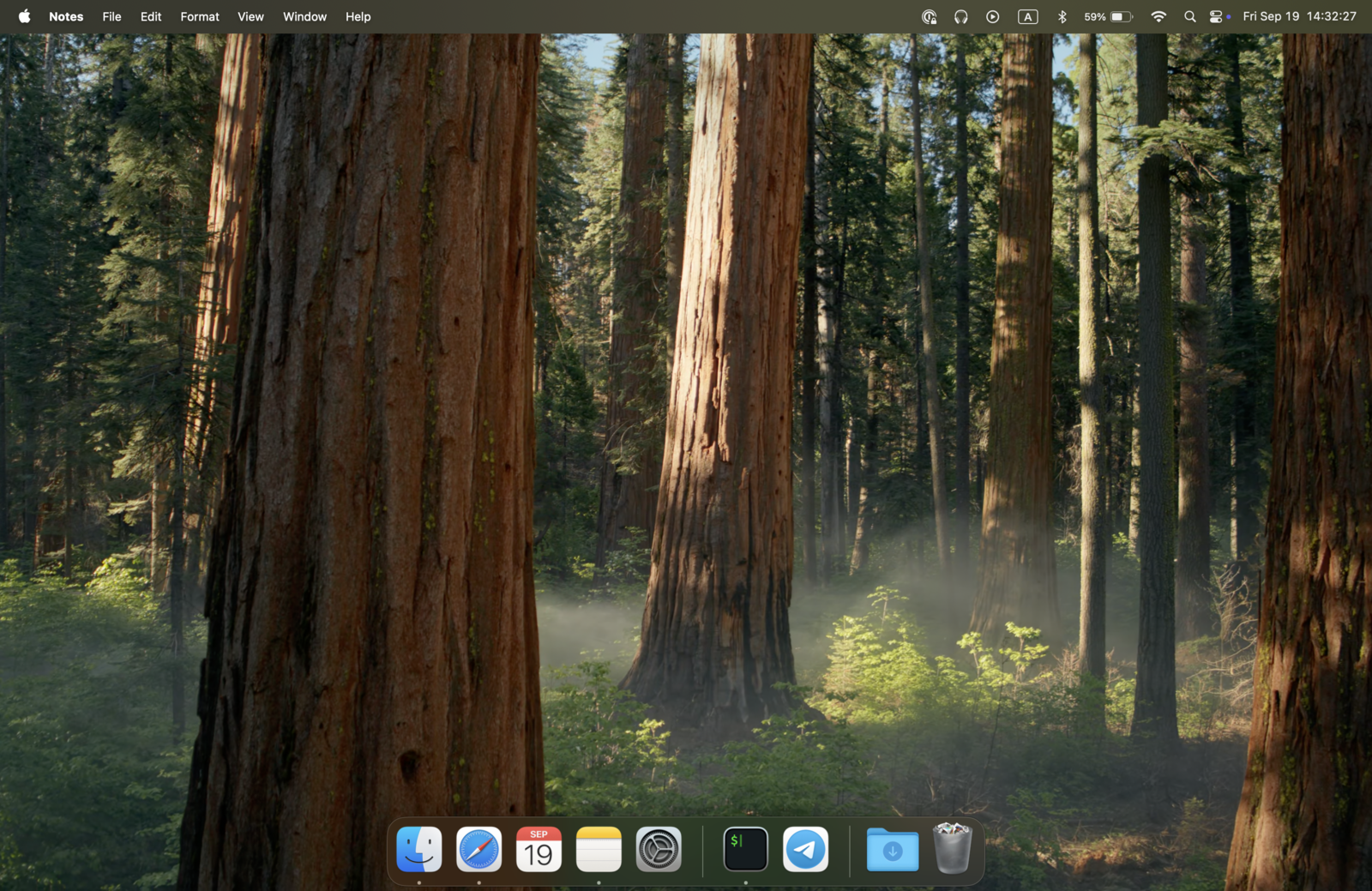
Teleprompter.com's prompter shows on the same screen you're working on, so if you share or capture that screen, it's in the shot. And on the free plan, any recording you export carries a watermark — removing it means Pro at $19.99/month ($7.50/month billed yearly). ShareSpeak is a native overlay hidden from capture at the OS level, the same technique behind our invisible teleprompter for screen sharing — and your own recorder makes the file, so there's no watermark in the first place.
$90–$300/year vs $14.99 once
Watermark-free output starts at Pro — $90/year on annual billing, or $19.99/month month-to-month. Max is $49.99/month ($24.99 yearly). ShareSpeak is $14.99 once: less than one month of Pro at the monthly rate, then nothing again.
Cost over 2 years (per person):
- • Teleprompter.com Pro (yearly): $180 ($90 × 2)
- • Teleprompter.com Pro (monthly): $479.76 ($19.99 × 24)
- • ShareSpeak: $14.99 once
See the tier-by-tier Teleprompter.com pricing, or how the category compares in our teleprompter pricing comparison.
On Windows, it's a browser tab
Teleprompter.com ships native apps for iOS, Android, and macOS, but on Windows it runs in the browser. If you work on a Windows desktop and want a native app with an overlay that's invisible to your recorder, that's exactly what ShareSpeak is — one $14.99 license covers both Mac and Windows. Still deciding? Compare the best teleprompter software for Windows in our ranking.
Voice-following, not just auto-scroll
ShareSpeak's scroll follows your voice: pause to think and it waits, speed up and it keeps up, all on-device. You're not matching your delivery to a fixed scroll speed — the script matches you.
When Teleprompter.com is the right choice
ShareSpeak isn't for everyone. Keep Teleprompter.com if:
- You film to a camera on your phone or tablet. Its mobile apps and beam-splitter mirroring are built for exactly that; ShareSpeak is a desktop screen tool.
- You want cloud sync and cross-device remote control. Read on one device, control from another — a genuine feature ShareSpeak doesn't have.
- You want recording built in. If you don't already use OBS/Loom, having the recorder and prompter in one app is convenient.
Switching in 4 steps
- Copy your scripts out of Teleprompter.com (plain text is fine).
- Download ShareSpeak for Mac or Windows and install it — no account, no card.
- Paste each script into ShareSpeak's Scripts Library (live word count + speaking-time estimate).
- Record with OBS, Loom, or QuickTime — ShareSpeak's overlay stays invisible while voice tracking follows your pace.
Best for desktop screen recording
YouTube creators
Record tutorials with no prompter in frame and no watermark — see the teleprompter for YouTube creators.
Sales & demos
Talking points on screen, invisible on the share — built for a teleprompter for sales demos.
Course creators
Record lessons without a subscription or a watermark on every export — a lifetime license means fixed costs.
Camtasia & OBS
Pair it with your recorder of choice — for example a teleprompter for Camtasia, hidden from the capture.
One-time $14.99, no watermark, no renewal
Skip the subscription and the watermark. Get a dedicated, voice-following teleprompter that stays invisible on screen share — one of 25 tools on our teleprompter alternatives hub.
Use code FIRST100 for 25% off — $11.24 instead of $14.99
Frequently asked questions
Is Teleprompter.com free?
There's a free plan, but recordings made on it carry a watermark. As of July 2026 you get cloud script storage, custom fonts and colors, and remote control on iOS, Android, macOS, and the web. To export without a watermark (plus 4K, mirroring, and subtitles) you upgrade to Pro — $19.99/month, or $7.50/month billed yearly ($90/year), with a 7-day trial. ShareSpeak has no watermark and no tier: everything is in the one-time $14.99.
How much does Teleprompter.com cost in 2026?
Free is $0 (watermarked). Pro is $19.99/month or $7.50/month billed yearly ($90/year). Max is $49.99/month or $24.99/month billed yearly ($299.88/year). Team is $49.99/month per seat, or $24.99/month per seat billed yearly. Annual billing is roughly 60% cheaper than monthly. See our full Teleprompter.com pricing breakdown for the tier-by-tier detail.
Does Teleprompter.com watermark your videos?
Yes, on the free plan — recordings you export include a watermark. Removing it requires the Pro plan ($19.99/month, or $7.50/month billed yearly). With ShareSpeak there's no watermark to remove, because you record with your own tool (OBS, Loom, QuickTime) and ShareSpeak just supplies the invisible prompter.
Can ShareSpeak be invisible during screen recording?
Yes. ShareSpeak is a native overlay hidden from screen capture at the OS level — OBS, Loom, Zoom, Teams, and Camtasia record a clean screen. Teleprompter.com's recorder is aimed at filming to your camera; if you run it on the same screen you're sharing or capturing, it's visible. For screen recordings, an invisible overlay is the difference that matters.
Does ShareSpeak run natively on Windows?
Yes — ShareSpeak is a native app for both macOS and Windows. Teleprompter.com offers native apps for iOS, Android, and macOS, and runs in the browser on Windows. If you want a native Windows desktop teleprompter with an invisible overlay, that's a real difference.
Can I move my scripts over from Teleprompter.com?
Yes, by copy-paste. ShareSpeak accepts plain text, so copy a script out of Teleprompter.com and paste it into a new entry in ShareSpeak's Scripts Library (save one per video, with a live word count and speaking-time estimate). No import tool or account needed.
A teleprompter you buy once
Voice-following scroll, native Mac and Windows, invisible on screen share — $14.99 once, no watermark, no renewal.
Buy ShareSpeak Now — $14.99