
Selvi Alternative — Native AI Teleprompter Overlay for Screen-Based Workflows
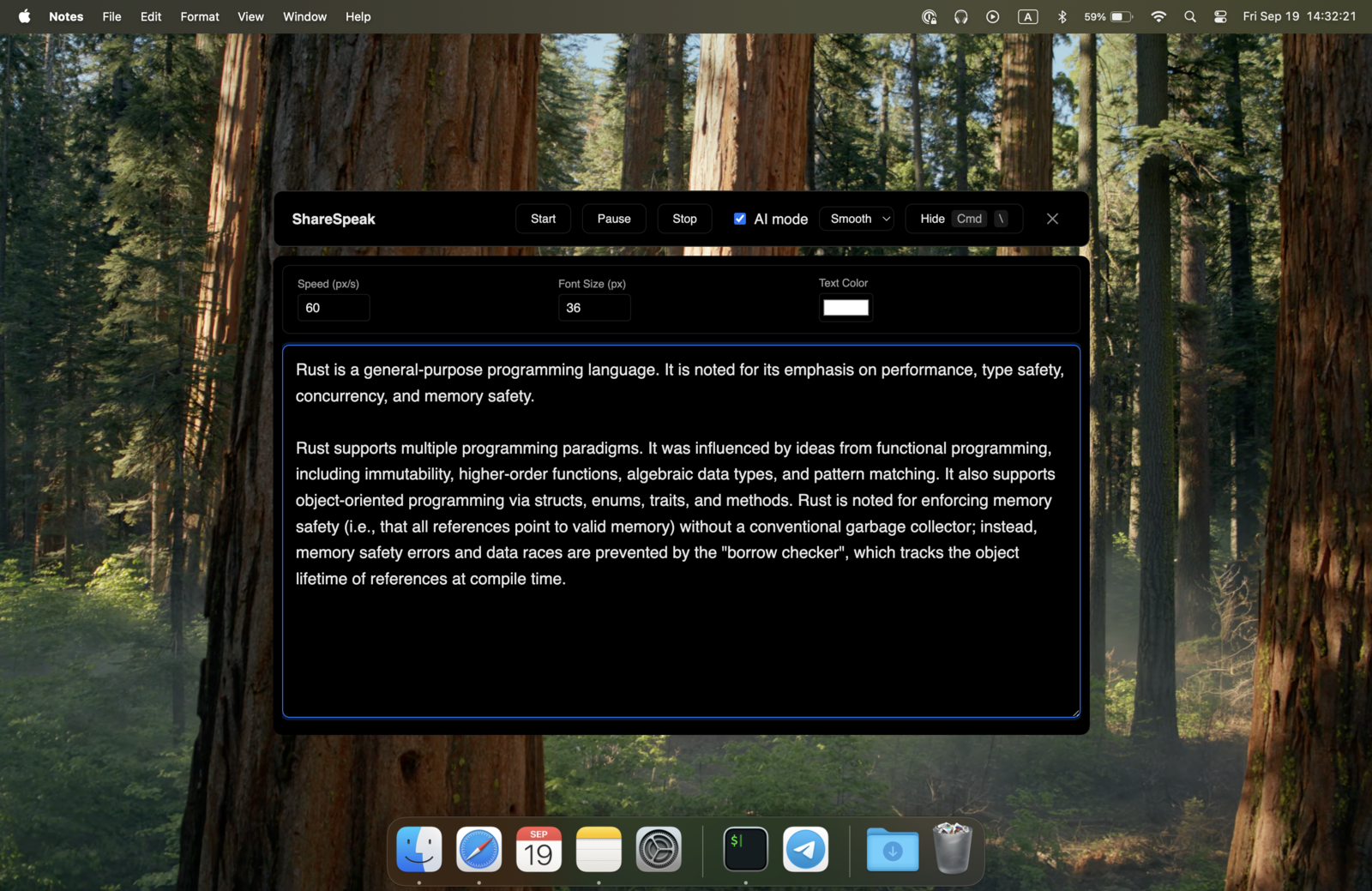
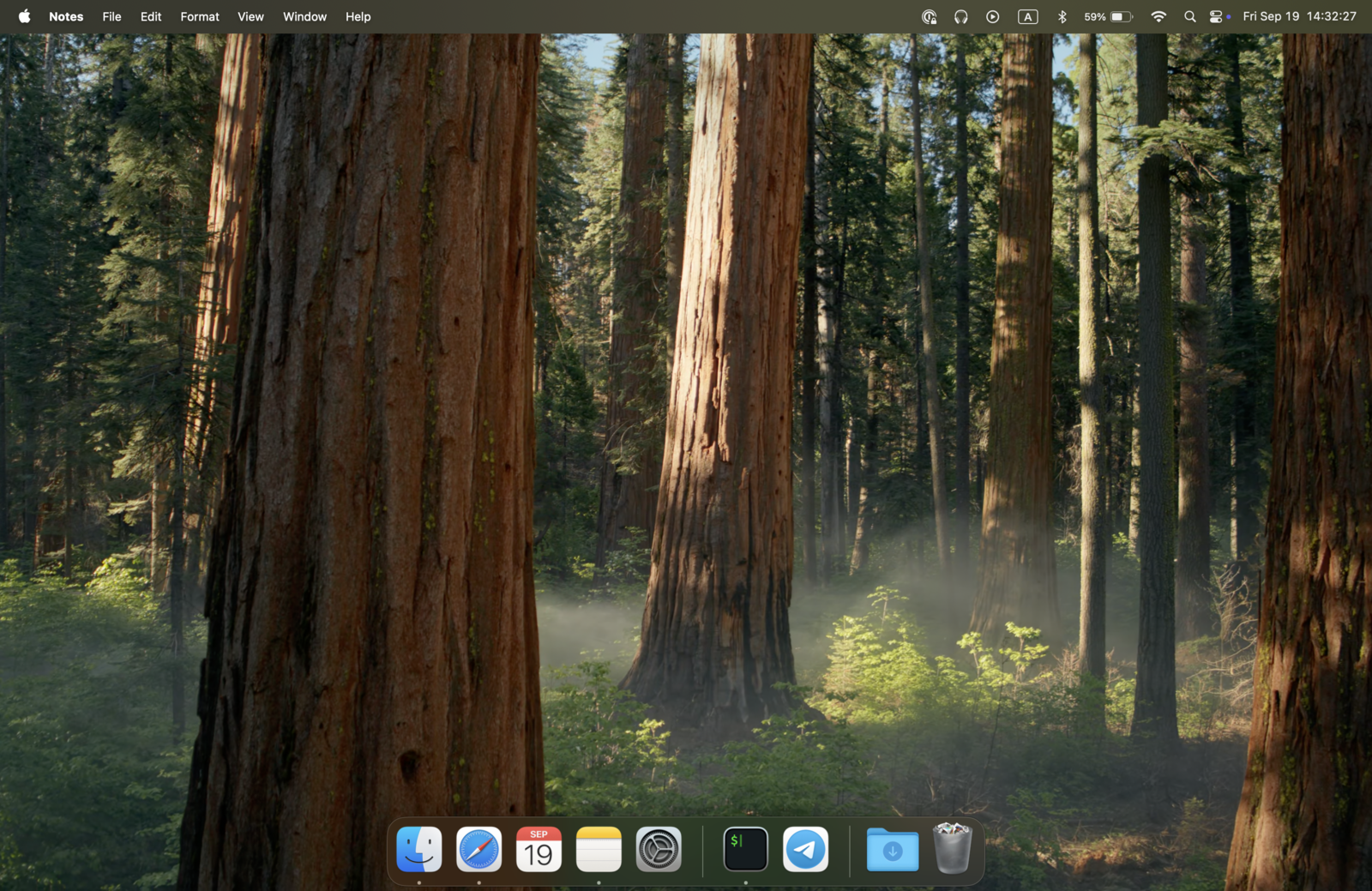
Selvi is built for selfie-video creators: you point your camera at yourself, the script overlays on the camera feed, you record. Great for short-form vertical content. If you instead need a teleprompter for screen-based work — Zoom calls, Loom recordings, OBS streams, Camtasia tutorials, sales demos — ShareSpeak runs as a native overlay invisible to every screen capture tool, voice-tracked at your pace. $14.99 once, no in-app purchases. For screen-share work that means a genuinely invisible teleprompter — the script never shows up in your recording or to your audience.
| Feature | ShareSpeak | Selvi |
|---|---|---|
| Pricing | $14.99 Lifetime, no IAP | $4.99 + in-app purchases |
| Primary Use Case | Screen-based workflows | Selfie video shooting |
| AI Voice Tracking | ✓ | ✗ |
| Works on Zoom/Teams/Meet | ✓ | ✗ |
| Invisible to Screen Capture | ✓ | Records its own video |
| Cross-Platform | Mac + Windows | Mac (M1+), iOS, Android |
| Built-in Video Recorder | Pair with QuickTime/OBS | ✓ |
| Works in OBS/Camtasia/Loom | ✓ | ✗ |
Selvi and ShareSpeak Solve Different Problems
Selvi is well-designed for one specific creator workflow: solo selfie videos. You hold your phone (or open the Mac app), point the camera at yourself, write your script in the app, and Selvi overlays the scrolling text directly on the camera feed so your eyes stay near the lens while you read. It records the video too. For TikTok, Instagram Reels, short YouTube vertical content — Selvi is a solid fit.
Selvi is not designed for the workflows where ShareSpeak shines:
- No Zoom/Teams/Meet integration — Selvi captures its own camera and records its own video. It doesn't help you read a script during a Zoom call where your video feed is coming from Zoom's camera capture.
- No screen sharing overlay — running a product demo through screen sharing requires an overlay on your screen, not on a separate selfie camera. Selvi has no screen-sharing workflow.
- No streaming integration — OBS, Streamlabs, StreamYard, Restream streamers need an overlay on their existing capture. Selvi records its own video output instead.
- No screen recording compatibility — Camtasia/ScreenFlow/Loom tutorials need an overlay invisible to the screen recorder, not a separate camera app.
- No AI voice tracking — Selvi uses manual or fixed-speed scrolling. You match the speed.
- Apple ecosystem mostly — Mac (M1+), iOS, Android. No Windows for the Mac-equivalent overlay experience.
- Feature paywalls via in-app purchases — $4.99 base plus in-app upgrades that stack up over time.
ShareSpeak is built for the opposite workflow. A native desktop overlay on your laptop screen, invisible to every screen capture and video call platform. AI voice tracking at your natural pace. Mac and Windows. $14.99 once, no in-app upgrades.
Where ShareSpeak Fits That Selvi Doesn't
Native Overlay for Screen-Based Workflows
Selvi's design assumption: you're the subject, your face is on camera, your script overlays on the camera feed. ShareSpeak's design assumption: your laptop is doing screen-based work (sharing a demo, recording a tutorial, hosting a call), and you need the script floating on top of whatever the laptop is showing — invisible to capture.
That difference matters for:
- Sales reps demoing products — your prospect sees the product UI you're sharing, not your face. Selvi's camera overlay is irrelevant; ShareSpeak's screen overlay is essential.
- Course creators recording tutorials — Camtasia/ScreenFlow record your screen, not your camera. ShareSpeak overlay invisible; Selvi's separate camera app doesn't apply.
- Streamers — OBS captures game audio + screen + webcam composite. ShareSpeak invisible to all of these; Selvi's standalone selfie capture doesn't fit streaming workflows.
- Webinar hosts — slides on screen share, audience sees presentation. ShareSpeak invisible overlay on slides; Selvi designed for solo camera, not screen sharing.
AI Voice Tracking — Hands-Free Through Real Conversations
Selvi's scrolling is manual or fixed-speed auto. For short selfie videos with a rehearsed 30-60 second script, this works. For longer real conversations — sales calls, podcast interviews, webinar Q&A, technical demos — fixed-speed scroll breaks down within minutes.
ShareSpeak follows your voice with on-device AI speech recognition:
- Prospect interrupts mid-pitch? Pause — script waits.
- Need to explain a concept slower? Slow down — script slows with you.
- Going off-script for an unscripted moment? Improvise — pick back up when you return.
- 2-hour interview show? Voice tracking holds across the entire session.
Mac AND Windows — Not Apple-Ecosystem-Only
Selvi runs on Apple Silicon Macs, iOS, and Android. It doesn't run on Windows or Linux. For Mac creators inside the Apple ecosystem, that's fine. For:
- Windows-issued enterprise laptops — common for sales reps, customer success, B2B presenters
- Intel-era Macs (pre-M1) — Selvi requires Apple Silicon, leaving older Mac users without an option
- Mixed teams — companies with Mac + Windows laptops sharing the same tool
ShareSpeak runs native on both desktop platforms — one license covers Mac and Windows. If you change jobs or your company switches laptop policy, ShareSpeak follows you.
$14.99 Once, No In-App Purchase Drip
Selvi starts at $4.99 — genuinely affordable. But the in-app purchase model means features unlock over time as you discover what you actually need:
- Selvi base — $4.99
- Selvi extra features — $1.69 (in-app purchase)
- Additional unlocks — vary per platform and feature tier
Total Selvi spend often ends up between $7-15+ once you've unlocked the features you actually want. Mac, iOS, and Android versions sometimes require separate purchases per platform.
ShareSpeak: $14.99 once. Every feature unlocked. Free updates forever. No in-app purchase prompts, no upgrade nudges, no Pro tier behind a paywall.
Invisible to Every Other Tool You Use
Selvi captures its own video and creates its own output. It doesn't overlay on third-party apps. Your finished video is a Selvi video.
ShareSpeak overlays on whatever tool you're using and stays invisible to it:
- Zoom, Teams, Meet — invisible during screen share
- Loom — invisible in async recordings
- OBS, Streamlabs, StreamYard, Restream — invisible to streaming capture
- Camtasia, ScreenFlow — invisible to tutorial recording
- QuickTime, Riverside, Squadcast — invisible to all of them
Your existing tools handle the recording or streaming. ShareSpeak just adds the invisible script layer.
When Selvi Is Actually the Right Tool
We won't pretend ShareSpeak replaces Selvi for everyone. Choose Selvi when:
- Solo selfie video creator — TikTok, Reels, vertical YouTube shorts where you're filming yourself with a phone or built-in camera
- All-in-one preference — you want camera + teleprompter + recording in one app, not three tools
- Mobile-first workflow — recording from iOS or Android primarily; ShareSpeak is desktop-only
- Short scripts — 30-90 second pieces where AI voice tracking doesn't add much
- Russian or Ukrainian language preference — Selvi has localized UI
- Budget-conscious for occasional use — $4.99 entry is lower than $14.99
For everyone else — laptop-based workflows, sales demos, screen recordings, streaming, long-form interviews, cross-platform teams — ShareSpeak's screen-overlay design is the right shape.
Where ShareSpeak's Screen-Overlay Design Wins
Sales Reps on Zoom Demos
Sharing product UI with prospects. Selvi's selfie camera doesn't help; ShareSpeak's screen overlay does — invisible during screen share.
Course Creators Recording Tutorials
Camtasia/ScreenFlow capture your screen. Selvi captures its own camera. ShareSpeak overlays on the screen recording — perfect fit for the workflow.
Streamers on Twitch / YouTube Live
OBS composites game + webcam + alerts into the stream output. Selvi can't overlay on this composite. ShareSpeak runs invisibly on top of the whole setup.
Webinar & Workshop Presenters
Sharing slides on Zoom or Teams to an audience. Script overlay on the laptop, invisible to the audience. Selvi's camera focus doesn't apply.
Windows-Based Enterprise Users
Selvi doesn't run on Windows. Most enterprise sales orgs and corporate creators use Windows laptops. ShareSpeak fills that gap.
Long-Form Content Creators
60-min webinars, 90-min interviews, 2-hour live streams. Voice tracking matters more than fixed scroll. AI adapts to natural pacing.
The Honest Cost Math
Selvi Total Cost:
- • Selvi base: $4.99
- • Selvi extra features (IAP): $1.69
- • Additional feature unlocks (varies): potentially more
- • Typical total: $7-15+ once you've unlocked desired features
ShareSpeak Total Cost:
- • ShareSpeak: $14.99 (lifetime, everything included)
- • Free upgrades forever
For occasional selfie shoots, Selvi's $5 entry might be cheaper. For active screen-based creators using multiple tools, ShareSpeak ends up cheaper and broader.
Compare to other Mac-relevant teleprompter options: Elgato Prompter at $299 hardware, Moody at $59, Notchie for Mac. ShareSpeak hits the lowest cost point among full-featured AI teleprompter options. For the full lineup, browse our teleprompter alternatives hub.
Native on Mac and Windows
Selvi is Apple ecosystem + Android. ShareSpeak runs native on both desktop platforms — including Windows that Selvi doesn't cover.
$14.99 once per user. One license covers both platforms forever.
For the Teleprompter Workflow Selvi Wasn't Designed For
Download ShareSpeak. Run it on your laptop. Get a native AI teleprompter overlay invisible to Zoom, Loom, OBS, Camtasia — all the screen-based tools Selvi doesn't address. $14.99 once. No in-app purchases.
Use code FIRST100 for 25% off — $11.24 instead of $14.99
Frequently Asked Questions
Is ShareSpeak a full Selvi replacement?
Not exactly — they're designed for different workflows. Selvi is great for solo selfie videos where you film yourself with script overlay on the camera feed. ShareSpeak is designed for screen-based workflows where the script overlays on your laptop screen and stays invisible to third-party recording tools. If you do TikTok-style vertical selfie shoots, Selvi remains the right tool. If you do Zoom calls, screen recordings, sales demos, or live streams, ShareSpeak is the fit.
Does ShareSpeak include a built-in video recorder like Selvi?
No. ShareSpeak is a teleprompter overlay only, not a recording tool. You pair it with whatever screen recorder or video tool you already use — QuickTime (free Mac), OBS Studio (free, all platforms), Loom, Camtasia, ScreenFlow, Zoom recording. ShareSpeak adds the script layer; your existing recording tool handles the capture.
Does it work on Windows like Selvi doesn't?
Yes. ShareSpeak runs natively on Windows 10/11 in addition to Mac (Apple Silicon + Intel). Selvi is locked to Apple Silicon Macs plus iOS and Android. If your work laptop is Windows, ShareSpeak is the option Selvi can't be.
Why is ShareSpeak more expensive than Selvi's $4.99?
Selvi's $4.99 entry is the lowest-tier price. With Selvi extra features ($1.69 IAP) and any other unlocks, typical total spend reaches $7-15+. ShareSpeak's $14.99 includes everything from day one: AI voice tracking, OS-level invisibility, unlimited script size, cross-platform, free updates forever. No upgrade nudges, no Pro tier paywall.
Can I use both — Selvi for mobile, ShareSpeak for laptop?
Yes. They don't conflict because they serve different scenarios. Many creators use Selvi for vertical short-form mobile content and ShareSpeak for laptop-based work (Zoom calls, screen recordings, streaming, webinars). Different tools for different jobs.
Does ShareSpeak have AI voice tracking that Selvi doesn't?
Yes. ShareSpeak uses on-device AI speech recognition to follow your voice naturally — the script advances at your pace, pauses when you pause, speeds up when you speed up. Selvi uses fixed-speed or manual scrolling. For short selfie videos, fixed scroll is fine. For long-form content, voice tracking is the upgrade.
Works with screen recording tools like Camtasia, ScreenFlow, OBS?
Yes — this is the core ShareSpeak use case. OS-level invisibility means screen recording tools don't see ShareSpeak in their capture. Your finished video files contain only what you legitimately recorded. Selvi's standalone camera design doesn't apply to this workflow at all.
Team or studio licensing?
Each person buys their own — $14.99 once. For a 10-person creator team, $149.90 total forever. Compare to Selvi where each Mac, iOS, and Android version sometimes requires its own purchase, plus in-app feature unlocks. ShareSpeak's one-time desktop license is simpler and broader-coverage for teams.
Native Screen Overlay for the Workflows Selvi Doesn't Cover
Mac and Windows. AI voice tracking. Invisible to every recording tool. $14.99 once, no in-app purchases.
Get ShareSpeak — $14.99