
Teleprompter for Zoom — Invisible Notes, AI Voice Tracking, $14.99 Once
VODIUM charges $15/month for a Zoom teleprompter overlay with manual scrolling. ShareSpeak does the same thing — plus AI voice tracking and true invisibility during screen share — for $14.99 one-time. Your Zoom calls just got a lot smoother.
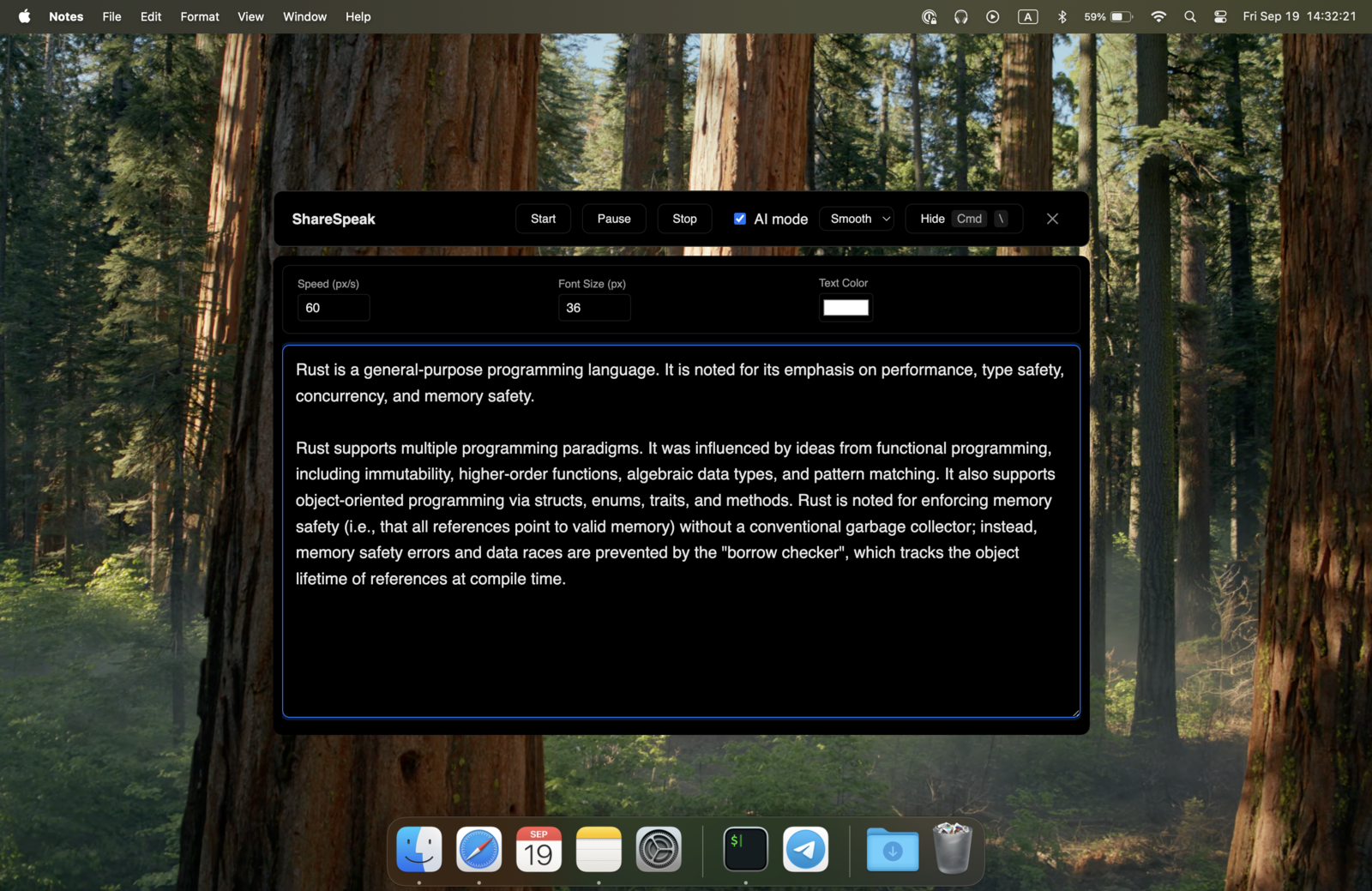
| Zoom Teleprompter | ShareSpeak | VODIUM |
|---|---|---|
| Price | $14.99 once | $15/month |
| AI Voice Tracking | ✓ | ✗ |
| Invisible During Screen Share | ✓ | ✗ |
| 2-Year Cost | $14.99 | $360 |
How ShareSpeak Works with Zoom
Truly Invisible — Not Just an Overlay
VODIUM — the current go-to "teleprompter for Zoom" — is a visible overlay. It works fine when you're on camera, but the moment you share your screen, participants can see the text. VODIUM also has a known issue where PowerPoint pushes the overlay behind the presentation.
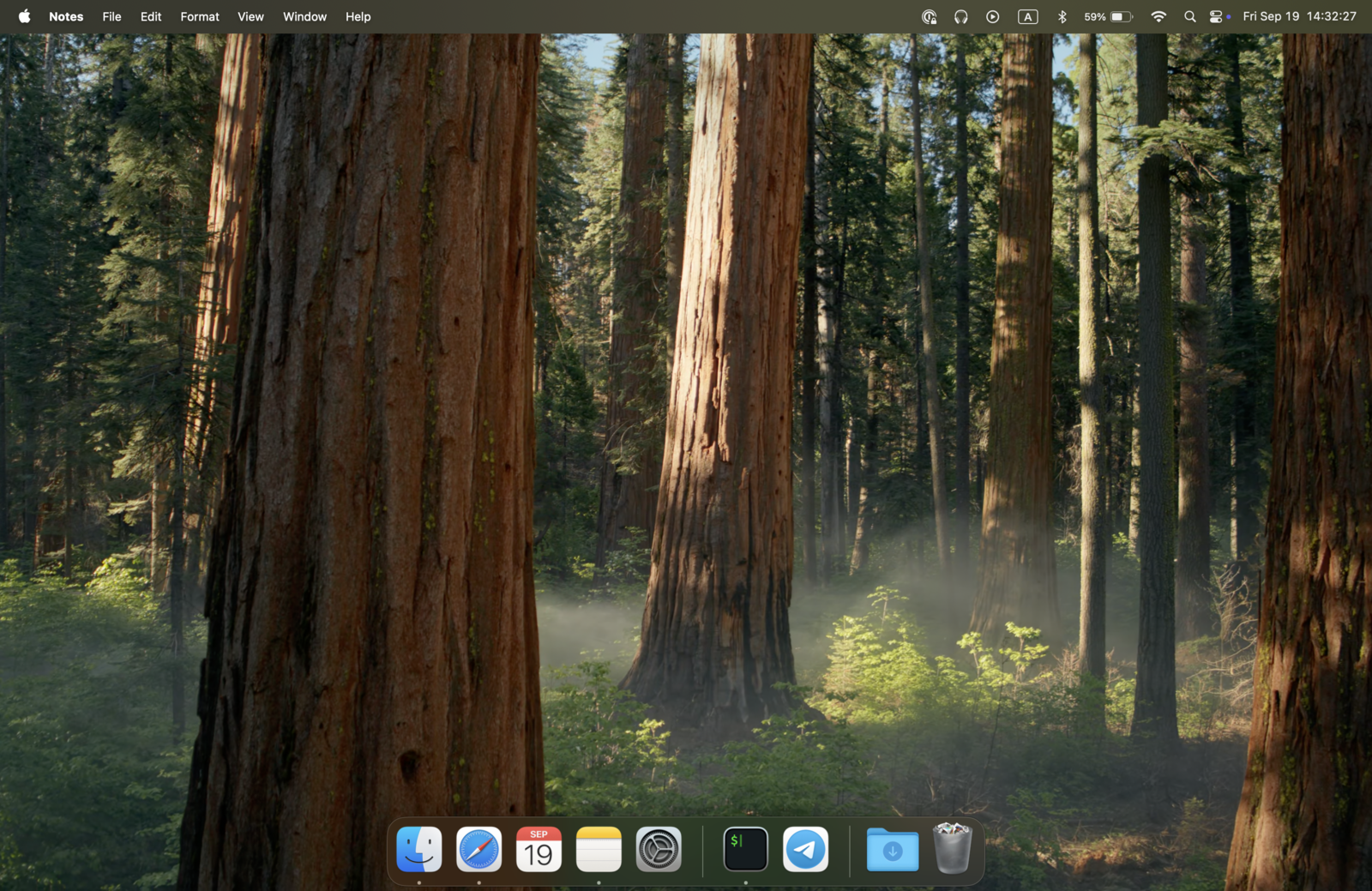
ShareSpeak uses OS-level window exclusion. When you share your screen on Zoom — entire screen, specific window, or a portion — ShareSpeak is not in the shared output. Period. This works with Zoom's desktop app and browser client, on Mac and Windows.
You can share your screen, run a demo, show a dashboard, and present slides — all with your talking points floating on top, invisible to every participant.
AI Voice Tracking — No Manual Scroll During Live Calls
During a live Zoom call, you're switching apps, clicking slides, demoing software, answering chat questions. You can't also be scrolling a teleprompter with a keyboard shortcut or remote control.
ShareSpeak follows your voice. The text scrolls at your exact pace — no fixed speed to configure, no manual input needed. Pause to answer a question from a participant? It waits. Jump ahead in your talking points? It follows. Go off-script for a live discussion and come back 5 minutes later? Your script is right where you left it.
Works in Every Zoom Scenario
Screen sharing
Script visible to you, invisible to participants. Works with full screen, window, or portion sharing.
Camera-only (talking head)
Use notch mode on MacBooks for natural eye contact, or float the overlay near your webcam position.
Slides + camera (side by side)
ShareSpeak sits on top of both your slides and camera feed. Position the overlay wherever it doesn't block your content.
Live demos
Script floats on top of the app you're demoing. Walk through features without missing a step.
Zoom Webinars
Same invisibility in Zoom Webinar mode. Host with hundreds of attendees and your script stays hidden.
No Zoom Plugin, No IT Approval, No Configuration
ShareSpeak is a standalone desktop app. It doesn't integrate with Zoom, doesn't need Zoom Marketplace approval, and doesn't require IT to whitelist anything. Run it alongside Zoom — that's the entire setup.
- Works with Zoom desktop app and browser client
- Works with Zoom for Government and managed enterprise accounts
- No Zoom API access, no OAuth, no permissions
- No risk of breaking when Zoom updates their plugin API
Mac and Windows — Wherever Zoom Runs, ShareSpeak Runs
ShareSpeak runs natively on macOS and Windows. One $14.99 purchase covers both platforms — use it on your MacBook at home and your Windows laptop at the office. Presenting from a PC? See our ranking of the best teleprompter for Windows 11.
Every Zoom Call, Delivered Perfectly
Sales Demos
Walk prospects through your product with scripted talking points. Hit every value prop, handle objections with prepared responses.
Team Presentations
Present to leadership with key metrics and context on screen. Sound prepared without memorizing a 30-slide deck.
Training & Onboarding
Deliver consistent training sessions with step-by-step notes. Trainees see your walkthrough — never your cheat sheet.
Zoom Webinars
Host webinars with hundreds of attendees. Script on screen, invisible to everyone. Voice tracking keeps you on pace without a co-host managing slides.
Your Next Zoom Call, Without the Anxiety
Download ShareSpeak before your next presentation. Paste your talking points. Join the call. Nobody will know you have a teleprompter — they'll just think you're really well-prepared. $14.99 once, not $15/month.
Use code FIRST100 for 25% off — $11.24 instead of $14.99
Frequently Asked Questions
Is ShareSpeak invisible when I share my screen on Zoom?
Yes — in all Zoom sharing modes: entire screen, specific window, and portion of screen. ShareSpeak uses OS-level window exclusion so Zoom's capture engine literally cannot see the teleprompter window.
How does ShareSpeak compare to VODIUM for Zoom?
VODIUM is a visible overlay with manual scrolling for $15/month. ShareSpeak is an invisible overlay with AI voice tracking for $14.99 one-time. VODIUM is captured during screen share — ShareSpeak isn't. Over 2 years, VODIUM costs $360; ShareSpeak costs $14.99. Full comparison here.
Does it work with Zoom's virtual background and filters?
Yes. ShareSpeak runs independently as a desktop overlay — it doesn't interact with Zoom's video pipeline at all. Your virtual backgrounds, filters, studio effects, and touch-up settings all work normally.
Do I need a Zoom paid plan for ShareSpeak to work?
No. ShareSpeak works with Zoom Free, Pro, Business, and Enterprise — any plan. It's a separate desktop app that doesn't depend on Zoom features or APIs.
Can my whole team use ShareSpeak for Zoom presentations?
Yes. $14.99 per person, one-time. For a team of 10, that's $149.90 total — forever. Compare that to VODIUM: $15/user/month = $1,800/year for the same team. No enterprise plan, no per-seat subscriptions, no procurement process.
Does it also work with Google Meet and Microsoft Teams?
Yes — ShareSpeak is invisible to all screen capture and sharing tools, not just Zoom. Google Meet, Microsoft Teams, WebEx, Slack, Discord, FaceTime — all work the same way. See our teleprompter for Google Meet guide for details.
$14.99 Once. Not $15 Every Month.
Same Zoom teleprompter use case as VODIUM — plus AI voice tracking and true invisibility. One payment. All platforms. Forever.
Get ShareSpeak for Zoom — $14.99