
Updated: July 2026
Teleprompter for Google Meet: The Invisible Setup
Google Meet has no built-in teleprompter — there's nowhere in Meet to scroll a script. The fix is a desktop overlay that floats your script over your screen but stays invisible to what Meet shares: you read your lines, participants see only your slides or demo. Here's the setup with ShareSpeak, a one-time $14.99, in about two minutes.
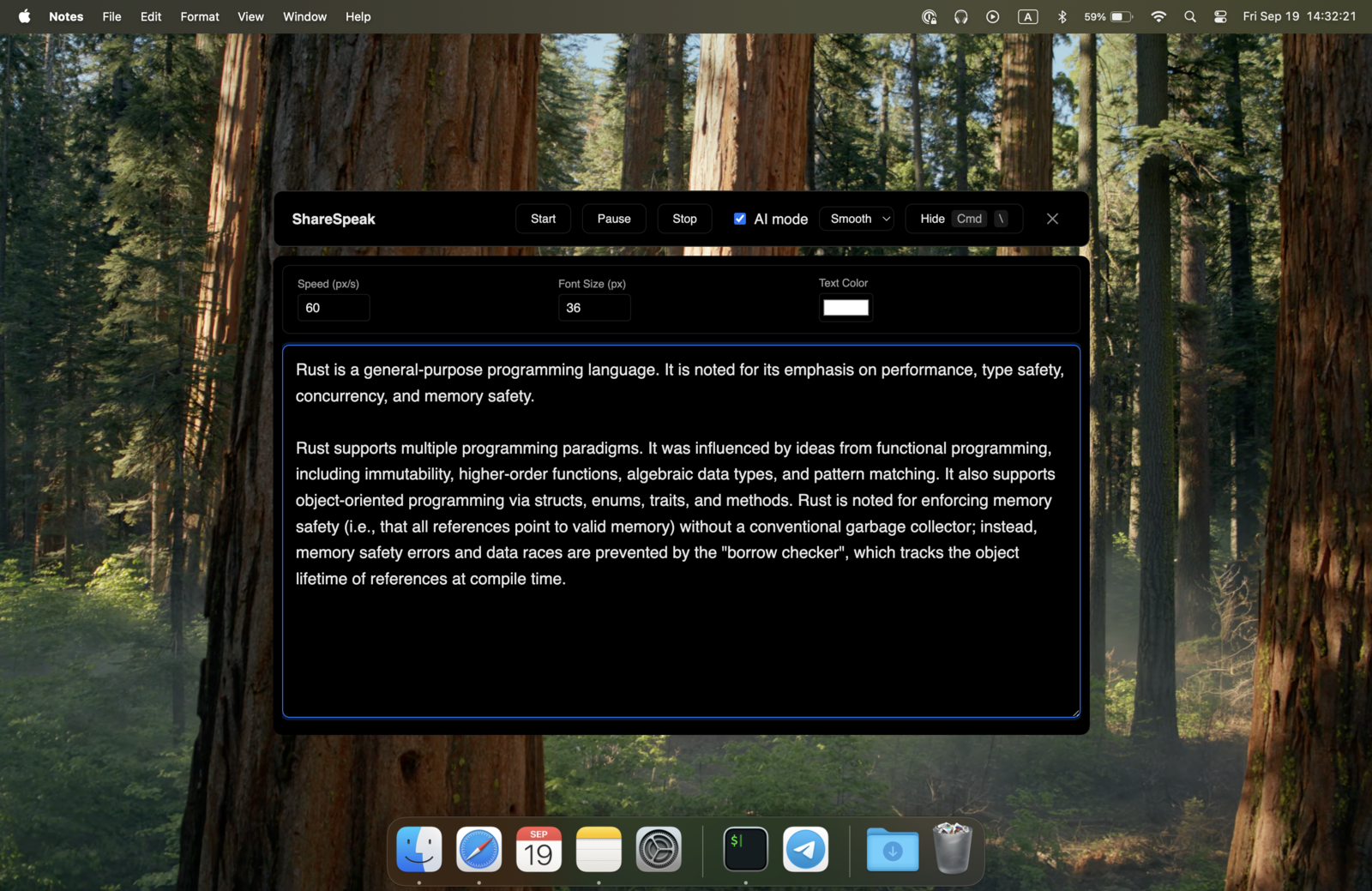
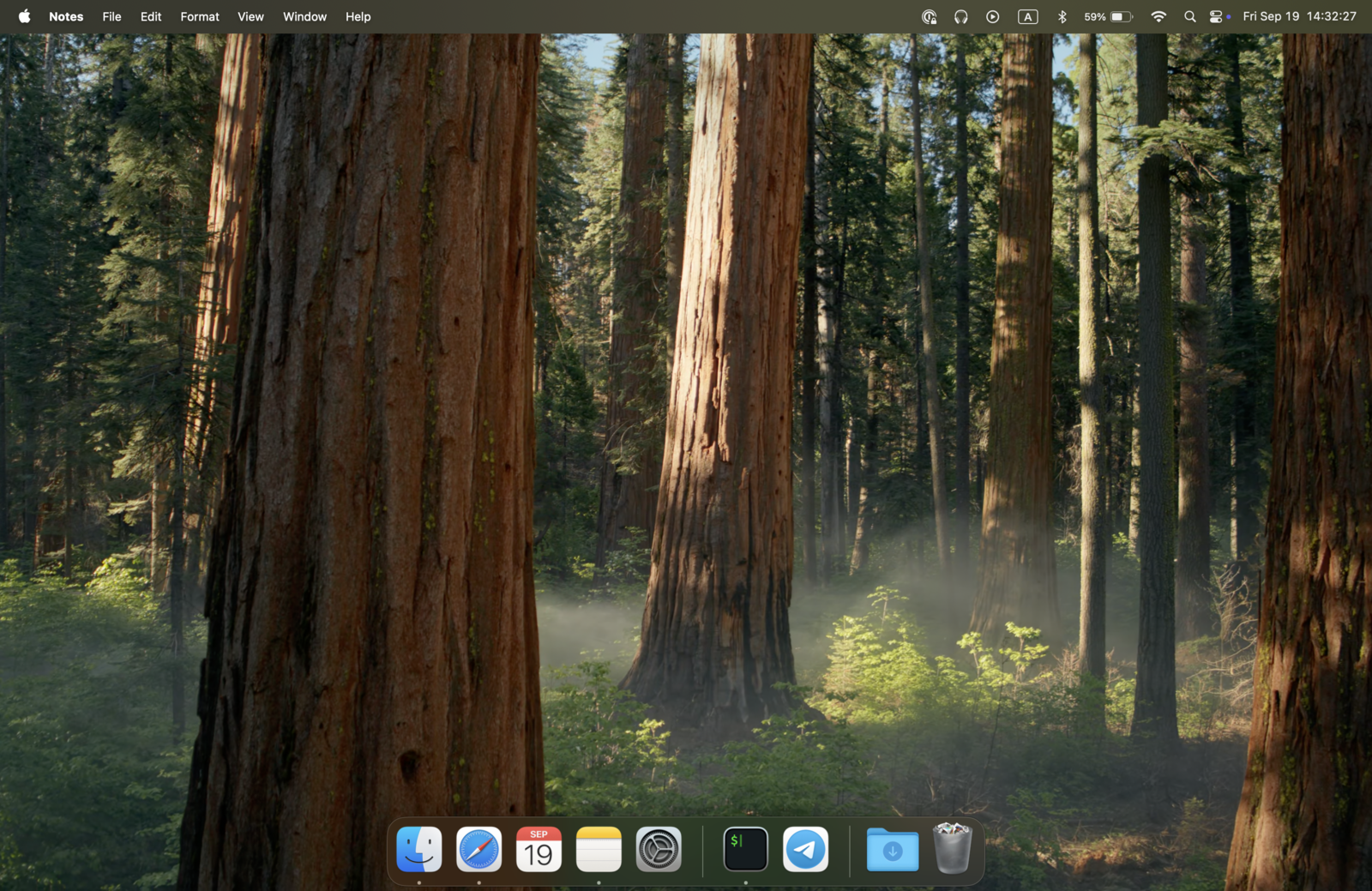
Set it up in 5 steps
1. Install ShareSpeak
Download ShareSpeak for Mac or Windows and install it — no account, no Chrome extension, no admin approval. Comparing Windows options first? See where each teleprompter app for Windows lands in our ranking.
2. Paste your script and position the overlay
Add your talking points to the Scripts Library (you'll see a live word count and speaking-time estimate), then drag the overlay near your webcam so your eyes stay up. Notch mode or a floating window both work.
3. Join your Google Meet call
Open Meet and join as usual, in Chrome or the desktop app. Nothing to configure in Meet — ShareSpeak is already floating over your screen.
4. Present your screen
In the Meet toolbar, choose Present now, then pick Your entire screen, A window, or A Chrome tab. Even if you share your entire screen, ShareSpeak stays out of the capture.
5. Read — voice-following does the scrolling
Start talking. ShareSpeak follows your voice and scrolls at your pace, so you're not chasing a fixed speed. Participants see your slides; you see your script. That's the whole trick — the same one behind our invisible teleprompter for screen sharing.
Google Meet gotchas worth knowing
Entire screen vs. a window or tab. If you share a single window or one Chrome tab, anything outside it isn't captured anyway — but a normal on-screen teleprompter is a problem the moment you share your entire screen. ShareSpeak is invisible in all three modes, so you don't have to think about which one you picked.
Camera vs. presenting. When you're on camera (not sharing), your script lives only on your screen — participants never see it. Keep the overlay high, near the webcam, so you're not visibly reading downward.
No second monitor needed. Because the overlay is invisible to the share, you can keep it on your main screen. No juggling a second display or a phone on a stand.
Google Slides presenter view. If you run slides in presenter view, that's a separate window — ShareSpeak floats over it independently, so your speaker notes and your script don't collide.
Who uses a teleprompter on Google Meet
Sales & demos
Keep account-specific talking points on screen during a Meet demo — see the teleprompter for sales demos.
Interviews
STAR stories and questions on a remote Meet interview — see the teleprompter for job interviews.
Online teaching
Lesson plans and key points while presenting to a class — see the teleprompter for online teachers.
Other platforms
Same overlay works as a teleprompter for Zoom and a teleprompter for Microsoft Teams.
Read your script, not the room
Download ShareSpeak, paste your notes, and present on Google Meet with a teleprompter nobody else can see. $14.99 once — no subscription, no extension.
Use code FIRST100 for 25% off — $11.24 instead of $14.99
Google Meet teleprompter FAQ
Does Google Meet have a built-in teleprompter?
No. Google Meet has no teleprompter feature as of 2026 — there's nowhere in Meet to paste a script and scroll it. The working setup is a separate desktop app that floats your script over your screen but stays invisible to what Meet shares, so you can read while participants see only your slides or demo.
Is ShareSpeak invisible during Google Meet screen sharing?
Yes. Whether you present your entire screen, a single window, or a Chrome tab, ShareSpeak is invisible to everyone on the call. It uses OS-level window exclusion, not a transparency trick — so even sharing your whole screen won't reveal the script.
Do I need a Chrome extension for a Google Meet teleprompter?
No. ShareSpeak is a standalone desktop app that runs alongside Meet — no browser extension, no plugin, no admin permissions. That also means it works even where your company's Chrome extension policies would block an add-on.
Can other participants see my teleprompter on Google Meet?
No. The script is only on your physical screen. When you present, ShareSpeak is excluded from the capture, so participants see your shared content. When you're on camera instead of sharing, they see your face — keep the overlay near your webcam for natural eye contact.
Does it work on a managed or corporate Google Workspace?
Yes. ShareSpeak never touches Google Meet — no Google API, no Workspace integration, no admin approval. It's a separate app overlaying your screen, so it works on any Meet setup, managed or personal.
Does the same teleprompter work with Zoom and Microsoft Teams?
Yes — it's invisible to every screen-sharing and recording tool. This page is about Google Meet, but the exact same overlay works as a teleprompter for Zoom and a teleprompter for Microsoft Teams, plus OBS, Loom, and the rest.