
AI Teleprompter for Mac — Built Native for macOS & Apple Silicon
ShareSpeak is the AI teleprompter designed specifically for Mac. Native Apple Silicon app, on-device speech recognition via Apple's neural engine, MacBook notch integration, and an invisible overlay that disappears during screen recording. Not a port. Not Electron. A real Mac app.
Native Apple Silicon
M1, M2, M3, M4
On-Device AI
Apple Speech Recognition
Invisible Overlay
macOS-level invisibility
Why ShareSpeak Is a Native AI Teleprompter for Mac
Apple Speech Recognition — On-Device, Real-Time, Zero Latency
On Apple Silicon Macs (M1, M2, M3, M4), ShareSpeak uses Apple's native speech recognition running directly on the Neural Engine. This means:
- Fastest recognition — true word-by-word tracking with no perceptible delay
- Best accuracy — Apple's neural models trained on billions of speech samples
- Lightest on CPU — runs on the dedicated Neural Engine, not your CPU/GPU
- Completely offline — no data leaves your Mac, no API key needed, no internet required
- Private by design — your speech is processed on-device and never recorded
This is the #1 recommended speech model for Mac users. No other teleprompter app leverages Apple's native speech API this way — most rely on cloud APIs or generic Whisper models that are slower and heavier.
MacBook Notch Integration — Your Script Next to the Camera
ShareSpeak's notch bar mode places your teleprompter text directly inside the MacBook notch area — the closest possible position to your FaceTime camera. Your eyes naturally look near the camera while reading, creating the most natural eye contact in video calls and recordings.
Other teleprompter apps put text in the middle of your screen or in a separate window, forcing your eyes to dart between the script and the camera. ShareSpeak eliminates that by using the dead space around the notch that no other app utilizes.
Works with: MacBook Pro 14" and 16" (2021+), MacBook Air M2 (2022+), and all MacBooks with the notch camera design.
Invisible to Screen Recording — macOS-Level Window Magic
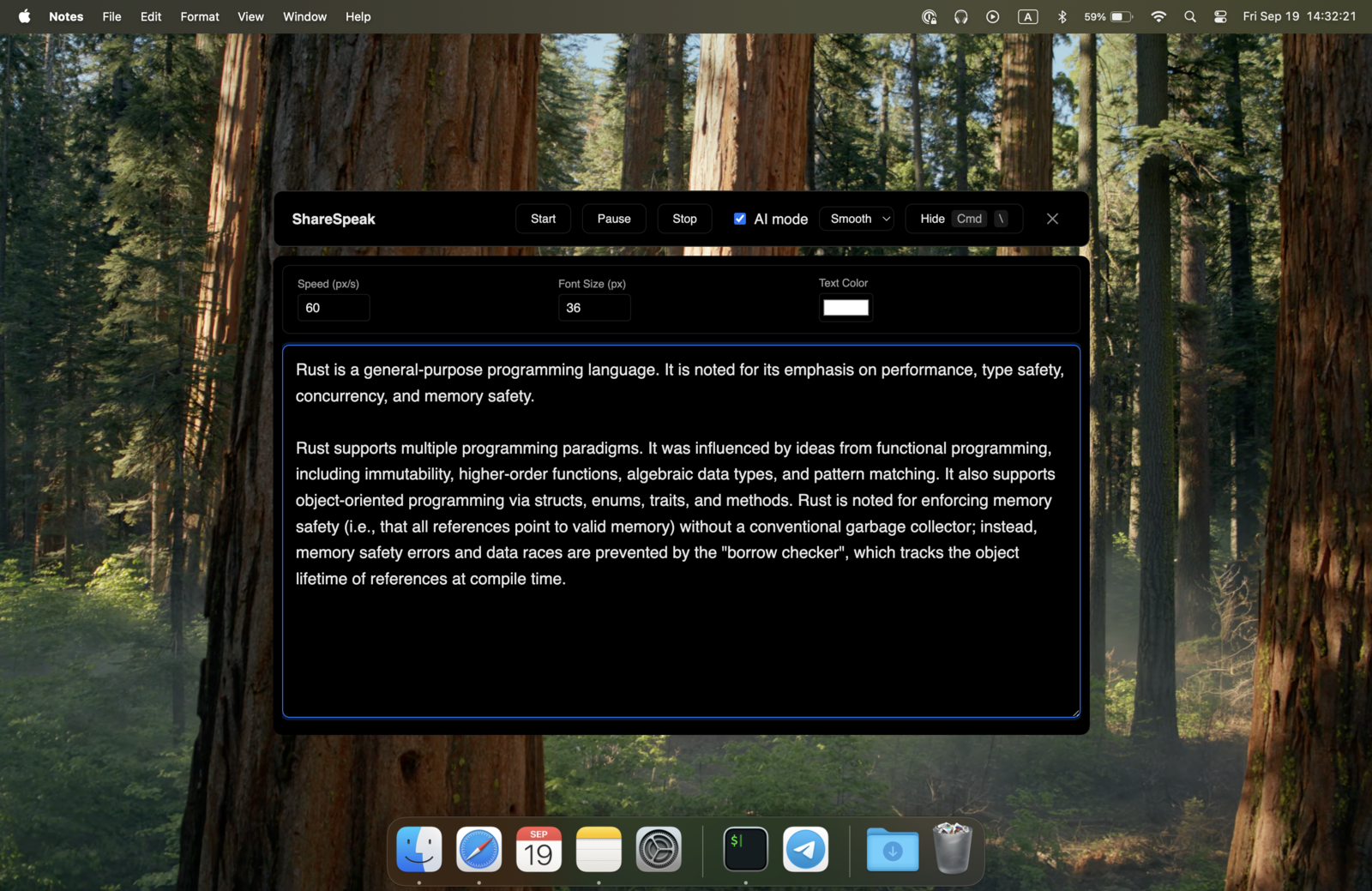
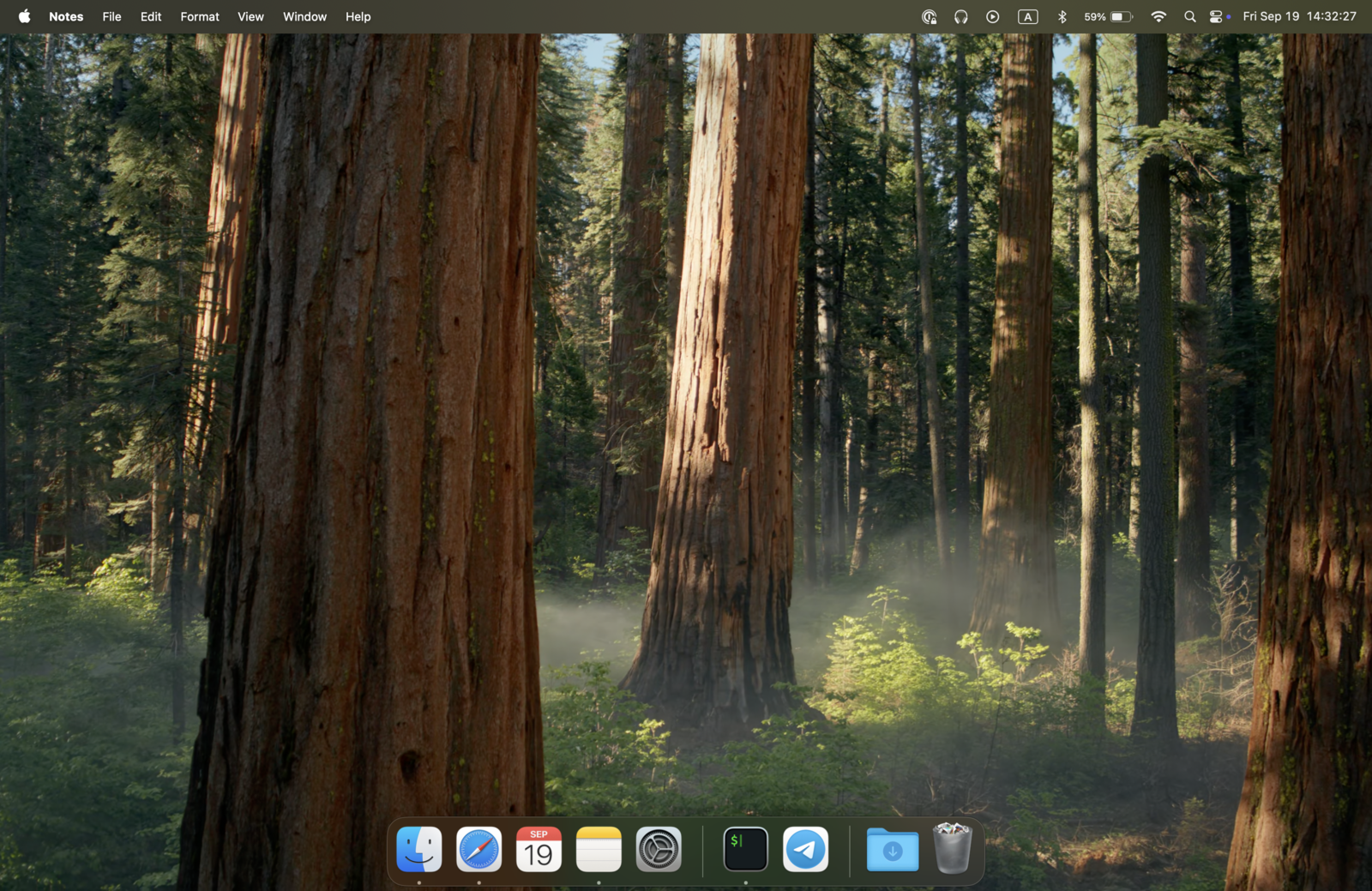
ShareSpeak uses macOS-native window APIs to make the teleprompter overlay invisible to screen capture. This isn't transparency or opacity tricks — the window is genuinely excluded from capture at the system level.
- OBS — invisible in window and display capture
- Zoom screen share — viewers see your slides, not your script
- Loom, CleanShot, QuickTime — clean recordings every time
- FaceTime & Teams — present with confidence during screen share
You see your script. Your audience sees a clean screen. This is the killer feature for Mac screencasters and remote presenters.
Native Apple Silicon — Not Electron, Not a Browser Wrapper
Most "Mac teleprompter apps" are either Electron wrappers (bundling an entire Chrome browser), web apps in a browser tab, or iOS ports running through Catalyst. ShareSpeak is a native application built specifically for macOS. Need a teleprompter app for Windows instead? See our ranked comparison.
- Universal binary — native ARM64 for M1/M2/M3/M4, x64 for Intel Macs
- Minimal footprint — tiny memory usage, no embedded browser engine
- Proper macOS integration — native window management, system permissions, menu bar
- Battery efficient — speech recognition runs on Neural Engine, not CPU
When you're recording video with OBS or streaming on Zoom, you want your Mac's resources going to your content — not to a teleprompter's Chromium instance.
Fully Offline — No API Key, No Internet, No Data Leaving Your Mac
With Apple Speech Recognition on M1+ Macs, ShareSpeak works completely offline. No cloud API calls, no internet connection needed, no API key to configure. Your speech is processed entirely on your Mac's Neural Engine and never leaves the device.
For Intel Macs or users who prefer alternative models, ShareSpeak also supports local Whisper models (also fully offline) and cloud-based options like Gemini for multi-language support.
Speech Recognition Options on Mac:
- • Apple Speech Recognition — fastest, lightest, M1+ only, fully offline
- • Whisper (local) — works on Intel Macs, offline, heavier on CPU
- • Gemini (cloud) — all languages, auto-detection, needs API key
Respects macOS Security — Proper Permissions, No Workarounds
ShareSpeak works within macOS security, not around it. It requests only the permissions it needs:
- Accessibility — required for the overlay to sit on top of other windows
- Microphone — required for voice tracking (speech recognition)
No screen recording permission needed to read your screen. No contacts, location, or camera access. ShareSpeak does exactly what it says — teleprompter with voice tracking — and nothing more. Works with macOS Ventura 13.1 and later, including the latest macOS releases.
Built for Mac Creators
YouTube & Screencast Creators
Record tutorials on your Mac with an invisible teleprompter. OBS, ScreenFlow, QuickTime — ShareSpeak disappears from every capture tool on macOS.
Zoom & FaceTime Presenters
Present with confidence on any video call. Notch bar mode puts your script right next to the camera for natural eye contact.
Course & Training Creators
Produce polished educational content on your MacBook. Voice tracking means natural delivery with fewer retakes. $14.99 lifetime — not a monthly drain on course revenue.
Developer Advocates & DevRel
Record technical demos and conference talks from your Mac. Script stays invisible while you screencast code, terminal, or browser — voice tracking keeps your pace natural.
Mac System Requirements
Apple Silicon Macs (Recommended)
- ●MacBook Air/Pro with M1, M2, M3, or M4 chip
- ●iMac, Mac Mini, Mac Studio, Mac Pro with M-series
- ●macOS Ventura 13.1 or later
- ●Apple Speech Recognition (on-device, zero-latency)
Intel Macs (Supported)
- ●MacBook Air/Pro, iMac, Mac Mini (2019 and earlier)
- ●macOS Ventura 13.1 or later
- ●Whisper (local) or Gemini (cloud) for voice tracking
- ●x64 build available for download
Get Started on Your Mac in 60 Seconds
Download ShareSpeak for Mac
ARM64 for Apple Silicon, x64 for Intel — one license covers both
Grant Accessibility & Microphone permissions
Two system prompts on first launch — that's it
Paste your script and start recording
Voice tracking starts automatically — just talk
Use code FIRST100 for 25% off — $11.24 instead of $14.99
Frequently Asked Questions
Does ShareSpeak work on Intel Macs?
Yes. ShareSpeak provides a native x64 build for Intel Macs. The main difference is that Apple Speech Recognition (the fastest voice tracking option) requires Apple Silicon (M1+). On Intel Macs, you can use local Whisper models (fully offline) or Gemini (cloud-based, all languages) for voice tracking.
What macOS version do I need?
macOS Ventura 13.1 or later. ShareSpeak is tested and compatible with the latest macOS releases including macOS Sonoma and macOS Sequoia.
Does the notch bar mode work on all MacBooks?
Notch bar mode works on MacBooks with the notch camera design — MacBook Pro 14" and 16" (2021 and later) and MacBook Air M2 (2022 and later). On Macs without a notch, ShareSpeak works as a standard resizable overlay anywhere on screen.
Is ShareSpeak invisible in Zoom screen sharing on Mac?
Yes. ShareSpeak uses macOS window-level APIs to exclude itself from screen capture. When you share your screen on Zoom, FaceTime, Google Meet, or any other video call on Mac, your audience sees your slides or desktop — never your teleprompter script.
Does voice tracking need an internet connection on Mac?
Not with Apple Speech Recognition (M1+ Macs) or local Whisper models — both run entirely on-device. Gemini requires internet and an API key but supports auto-language detection and all languages. Most Mac users go with Apple Speech Recognition for the best combination of speed, accuracy, and privacy.
Does ShareSpeak also work on Windows?
Yes. One $14.99 purchase covers Mac and Windows. This page focuses on Mac features, but ShareSpeak runs natively on both platforms. Mac users get the bonus of Apple Speech Recognition and notch bar integration.
How does ShareSpeak compare to other Mac teleprompter apps?
Most Mac teleprompters are either iOS ports (PromptSmart, Teleprompter Premium), Electron wrappers (Imaginary Teleprompter), or Mac-only apps without voice tracking (PowerPrompter at $49.99). ShareSpeak is a native Mac app with AI voice tracking, invisible overlay, and notch integration — for $14.99. See our ranked list of the best Mac teleprompters, or our detailed comparison pages, for the full breakdown.
The AI Teleprompter Your Mac Deserves
Native Apple Silicon. On-device speech recognition. Notch bar integration. Invisible during screen recording. $14.99. One-time. Forever.
Get ShareSpeak for Mac — $14.99