
Teleprompter for Camtasia — The Invisible AI Script Layer Camtasia Doesn't Have
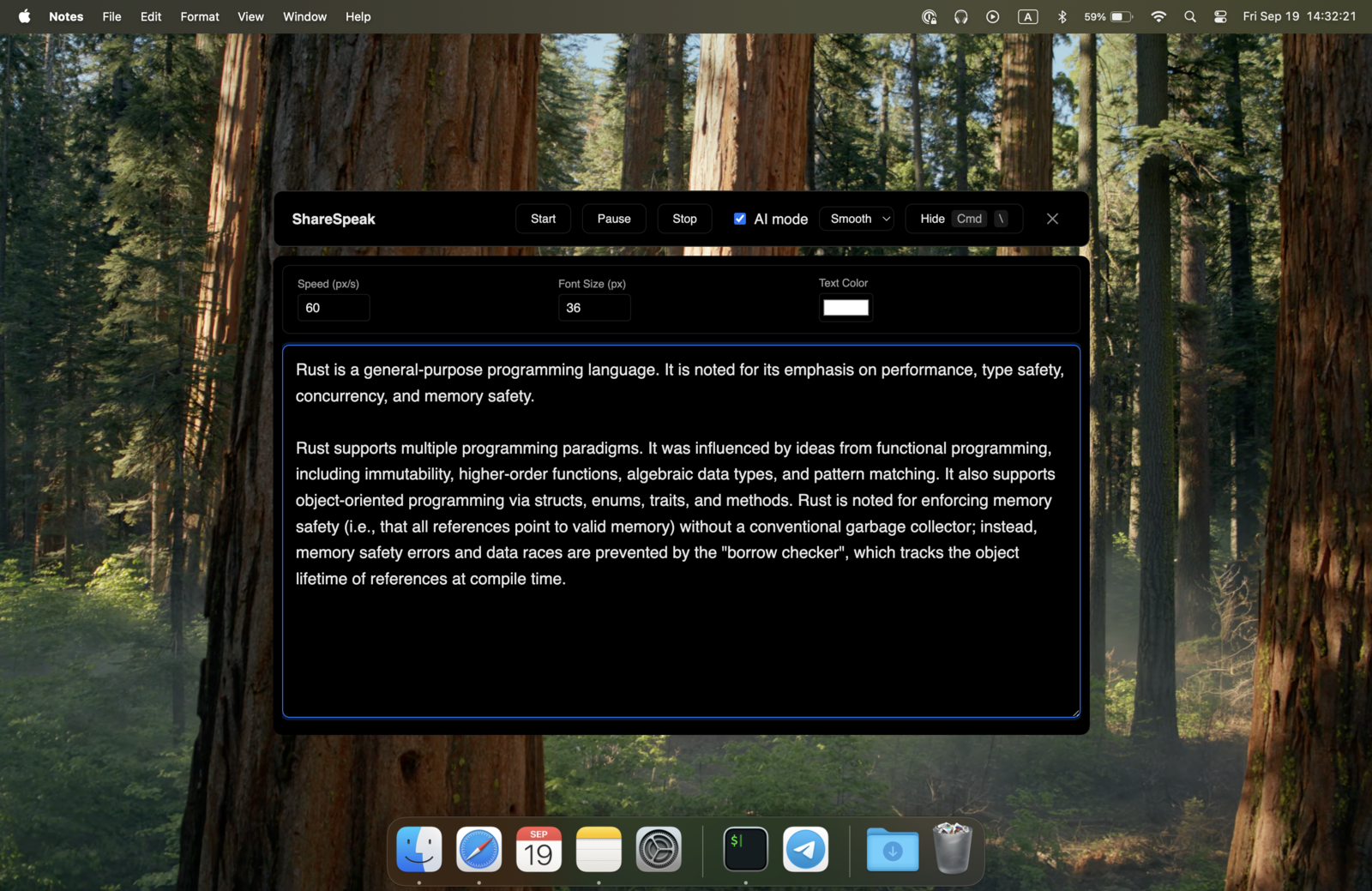
Camtasia is the best screen recorder for tutorials. It's not a teleprompter. Add ShareSpeak alongside it: your script floats on screen during recording, invisible to Camtasia's capture, voice-tracked at your pace. Stop re-recording the same module 20 times because you keep flubbing the same line. $14.99 once, lifetime use, no integration setup.
The Gap in Camtasia That Costs Tutorial Creators Hours Every Week
Camtasia from TechSmith is one of the most popular tools for screen recording tutorials, software demos, e-learning modules, and training videos. Around 30 million people use it. It does screen capture, annotations, cursor effects, and editing brilliantly. It does not include a teleprompter — there's no built-in script overlay, no voice-tracked prompter, no way to keep talking points on screen during a take.
The result for tutorial creators:
- 10–25 takes per module — to get the script delivered cleanly, you re-record again and again until you nail it.
- Voice-over recording separately — record the screen first, then record voice in TechSmith Audiate with a script in hand. Doubles the production time.
- Notes on a second monitor — your cursor and eyes drift toward the side, which Camtasia captures and the viewer notices.
- Sticky notes around the monitor — works for 3 bullet points, fails for a 10-minute tutorial.
- "I'll edit it out in post" — every fumble, every "um", every restart adds 20 minutes to your editing timeline.
ShareSpeak closes the gap. Your script floats on screen while you record in Camtasia — invisible to Camtasia's capture, voice-tracked to your natural delivery. Take 1 sounds polished. Take 2 doesn't exist because you nailed it on take 1.
Built to Complement the Camtasia Workflow
Invisible to Camtasia's Screen Capture — At the OS Level
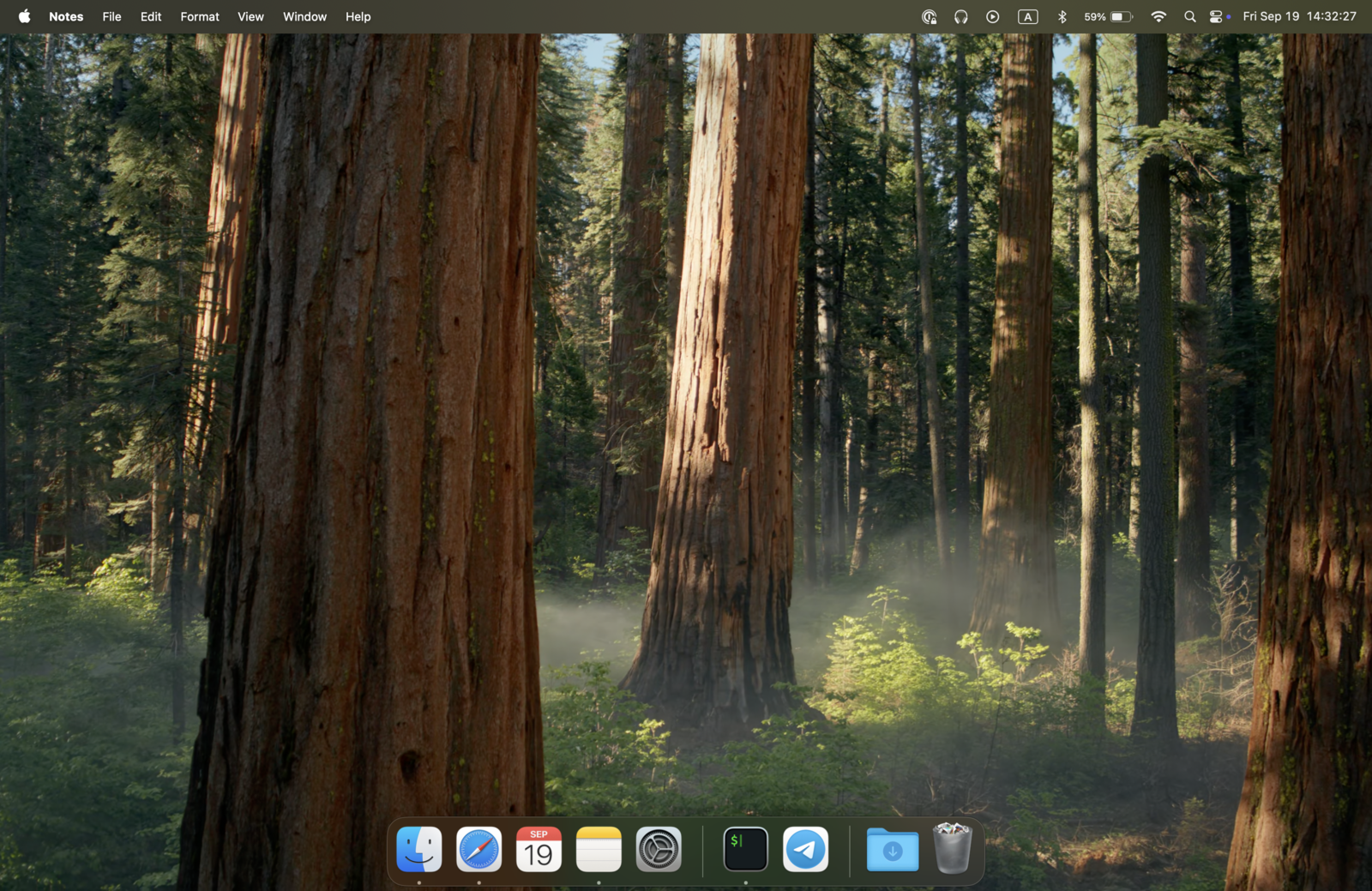
ShareSpeak isn't transparent. It isn't tucked behind layers. It's genuinely excluded from screen capture at the OS level — meaning Camtasia doesn't see it when it records your screen. Your finished MP4, your TREC project file, your published Camtasia output — none of them contain the overlay.
Works with all Camtasia capture modes: full-screen recording, region selection, single application window, even Camtasia's PowerPoint Add-In recording. Same OS-level invisibility, no configuration needed.
AI Voice Tracking — For Tutorial Pacing, Not Robotic Read-Alongs
The fastest way to ruin a tutorial is to sound like you're reading. Fixed-speed teleprompter scrolling forces you into an unnatural rhythm — the kind viewers immediately tune out from. ShareSpeak follows your voice. The script moves at your natural pace, with the natural pauses and accelerations of real instruction.
What this means while recording in Camtasia:
- Demonstrating a slow click sequence? Slow down — the script slows with you.
- Speeding through a familiar setup step? Pick up the pace — the script keeps up.
- Need to pause to actually run the command you're explaining? Pause — the script waits for you to resume.
- Going off-script to address an edge case mid-tutorial? Improvise — pick back up when you return.
Built for the Long-Form Tutorials Camtasia Is Designed For
Camtasia tutorials are rarely 90 seconds. A real software tutorial is 8 minutes. A real training module is 25. A real e-learning course is 90 minutes split across modules. Holding the full script in your head for that duration is the failure mode.
ShareSpeak holds your entire script ready:
- Section-by-section structure — intro, demonstration, recap, transition to next module
- Exact terminology — the API method name, the menu path, the version-specific UI element — never misremember
- Cursor-direction cues — "now click the gear icon, top-right" — narrated in sync with your actual cursor movement
- Troubleshooting asides — "if you see this error, here's why" — your prepared mini-explainers when you go off the happy path
- Callouts and on-screen graphics cues — reminders for what you'll annotate in Camtasia post-production
The 25-minute tutorial gets recorded once, not in 8 chunks with breaks.
Re-Take Reduction — From 15 Takes to 2
The hidden cost of Camtasia production is the re-take cycle. You record. You watch back. You catch a fumbled line at 4:32 in an 8-minute tutorial. Now you re-record the whole thing — or worse, you stitch together takes in editing, which doubles your timeline. Both are time-killers that compound across a course launch.
ShareSpeak collapses this loop:
- Your full script visible during the take — you hit the line on take 1 or 2
- No "where was I?" pauses that force a retake
- No memorized phrasing slipping into improvised wording
- No filler words ("um", "so", "basically") that crop up when you're reaching for the next thought
- Cleaner audio in the original take means less Audiate cleanup later
For a course creator publishing 30+ tutorials per quarter, this is dozens of hours of recording and editing reclaimed.
Also Works for Voice-Over-Only Recording in TechSmith Audiate
Some Camtasia workflows split capture: record the screen silent in Camtasia first, then record voice-over separately in TechSmith Audiate (the text-based audio editor that's part of the Camtasia bundle). The voice-over recording session is exactly where a teleprompter helps most — you're reading a script, recording audio, watching for pacing.
ShareSpeak overlays during Audiate sessions just as well. Read your script naturally, voice tracked at your pace. The script never makes it into the Audiate transcript because you don't speak it aloud verbatim — you speak it in your natural voice with your script as the safety net.
No Camtasia Plugin, No Integration, No Setup
ShareSpeak doesn't extend Camtasia. It doesn't plug into Camtasia. It doesn't require any configuration of Camtasia or TechSmith account changes. It's a standalone desktop app that runs alongside Camtasia and stays invisible to its capture.
- No plugin installation in Camtasia
- No TechSmith account connection
- No project file format changes
- No conflicts with Camtasia updates (TechSmith ships updates that break plugins; ShareSpeak isn't a plugin so it doesn't break)
- Works with Camtasia 2024, 2025, 2026, and any other version — current and legacy
Download ShareSpeak. Run it. Open Camtasia. Record. Done.
For Every Type of Camtasia Recording
Software Tutorials
Step-by-step tutorials for SaaS products, dev tools, design software. Exact menu paths, version-specific UI references — all scripted, all on screen.
E-Learning Course Modules
Multi-module courses for Udemy, Thinkific, Teachable, internal LMS. Consistent script structure, learning objectives covered every module, polished delivery.
Corporate Training Videos
Compliance training, onboarding videos, internal L&D content. Brand-approved script word-for-word, polished delivery on every module across the program.
Product Demos & Marketing Videos
Feature walkthroughs, product launch videos, sales enablement content. Brand voice consistent, key messaging hit every time.
YouTube Tutorial Channels
Software-focused YouTube creators who record screen tutorials in Camtasia. Tighter recordings, less editing time, more videos shipped per week.
SaaS Onboarding Videos
Customer onboarding content recorded in Camtasia. Account-specific scripts for enterprise customers, consistent delivery across the cohort.
The Math for Camtasia Tutorial Creators
The volume of Camtasia recording is what makes the math obvious:
Average software tutorial: 8–25 minutes finished, 60–150 minutes of recording + editing time
Re-take cycle without teleprompter: 10–25 takes per module to nail the script
Editing time per re-take: 15–30 minutes of cleanup in Camtasia editing
One published course: 30–80 Camtasia tutorials
ShareSpeak: $14.99, one-time, forever
If ShareSpeak saves you 5 re-takes per tutorial on a 50-tutorial course, that's 25+ hours of production time reclaimed for $14.99.
Compare to alternatives Camtasia users try: hardware teleprompter rig ($300–$2,000), Elgato Prompter at $299, or external scripting tools that don't integrate with screen capture. ShareSpeak is $14.99 once and stays invisible to Camtasia's recording. The cheapest addition to your Camtasia stack.
Works on Windows and Mac — Both Camtasia Platforms
Camtasia ships for Windows and Mac. ShareSpeak runs native on both — same feature set, same invisibility behavior. Running Camtasia on a PC? See our roundup to pick a teleprompter for Windows 11.
$14.99 per Camtasia user. No bundle pricing, no annual renewal, no enterprise contract needed.
Add the One Feature Camtasia Forgot to Ship
Download ShareSpeak before your next Camtasia session. Paste your tutorial script. Record once, polish once, ship faster. $14.99 — cheaper than the editing time you'll burn on a single 25-take module.
Use code FIRST100 for 25% off — $11.24 instead of $14.99
Frequently Asked Questions from Camtasia Users
Will ShareSpeak appear in my Camtasia recordings?
No. ShareSpeak is invisible at the OS level — Camtasia's screen capture genuinely doesn't see it. Your TREC project file, your editing timeline, your exported MP4 — none of them contain the overlay. Same applies to all Camtasia capture modes: full screen, region, single window, PowerPoint Add-In.
Is this a Camtasia plugin or integration?
No. ShareSpeak is a standalone desktop app that runs alongside Camtasia. There's no plugin to install, no TechSmith account connection, no Camtasia version compatibility issues. When TechSmith ships an update, ShareSpeak keeps working because it's not actually part of Camtasia at all.
Does it work with TechSmith Audiate (voice-over recording)?
Yes. Audiate is a separate desktop app for recording and editing voice-over audio. ShareSpeak overlays during Audiate recording sessions just as cleanly as during Camtasia screen capture. Read your script naturally with voice tracking, end up with clean audio that needs less Audiate cleanup later.
Do I need to edit out the teleprompter in post-production?
No — there's nothing to edit out. The teleprompter never enters the capture. Your Camtasia timeline contains only what was actually captured: your screen, your cursor, your audio. ShareSpeak doesn't add anything to remove later.
Does it conflict with Camtasia's SmartFocus or Cursor Zoom?
No. SmartFocus and Cursor Zoom operate on the captured screen content during post-production editing. Since ShareSpeak isn't in the captured content, these features ignore it entirely. Your zoom-to-cursor effects work normally on what you actually demonstrated.
What about multi-monitor recording setups?
Works perfectly. You can position ShareSpeak on a second monitor and record only the primary monitor in Camtasia — the script is right there but never in capture. Or position it on the same monitor you're recording: still invisible because of OS-level exclusion.
Does it work with legacy Camtasia versions?
Yes. Because ShareSpeak doesn't integrate with Camtasia at all, version compatibility isn't relevant. Camtasia 2024, 2025, 2026, Camtasia Studio 9 — any version that records the screen at the OS level works the same. ShareSpeak's invisibility is from the OS side, not the Camtasia side.
Can my course-creation team use this?
Each person buys their own license — $14.99 per person, one-time. For a 5-person course-creation team that's $74.95 total, forever. No annual renewal, no per-seat creep. Most teams expense it once and never think about it again.
The Teleprompter Camtasia Should Have Shipped With
Your script on screen during the Camtasia recording. Voice tracking your pace. Invisible to capture. Tutorials nailed on take 1. $14.99. Forever.
Get ShareSpeak — $14.99