
Updated: July 2026
CallPrompter Alternative: An Invisible Teleprompter, $14.99 Once
CallPrompter is an AI sales-call copilot: it listens to your live call and surfaces objection responses and coaching cues on an overlay it says stays hidden from screen shares. ShareSpeak is a different tool — an invisible teleprompter that scrolls the exact script you wrote — $14.99 once per rep, not a $99–$249-a-month subscription. Want live AI coaching? CallPrompter fits. Want to control every word on screen across demos, calls, and recordings? That's ShareSpeak.
ShareSpeak vs CallPrompter at a glance
| Feature | ShareSpeak | CallPrompter |
|---|---|---|
| Type | Fixed-script invisible teleprompter | AI live-call coaching copilot |
| Price | $14.99 one-time | $99/mo Starter, $249/seat/mo Pro |
| Billing | Pay once, lifetime | Monthly only (no annual) |
| Free option | Free app download to try | 7-day trial, no live calls |
| Platforms | macOS (Apple Silicon + Intel), Windows 10/11 | macOS 13+, Windows 10+ |
| Invisible on screen share | Yes | Yes (claimed) |
| Scrolls your exact script | Yes (voice-follow) | No — AI surfaces prompt bubbles |
| Live AI objection / coaching | No | Yes |
| Requires a cloud AI to work | No — offline / on-device option | Yes — for its live coaching |
| Best for | Demos, recordings, pitches, interviews, calls | Live two-way sales calls |
CallPrompter figures verified on callprompter.app, July 2026. Prices and plans change — check their site before you buy.
What CallPrompter actually is
CallPrompter (callprompter.app, built by a solo developer, Matthias Carigiet, in Zürich) is a real-time AI sales-call copilot; its homepage headline is "Your Invisible Sales Coach in every Call." During a live call it listens to the conversation, transcribes it, and shows you what to say next — objection rebuttals the moment an objection lands, discovery questions timed to where you are in the call, and coaching cues such as a nudge when you're talking too much or when the prospect sounds ready to close. All of it floats on an overlay it says stays hidden from screen shares and recordings.
Credit where it's due: for live, unscripted selling this is a genuinely different and useful idea. The appeal for a manager is concrete — branching scripts per persona, an AI that drafts a first script from your product and goals so a rep isn't starting from a blank page, and a practice mode that role-plays a pushy buyer so a new hire ramps before touching a real account. For sales leaders, Pro adds a manager dashboard and a shared objection library so a team runs the same playbook. If that's the problem you have — reps who freeze on objections and a manager who wants consistency — CallPrompter is aimed squarely at you.
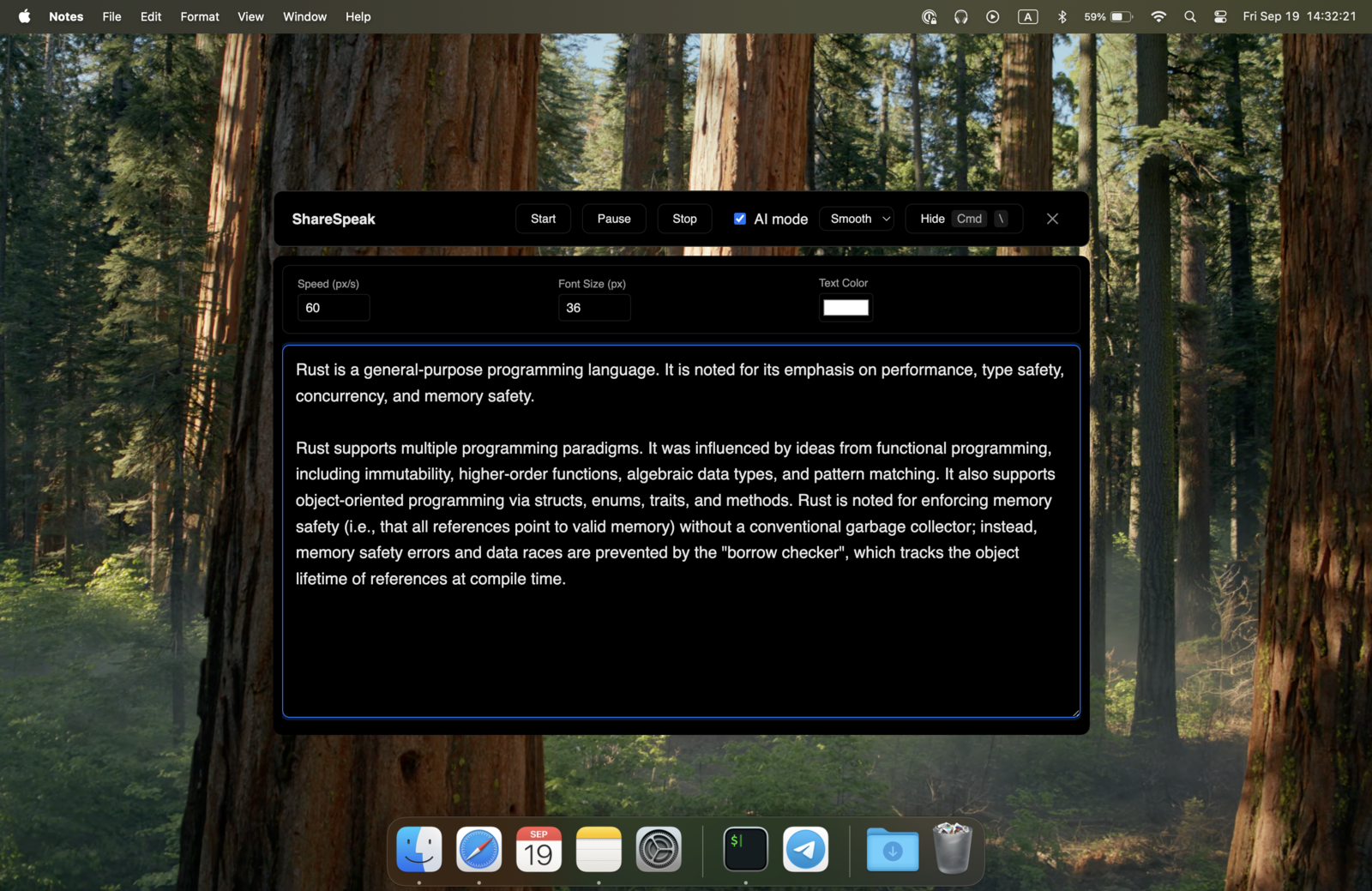
ShareSpeak solves a narrower, older problem: getting your own words on screen without anyone seeing them. It's a teleprompter, not a copilot. You paste your script — a demo walkthrough, a discovery talk track, an investor pitch — and it scrolls at your pace and stays invisible on screen share. No AI listening in, no monthly bill. If you specifically want an invisible teleprompter for your sales calls, see our teleprompter for sales demos guide; if you just want the general how-it-works, the invisible teleprompter for screen sharing page covers every platform.
Where CallPrompter falls short if you just want a teleprompter
It's a subscription, and not a cheap one
As of July 2026, CallPrompter is Starter $99/month or Pro $249 per seat/month, billed monthly, with no annual option and no one-time purchase. Starter also caps live coaching at 24 hours a month, so anyone on back-to-back calls needs the $249 Pro seat. A single Starter month costs almost 8× ShareSpeak's entire lifetime price; over a year, one Pro seat is ~$2,988, versus $14.99 forever. The value can be there if you're closing deals on the coaching — but it's a recurring line item, not a one-time tool.
There's no plain "scroll my script" mode
CallPrompter is built around AI-chosen prompt bubbles that surface based on what it hears. That's the point of the product — but as best we can tell from its materials, there's no plain teleprompter mode where you load a fixed script and read it top to bottom. If you're recording a product tutorial, delivering a webinar, or reading a prepared pitch, you don't want an AI deciding which line to surface; you want your whole script, scrolling, in order. That's what a teleprompter does and a call copilot doesn't.
Its coaching sends your call to third-party services to work
CallPrompter can't coach without listening. Per its privacy policy (last updated February 2026), your call audio is streamed in real time to ElevenLabs in the US for transcription (audio isn't kept as files), the transcript is stored on Swiss servers via Infomaniak, and anonymized transcript excerpts go to Anthropic and Google in the US for the analysis and coaching — none of it retained by those providers beyond the request. It's consented, and customer identifiers are stripped before the AI step, which is a responsible design. But it is still a data flow that sends customer-call audio and text to third-party US services, and some buyers and their security teams won't want that on live deals. ShareSpeak's voice-follow scrolling can run fully offline with on-device speech recognition, so your audio never has to leave the machine.
It's live-sales-only, and very new
CallPrompter is positioned entirely for two-way sales calls — reps, SDRs/BDRs, founder-sellers, sales leaders. If you also record videos, teach, present, or interview, it isn't built for that. It's also brand new: as of July 2026 its companion Chrome Web Store listing shows just 4 users, and we found no independent reviews yet. That's not a knock on the product — just a reminder there's little third-party track record to lean on.
The 12-month math
For a single rep, over one year (verified CallPrompter prices, July 2026):
CallPrompter Starter: $99/mo → ~$1,188/year, then again next year
CallPrompter Pro: $249/seat/mo → ~$2,988/year per seat
ShareSpeak: $14.99 once → $14.99, forever
For a 5-rep team on Pro that's roughly $14,940/year. Five ShareSpeak licenses cost $74.95 total, once. Different tools — but if the job is "put my script on screen, invisibly," that's the price gap.
When CallPrompter is the right choice (and ShareSpeak isn't)
We're a teleprompter, so we'll say plainly: for some sales teams CallPrompter is the better buy. Pick it over a teleprompter when:
- Your calls are genuinely unscripted — you can't predict the conversation, so a fixed script that scrolls in order wouldn't help; you want AI reacting to what's actually said.
- You want real-time objection handling — the exact rebuttal surfaced the second an objection lands, instead of hunting through your own text mid-call.
- You want coaching and ramp — alerts when a rep talks too much, plus an AI practice mode to rehearse, plus a manager dashboard to standardize the team.
- You want CRM context pulled in automatically from Salesforce, HubSpot, or Pipedrive before the call.
A teleprompter does none of that. If those are your priorities and the subscription pays for itself in closed deals, CallPrompter is the tool. ShareSpeak is for the opposite case: you already know what you want to say and just need it on screen, invisibly, without a monthly bill.
How to move your call scripts to ShareSpeak
1. Download and install
Grab ShareSpeak from the download page (Mac) or Windows download. It installs to your user folder — no admin password, no IT ticket — like any notarized Mac app or signed Windows installer.
2. Paste your talking points
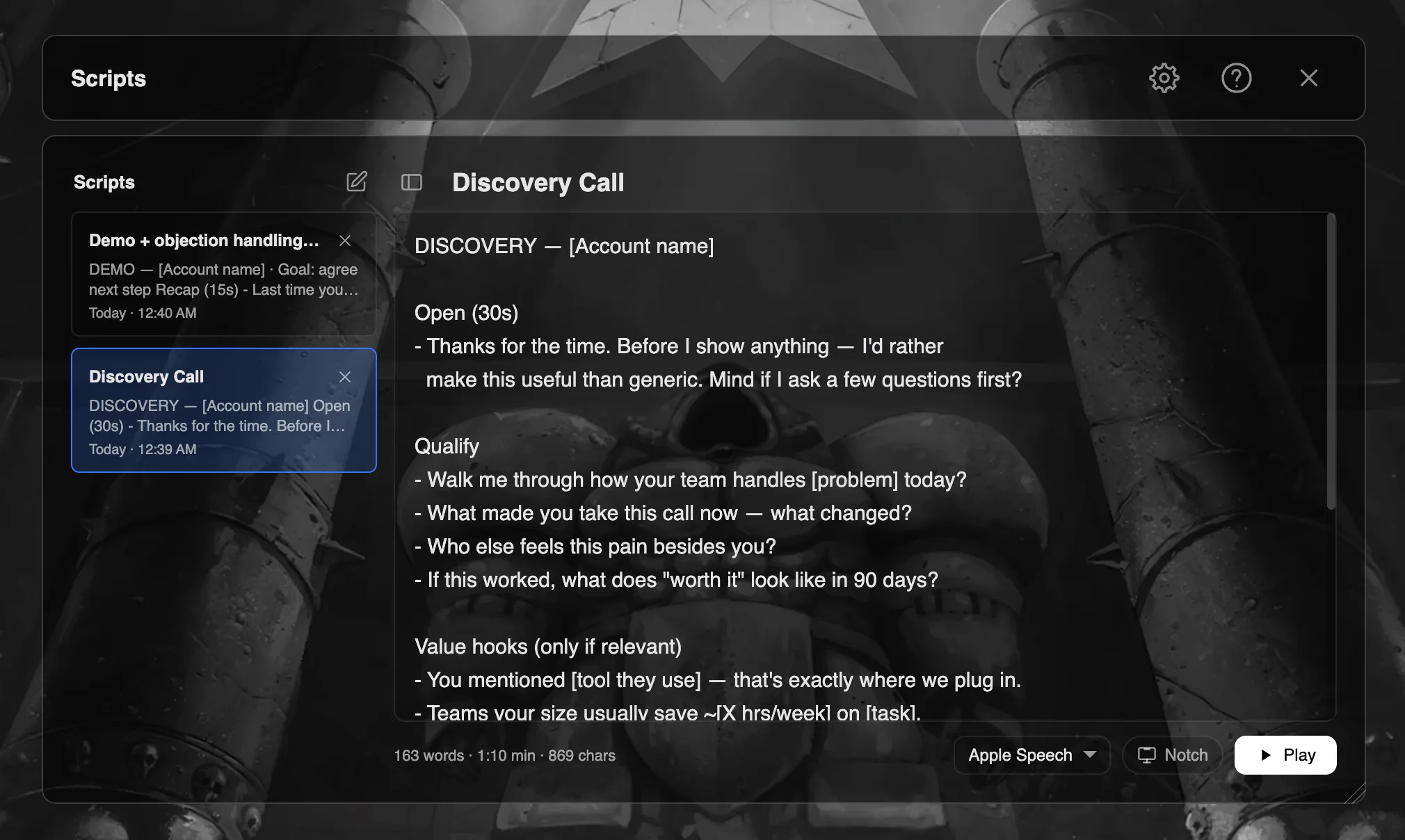
Copy the scripts you already keep in Notion or Google Docs — your discovery talk track, per-account value props, and your tested objection responses — straight into ShareSpeak. Where CallPrompter's AI surfaces these for you, here you decide the order and see the whole script.
3. Turn on voice-follow
Enable voice-follow scrolling so the script keeps your pace — pause to answer a question and it waits, speed up and it keeps up. Choose on-device speech recognition if you'd rather keep call audio off the cloud entirely.
4. Share your screen — the overlay stays hidden
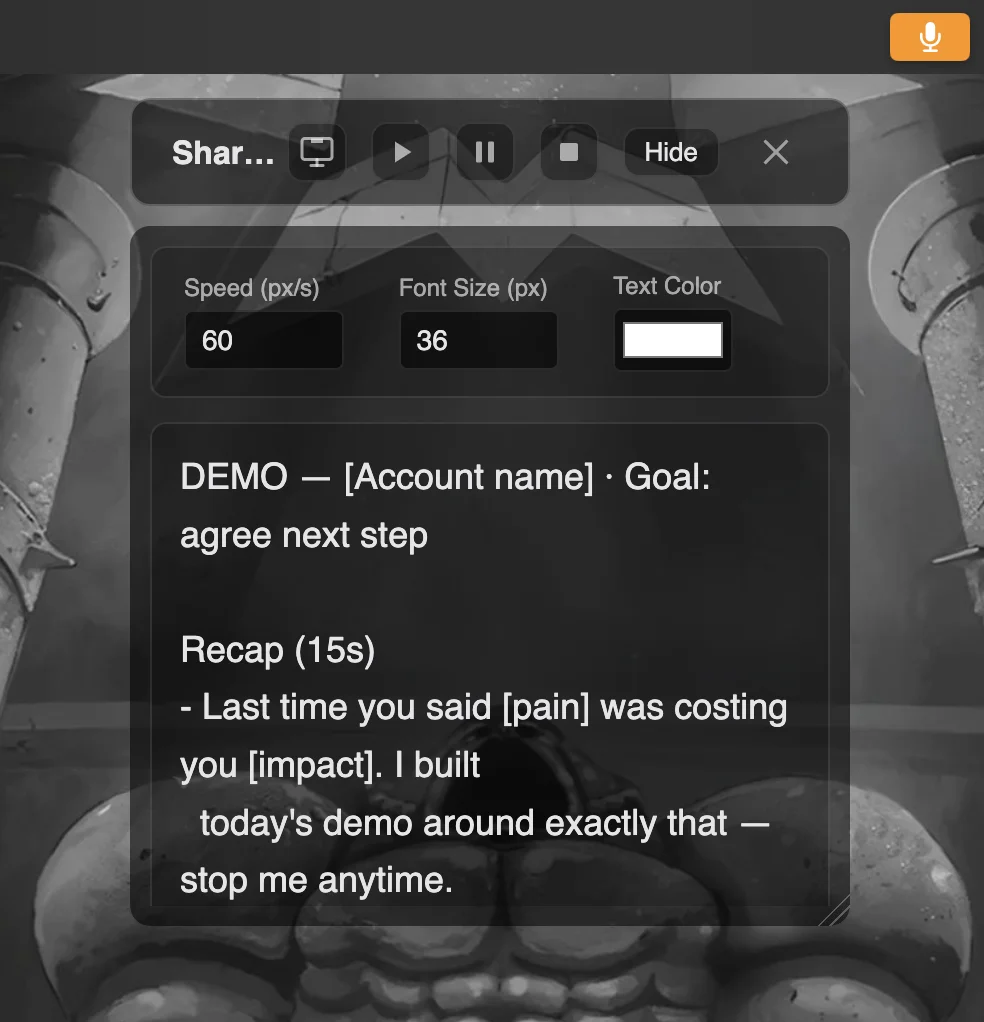
Start your demo on Zoom, Microsoft Teams, or Google Meet and share your screen. The prospect sees your slides and product; your script stays on your side only, invisible in the share and the recording.
Runs on whatever laptop sales issues you
Both tools cover Mac and Windows. ShareSpeak runs natively on macOS (Apple Silicon and Intel) and Windows 10/11 — grab the AI teleprompter for Mac or the Windows build, same $14.99 license either way. Shopping for a teleprompter for Windows 11? See our ranked comparison. Founder-sellers doing their own demos before hiring reps can reuse the same script setup for an investor pitch. Weighing other subscription-based sales prompters too? See our VODIUM alternative and the full list of teleprompter alternatives.
Your script on screen. Invisible to the prospect. $14.99 once.
If you want AI to coach you live, CallPrompter is built for that. If you want an invisible teleprompter that scrolls the exact words you prepared — on demos, calls, recordings, and pitches — without a monthly bill, that's ShareSpeak.
One-time purchase • Works on Mac and Windows • Invisible on screen share
CallPrompter alternative — FAQ
Is CallPrompter good for sales teams?
It's built for them. CallPrompter is an AI sales-call copilot: it listens to your live call and surfaces objection responses, discovery questions, and coaching cues on an overlay only you see. Pro adds a manager dashboard and a shared objection library across reps. The trade-offs: it's a subscription (Starter $99/month, Pro $249/seat per month, as of July 2026), it only helps on two-way sales calls, and its coaching only works by transcribing your call and sending that text to a cloud AI. If your reps mainly need their exact script and talking points on screen — invisible during a demo — a one-time teleprompter like ShareSpeak covers that for $14.99, and also works for recordings, webinars, and interviews, not just live calls.
How much does CallPrompter cost?
As of July 2026, CallPrompter is a monthly subscription: a 7-day free trial ($0, no credit card, but no live calls during the trial), Starter at $99/month, Pro at $249 per seat/month, and a custom Enterprise tier for 50+ seats. There is no annual plan and no one-time purchase. For a 5-rep team on Pro that's about $1,245/month — roughly $14,940/year. ShareSpeak is $14.99 once per person: $74.95 for those five reps, forever.
Does CallPrompter work on Windows?
Yes. CallPrompter ships as a native desktop app for Windows 10+ and macOS 13+, plus a companion Chrome extension for pulling CRM/LinkedIn context. ShareSpeak also runs natively on Windows 10/11 and on Mac (Apple Silicon and Intel), so either tool works whatever laptop your sales org issues.
Is CallPrompter invisible during screen sharing?
That's what it claims. CallPrompter says its floating prompts "never appear in screen shares or recordings" using "native OS-level rendering that bypasses screen capture" — the same category of technique ShareSpeak uses. We haven't independently tested CallPrompter, and "never" is worth hedging: OS-level exclusion won't stop a physical camera pointed at your screen and can vary by capture method. ShareSpeak's invisible overlay is our own core feature, tested across Zoom, Meet, Teams, Loom, OBS, and Camtasia.
What's the difference between CallPrompter and a teleprompter?
Direction and control. A teleprompter shows the exact script you wrote and scrolls it as you speak — you decide every word on screen. CallPrompter listens to the live conversation and decides what to show you: AI-surfaced rebuttals, discovery questions, and coaching, reacting in real time. CallPrompter is better when the call is unscripted and you want AI to react for you. A teleprompter is better when you already know what you want to say and just need it in front of you — in a demo, a recording, or a pitch — without anyone seeing it.
Is there a one-time CallPrompter alternative for sales reps?
ShareSpeak is a one-time purchase: $14.99 per person, lifetime, no subscription. It's an invisible teleprompter rather than a live AI copilot — you paste your call script, objection responses, and talking points, and they scroll on screen (voice-follow, so it keeps your pace) while staying invisible to the prospect on screen share. It also works offline with on-device speech recognition, so your call audio never has to leave your machine.