
PowerPrompter Alternative — ShareSpeak: 4x Cheaper, AI Voice Tracking, All Platforms
PowerPrompter is a solid Mac teleprompter — for $49.99 and Mac only. ShareSpeak costs $14.99, adds AI voice tracking PowerPrompter doesn't have, and runs on Mac and Windows. Same one-time purchase philosophy, 3x less money, more features.
| Feature | ShareSpeak | PowerPrompter |
|---|---|---|
| Pricing | $14.99 Lifetime | $49.99 Lifetime |
| AI Voice Tracking | ✓ | ✗ |
| macOS Support | ✓ | ✓ |
| Windows Support | ✓ | ✗ |
| Invisible During Recording | ✓ | Transparency only |
| Built-in Video Recording | ✗ | ✓ |
| iPhone Remote App | ✗ | ✓ |
4x Cheaper, With the Feature PowerPrompter Is Missing
$14.99 vs $49.99 — Both One-Time, One Is 4x Cheaper
We like that PowerPrompter doesn't charge monthly — one-time purchases respect your wallet. But $49.99 is steep for a teleprompter that doesn't even have voice tracking. You're paying premium Mac-app pricing for manual scrolling.
ShareSpeak costs $14.99 — 3x less. And it includes AI voice tracking that PowerPrompter simply doesn't offer. You get more features for less than a third of the price, on both Mac and Windows, not just Mac.
Price Comparison:
- • PowerPrompter: $49.99 (Mac only, no voice tracking)
- • ShareSpeak: $14.99 (Mac + Windows, AI voice tracking)
- • You save: $35.00 and get more features
AI Voice Tracking — The Feature PowerPrompter Doesn't Have
PowerPrompter relies on manual scroll control: a speed slider, keyboard shortcuts, a scroll wheel, or their iPhone remote app. All of these require you to manage the scroll while presenting. Even their auto-timing feature just calculates a fixed speed — it doesn't adapt to your actual pace.
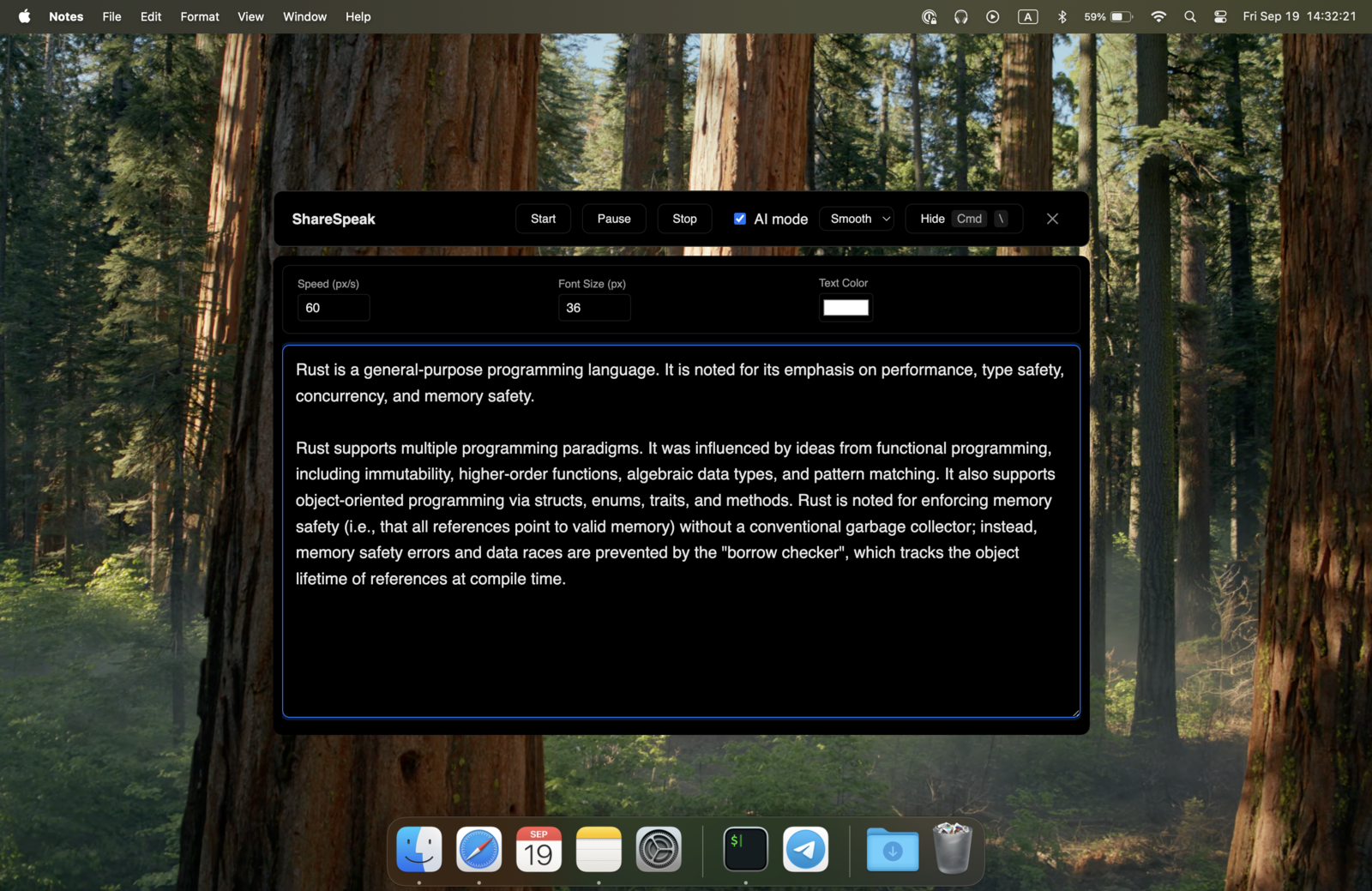
ShareSpeak follows your voice with AI speech recognition. Speak naturally and the text moves at your exact pace. Pause to answer a question — it waits. Speed through a section — it keeps up. No remote, no slider, no speed calculation. Just talk.
Truly Invisible, Not Just Transparent
PowerPrompter has a transparency mode — an opacity slider that makes the text semi-transparent so you can see your video call behind it. But the text is still visible to screen recording. Share your screen or record with OBS, and your audience sees ghostly teleprompter text overlaid on your content.
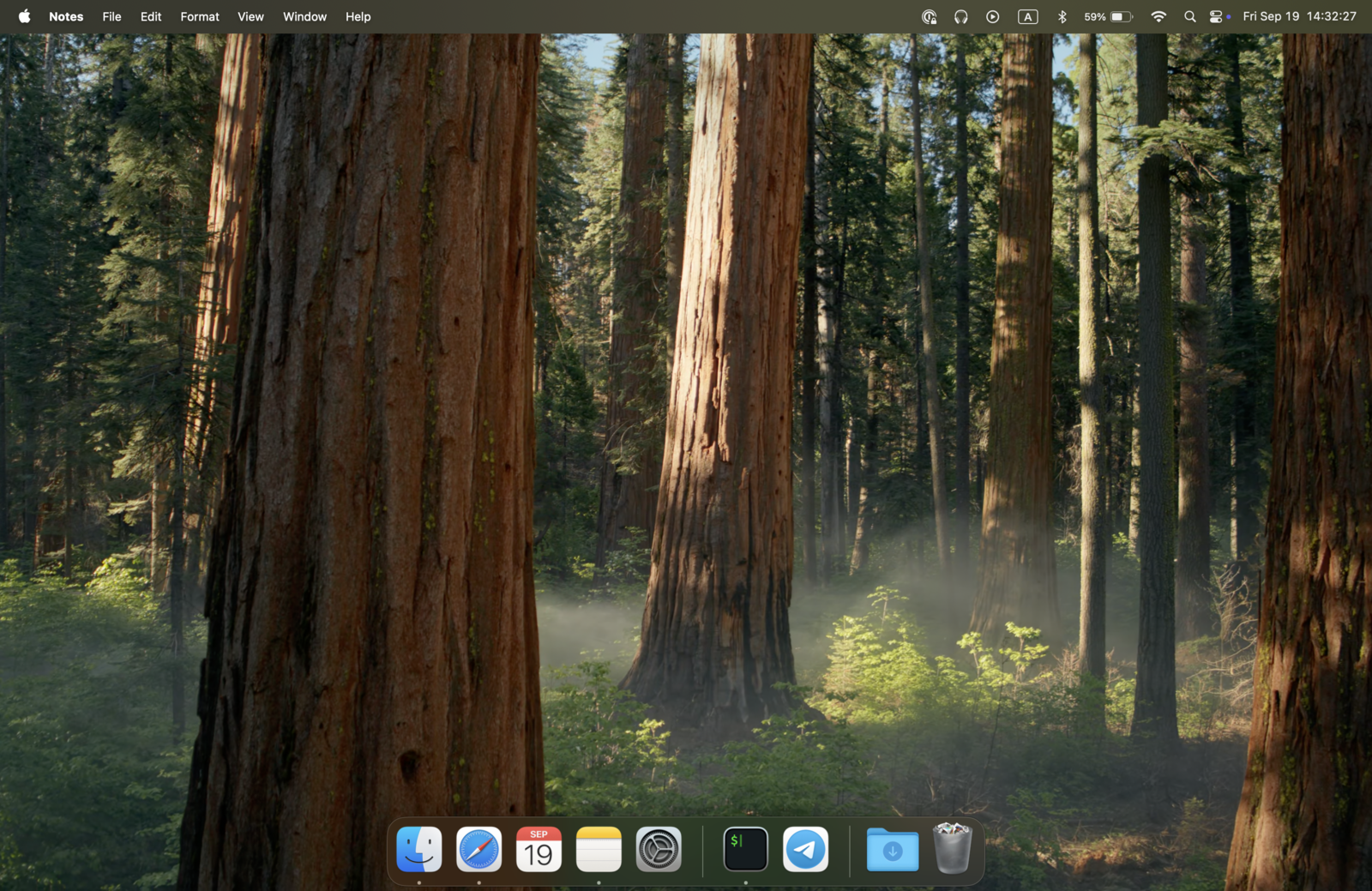
ShareSpeak is invisible at the OS level. Not transparent — invisible. Screen capture software literally cannot see it. You see your script; your recording shows a clean desktop. This is the difference between "you can kind of see through it" and "it doesn't exist in the recording." That is exactly how our invisible teleprompter for screen sharing stays out of every capture.
Mac and Windows — Not Mac-Only
PowerPrompter is Mac-exclusive. If you switch to Windows or work on a Windows PC at your office — you need a completely different teleprompter.
ShareSpeak runs natively on macOS and Windows. One $14.99 purchase covers all your machines. Use it wherever you work, without platform lock-in. Shopping for a teleprompter app for Windows? See how the options compare in our ranking.
Weighing your Mac options first? Compare to other Mac teleprompters: Moody, Notchie, and our own AI teleprompter for Mac. ShareSpeak keeps the one-time price while adding voice tracking none of them match.
Simple and Focused — No Feature Bloat
PowerPrompter is a powerful, feature-rich app — multi-window sync, USB controller support, WYSIWYG editor, built-in recording, gamepad compatibility. But App Store reviewers note the interface can feel cluttered, and you're paying for features most screencasters never use.
ShareSpeak is intentionally simple. Paste your script, start recording, let voice tracking handle the rest. No complex configuration, no cluttered UI, no features you don't need. It does one thing — desktop teleprompter with voice tracking — and does it well for less than a third of the price.
No Upsell Popups, No App Store Install Limits
PowerPrompter users on the App Store complain about aggressive upgrade prompts constantly pushing you to buy the full version during the trial. And the App Store version is limited to 5 installations — buy from their website for unlimited installs on your own Macs.
ShareSpeak has no upsells, no upgrade prompts, no install limits. $14.99, all features, all platforms, as many machines as you own. Download, install, use. That's it.
For Creators Who Want Simplicity Over Complexity
Screencasters & YouTubers
Record tutorials with your script truly invisible — not semi-transparent. PowerPrompter's opacity slider still shows text in recordings; ShareSpeak doesn't. See the teleprompter for YouTube creators workflow.
Cross-Platform Creators
Work on Mac and Windows? ShareSpeak works on both — there's even a dedicated Windows download. PowerPrompter locks you into macOS with no Windows or Linux option.
Zoom & Teams Presenters
Present with voice-tracked scripts. No iPhone remote needed — your voice controls the scroll. ShareSpeak disappears during screen share. Built for Zoom and Microsoft Teams calls.
Budget-Conscious Creators
Get a better teleprompter for $35.00 less. Save the difference for a better mic, better lighting, or just keep it.
Same Philosophy, Better Price, More Features
We respect that PowerPrompter charges once instead of monthly. ShareSpeak does the same — just at less than a third of the price, with AI voice tracking they don't have, and support for both Mac and Windows. Still weighing apps? Start from our teleprompter alternatives hub.
Use code FIRST100 for 25% off — $11.24 instead of $14.99
Frequently Asked Questions
PowerPrompter has built-in video recording. Does ShareSpeak?
No — and intentionally. You already have OBS, Loom, QuickTime, or Camtasia. ShareSpeak is a teleprompter overlay, not a recording suite. It works with whatever recording tool you already use, and stays invisible while you record.
PowerPrompter has an iPhone remote. Does ShareSpeak need one?
No. ShareSpeak's AI voice tracking replaces the need for a remote entirely. Your voice controls the scroll. If you prefer manual control, keyboard shortcuts work too. No separate app to install, no WiFi/Bluetooth pairing to manage.
PowerPrompter supports multiple synchronized windows. Can ShareSpeak do that?
ShareSpeak is a single overlay window — which is all most creators need. If you're running a multi-monitor production setup with synchronized displays and hardware teleprompter rigs with mirror mode, PowerPrompter serves that niche. For desktop screencasting, presentations, and video calls, ShareSpeak is simpler and cheaper.
Is PowerPrompter's transparency mode the same as ShareSpeak's invisibility?
No. PowerPrompter's transparency makes the window semi-transparent — you can see through it, but screen capture software still records it. ShareSpeak is completely invisible to screen capture at the OS level. Transparency means "partially visible to everyone." Invisibility means "visible only to you."
Is PowerPrompter better for professional broadcast setups?
If you need hardware teleprompter mirror rigs with X/Y axis flipping, multi-display sync, USB foot pedal control, and gamepad support — yes, PowerPrompter serves that broadcast niche well. But most modern creators record on their computer, not a broadcast studio. For desktop workflows, ShareSpeak is 3x cheaper with better core features.
Can I try both before deciding?
PowerPrompter offers a 30-day trial (with upsell prompts). ShareSpeak offers a 30-day money-back guarantee on the $14.99 purchase. Either way, you can test before committing — but ShareSpeak's full purchase costs less than many apps charge for a single month.
Quarter the Price. Voice Tracking Included. All Platforms.
PowerPrompter charges $49.99 for manual scrolling on Mac. ShareSpeak charges $14.99 for AI voice tracking on Mac and Windows. The choice is simple.
Buy ShareSpeak Now — $14.99