
Restream Teleprompter Alternative — Native AI Overlay With Voice Tracking and No 10k Character Cap
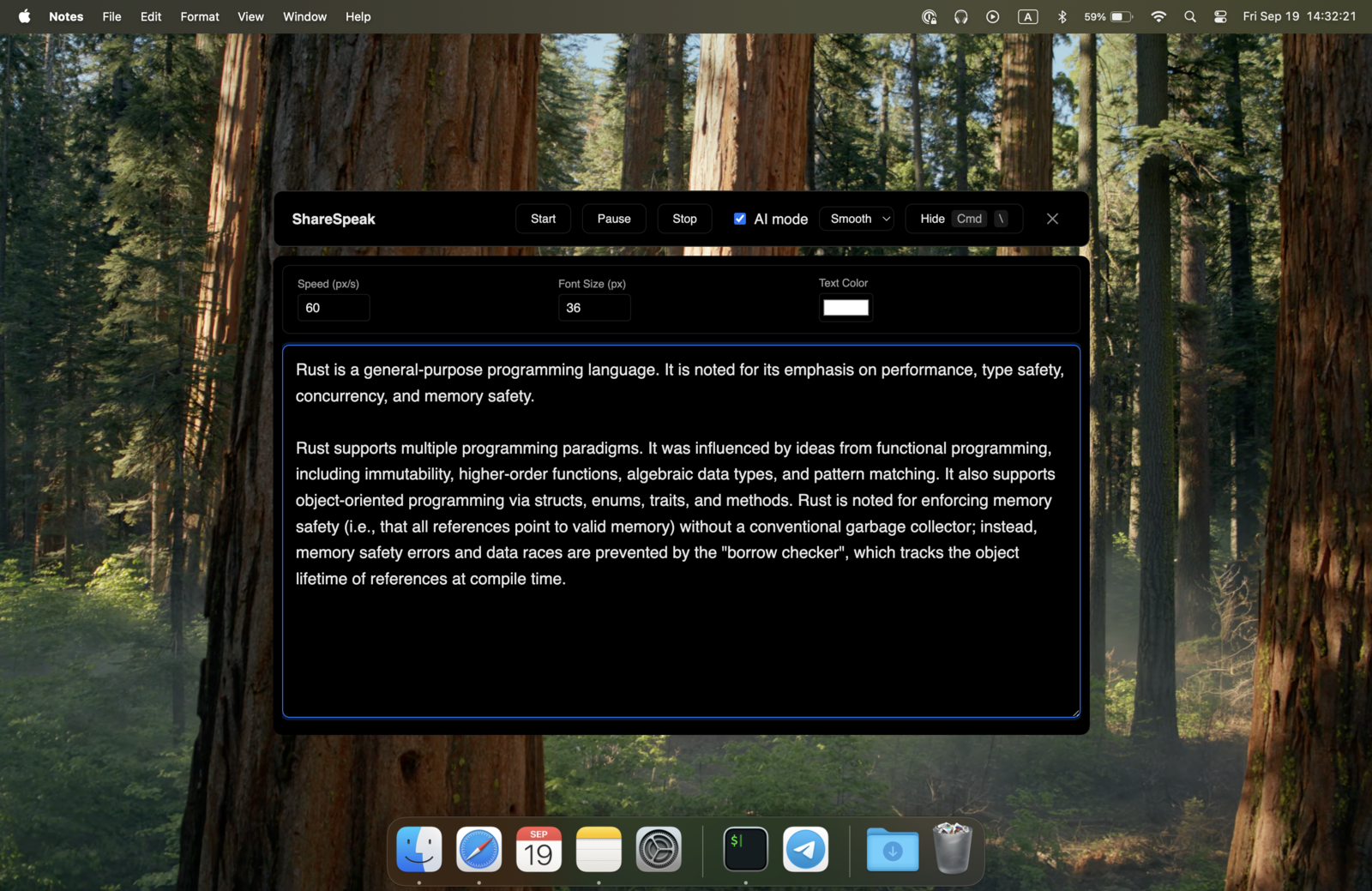
Restream's Notes feature is a fixed-speed teleprompter inside the Studio browser tab. Per-scene script, capped at 10,000 characters, locked to hosts and admins (guests can't use it), desktop and tablet only. ShareSpeak is a native desktop overlay with AI voice tracking, unlimited script size, works for every participant, and runs across every other tool — not just Restream. $14.99 once. It also stays an invisible teleprompter on screen share — hidden from screen capture so your audience only sees your stream.
| Feature | ShareSpeak | Restream Notes |
|---|---|---|
| Pricing | $14.99 Lifetime | Free with Restream |
| AI Voice Tracking | ✓ | ✗ |
| Script Size Limit | Unlimited | 10,000 chars per scene |
| Works for Guests | ✓ | Host + admins only |
| Native Desktop App | ✓ | Browser tab only |
| Per-Scene Lock-In | Single universal script | Notes tied to scenes |
| Works in Zoom/Teams/Meet | ✓ | ✗ |
| Works in OBS / Streamlabs | ✓ | ✗ |
What Restream's Notes Feature Does — and Where It Stops
Restream deserves credit for shipping a working teleprompter. Their Notes feature in Studio is available on every plan — including the free tier — and it auto-saves your script per scene. For occasional streamers who do single-scene broadcasts of short scripts, it's fine.
For active multi-streamers, the limits stack up:
- 10,000 character cap per scene — roughly 1,500 words, 10-12 minutes of reading. A 90-minute live podcast or extended webinar runs out fast. You either chop your script across multiple scenes (and lose continuity) or skip the prep entirely.
- Host + admin/co-host only — guests on the stream can't use it. For interview shows where your expert guest would benefit from prepared talking points, Restream's notes are locked to your side of the camera.
- Per-scene lock-in — your notes are tied to a specific Restream Studio scene. Switch scenes mid-stream and your script switches too — useful sometimes, friction often. Universal "always-visible" overlay isn't an option.
- Browser-trapped — Notes only work inside Restream Studio in the browser. The moment you switch to OBS for a non-multi-stream project, jump on Zoom for a sponsor meeting, or record a Loom for async sharing — Notes don't follow.
- Fixed-speed scrolling — no AI voice tracking. You set a scroll speed and have to match it. Speed up to read through a sponsor break, slow down for emphasis on a key point, and you fall out of sync.
- Desktop and tablet only — Notes don't work on Restream's mobile app. Mobile streamers don't get a teleprompter at all.
ShareSpeak is a native desktop overlay that sits on top of Restream Studio — invisible to Restream's screen capture, voice-tracked at your pace, unlimited script size, works for every person on the call, and runs across every other streaming and meeting tool you use.
The Upgrades Restream Notes Can't Match
AI Voice Tracking — The Defining Upgrade Over Fixed-Speed Scroll
Restream's Notes scroll at a fixed speed. You either advance manually or set an auto-scroll rate, then have to match it for the whole session. Real streaming pacing isn't constant:
- Reading live chat between segments? Pause — Restream's scroll keeps going.
- Pacing a sponsor read at brand-approved cadence? You're either too fast or too slow.
- Guest takes the conversation in an unexpected direction? Manual scrolling breaks the moment.
- 3-hour live podcast? Speed mismatch compounds, you abandon the script halfway through.
ShareSpeak's AI voice tracking follows your speech — no remote, no clicking, no pre-set speed dial. The script matches your natural delivery whether you're reading, riffing, or pausing.
Unlimited Script Size — Bring Your Full Show Prep
Restream's 10,000 character cap per scene is roughly 1,500 words. Real long-form streaming and podcast prep regularly exceeds that:
- 90-minute interview show with guest research: 15,000–30,000 characters
- 60-minute webinar with multiple segments and Q&A bank: 10,000–18,000 characters
- Multi-hour live broadcast with structured topics: 20,000–50,000 characters
- Multi-guest panel discussion with prep per panelist: 25,000–40,000 characters
The Restream workaround — split your script across multiple Studio scenes — breaks continuity. Scene switches become forced just to advance through your prep, even when your visual layout shouldn't change.
ShareSpeak has no character limit. Paste 50,000 characters of prep if you need it. Voice tracking advances you through the script naturally, no scene-switching gymnastics required.
Works for Guests Too — Not Just Hosts and Admins
Restream's Notes are restricted to the host and admin/co-host roles. Regular guests on the stream cannot see or use them. For interview-style shows, panel discussions, or podcasts where you'd want your expert guest to have their key talking points ready — Restream's design forces guests to wing it.
ShareSpeak is per-user. Each person — host, co-host, admin, guest — runs their own license on their own laptop. Each has their own script overlay, invisible to the stream and to other participants. A 4-person panel can have 4 prepared speakers delivering polished content with their own prep visible to them and them alone.
Universal Overlay — Not Tied to Restream Studio Scenes
Restream Notes are per-scene: each Studio scene gets its own notes. Switching scenes switches your script. This sounds organized, but in practice it forces scene transitions just to advance through script content, even when your camera/audio layout shouldn't change.
ShareSpeak lives on your screen, not in Restream's scene system. Your full script is always available regardless of which Restream scene is active. Switch scenes for visual reasons (going to BRB, switching to a guest spotlight, transitioning to a co-host) without disrupting your script flow.
Works Across Every Streaming and Meeting Tool — Not Just Restream
Restream's Notes only exist inside Restream Studio. If your weekly workflow includes:
- Tuesday Restream multi-stream → Notes work
- Wednesday Zoom sponsor meeting → no teleprompter
- Thursday OBS Studio solo stream → starts from scratch
- Friday Loom async send → another different teleprompter
ShareSpeak runs across all of them with OS-level invisibility:
- Restream Studio — invisible as native overlay
- OBS Studio and Streamlabs — invisible to all capture modes
- StreamYard — works the same way
- Zoom, Microsoft Teams, Google Meet — invisible to participants
- Twitch Studio, Ecamm Live, vMix — same overlay behavior
- Riverside, Squadcast, Zencastr — invisible to local-track recordings
One $14.99 license. Every streaming and meeting platform you'll use across your streaming career.
Native Desktop Overlay — Not a Browser Panel
Restream Studio is a browser app. Notes are a panel inside that browser tab — competing for screen real estate with your video feeds, scenes panel, chat, and broadcast controls. The position is fixed within Restream's UI; you can't move it where you want.
ShareSpeak runs as a native desktop app outside the browser. Place the script wherever you want on your screen — top, bottom, side, MacBook notch area. Position it close to your camera for natural eye contact. Move it to a second monitor if you have one. It floats independently of Restream's browser tab and stays invisible to the stream regardless of where you put it.
Where Restream Notes Run Out of Room
Long-Form Live Podcasts
90-180 minute interview shows where 10,000 characters covers about 15 minutes of prep. Full bio facts, follow-ups, sponsor reads — unlimited script size.
Multi-Guest Panel Streams
Roundtables, virtual events, interview panels. Every speaker prepared with their own script — host + guests + co-hosts. Restream's host-only Notes leave guests winging it.
Webinars & Virtual Events
Multi-segment webinars with intros, demos, sponsor reads, Q&A banks. Universal script overlay across segments, voice-paced delivery, audience sees polished hosting.
Sales Demos & Product Launches
Live launch streams broadcast across multiple destinations. Brand-approved messaging, key feature callouts, account-specific scripts ready beyond Restream's 10k limit.
Non-Native English Hosts
Streaming in English when it's not your first language is harder. Voice-tracked script support without sounding robotic. Especially valuable for international streamers.
Hybrid Streamer Workflows
Streamers who mix Restream for multi-destination broadcasts with OBS for solo streams, Zoom for sponsor meetings, Loom for async sends. One teleprompter that follows you everywhere.
Why $14.99 Beats "Free" — Honestly
Restream's Notes are included in every plan, even the free tier. So why pay $14.99 for an alternative?
Restream Notes wins when:
You're a casual streamer doing short, single-scene broadcasts of less than 1,500 words. No guests need their own scripts. You only stream through Restream.
ShareSpeak wins when:
You stream 90-minute interview shows, host multi-guest panels, run sponsor reads at brand-specified cadence, switch between streaming tools, or simply want voice tracking instead of fighting fixed-speed scroll.
For the cost of a one-time $14.99 purchase, you get: AI voice tracking, unlimited script size, per-guest licensing, universal overlay (not scene-locked), and cross-tool support. Most active streamers earn back that $14.99 within a week of better stream pacing alone.
Compare to alternatives streamers consider: StreamYard's Core plan at $44.99/month for their teleprompter, VODIUM at $15/month, or Elgato Prompter at $299 hardware. ShareSpeak hits the lowest total cost among teleprompter-with-voice-tracking options. For the full lineup, browse our teleprompter alternatives hub.
Native on Mac and Windows
Restream runs in any browser on any platform. ShareSpeak as native desktop overlay runs natively on Mac and Windows — same feature set, same invisibility behavior on both. Choosing a teleprompter for Windows 11? See how the options compare in our ranking.
$14.99 once per user. One license, every platform, forever.
When Restream Notes Aren't Enough
Download ShareSpeak before your next stream. Unlimited script size, voice tracking, works for guests, runs across every streaming tool. $14.99 once — even with Restream Notes being free, the upgrades pay for themselves in week one.
Use code FIRST100 for 25% off — $11.24 instead of $14.99
Frequently Asked Questions from Restream Users
Will ShareSpeak appear in my Restream stream output?
No. ShareSpeak is invisible at the OS level — Restream Studio's browser capture doesn't see it. Your viewers across all destinations (YouTube, Twitch, LinkedIn, Facebook, X, custom RTMP) see only what Restream legitimately captured. Your stream goes out clean.
Restream Notes are free. Why would I pay $14.99?
Honest answer: if you're doing casual single-scene streams under 1,500 words and only stream through Restream, you don't need to. ShareSpeak makes sense when you hit Restream Notes' limits — 10k character cap on long-form, host-only restriction for multi-guest shows, fixed-speed scroll fatigue on long streams, no support outside Restream. For active multi-streamers, the $14.99 pays back in week one.
Can it coexist with Restream Notes?
Yes. They don't conflict. Most users replace Notes with ShareSpeak because voice tracking and unlimited script size are upgrades. But if you want Notes for short scripted segments and ShareSpeak for everything else, they coexist fine.
Can my guests use ShareSpeak too?
Yes. Each person buys their own license — $14.99 each — and runs ShareSpeak on their own laptop during the Restream call. Each guest's script overlay is invisible to the stream and to other participants. A 4-person panel can have 4 prepared speakers, all delivering scripted content, none visibly reading from notes. Restream's host-only Notes can't do this.
Does it work with Restream's multi-streaming to YouTube, Twitch, LinkedIn at once?
Yes. Restream handles the multistreaming — ShareSpeak doesn't care where your stream is going. It's invisible to the Restream browser capture, which means it's invisible to every destination Restream broadcasts to. Same result on YouTube Live, Twitch, LinkedIn Live, Facebook Live, X, custom RTMP destinations.
Does it interfere with Restream AI features, captions, or chat?
No. Restream's AI captions, transcription, and chat features process your stream audio/video and viewer messages — none of which ShareSpeak touches. Your stream's AI-generated outputs work identically with or without ShareSpeak running.
Does it work outside Restream — like in OBS, Zoom, StreamYard?
Yes. ShareSpeak is OS-level invisible, which means it works the same way in OBS Studio, Streamlabs, Twitch Studio, StreamYard, vMix, Ecamm Live, and every video meeting platform. One license, every tool you use.
Does ShareSpeak work on mobile like Restream's mobile app?
ShareSpeak is desktop-only — Mac and Windows. Like Restream Notes (which also don't work on mobile), ShareSpeak is designed for laptop-based streaming setups where active streamers actually produce their content. Mobile-only streamers stay in Restream's mobile flow without either teleprompter option.
Past the Limits of "Notes Included Free"
Voice-tracked AI. Unlimited script size. Works for guests. Universal overlay across every streaming and meeting tool. $14.99 once, forever.
Get ShareSpeak — $14.99