 ShareSpeak
Invisible AI teleprompterforscreencasters
The best teleprompter app for Mac and Windows. Reduce your production time, deliver flawless presentations, and record professional videos with AI-powered scrolling.





Join 400+ other loving customers
Voice Scrolling
Scroll Scrollusingusingyouryourvoicevoiceorormanually.manually.YouYouareareinincontrolcontrolofofthethespeed. Pause,speed. Pause,rewindrewindorordouble-clickdouble-clickanyanywordwordtotojumpjumpthere. Stepthere. Stepfivefivewordswordswithwithaashortcut,shortcut,aaclickerclickerororaafootfootpedal. Invisiblepedal. Invisibleduringduringscreenscreensharingsharingandandrecording.recording.SaySaygoodbyegoodbyetotoummsummsandandahhhs. ahhhs.
Features
New in ShareSpeak 0.4.2
- Camera rigs. Mirror the text and go full screen for beam-splitter glass, and step it with a presentation clicker or foot pedal. Rig setup
- Your look. Sans, Serif, Mono or Dyslexic fonts, line spacing, margins, highlight colour, a reading line and a progress bar. Teleprompter font guide
- Scripts. # sections you jump between with [ and ], [cues] you never say, Word import, search, export and backup. Scripts Library
- Timing. A countdown, a clock with the time left and ahead or behind your target, your own pace and a history of takes. Timing tools
- Languages. Pick yours on first launch; sharper voice-follow in Turkish, Hindi and Korean; Whisper Large v3 Turbo on Apple Silicon. Speech models
- Privacy and reliability. Never captures your screen (microphone only), keeps long Apple Speech takes going, runs Gemini on Google's current model. ShareSpeak on Mac
Already a customer? Download 0.4.2 and install it over your current version; your scripts and settings stay.
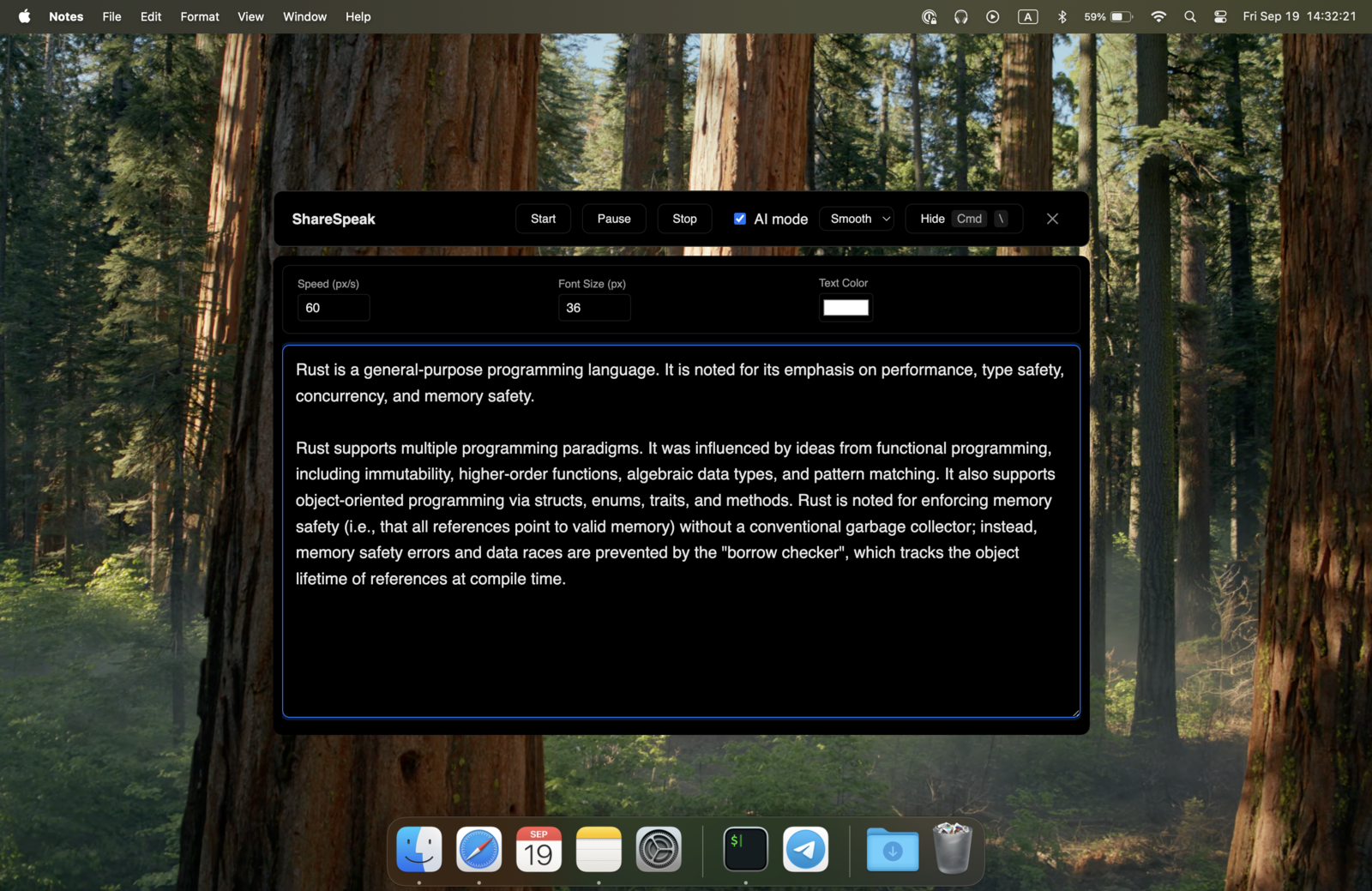
Completely Invisible
ShareSpeak is completely invisible during sharing. It doesn't show up in screen recordings or shares.
On a PC? Here's how ShareSpeak compares in our teleprompter app for Windows ranking.
Lives in Your Notch Bar
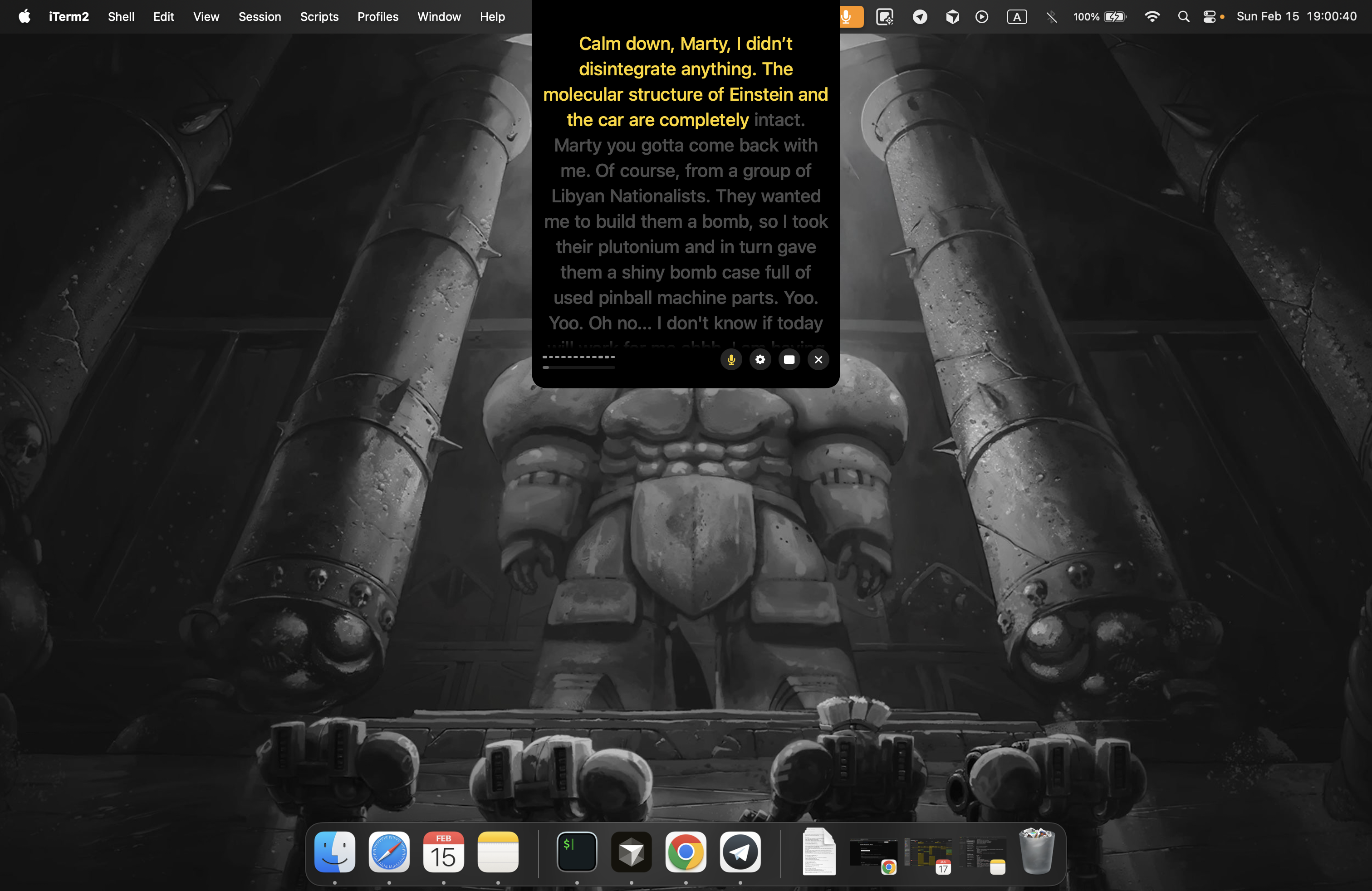
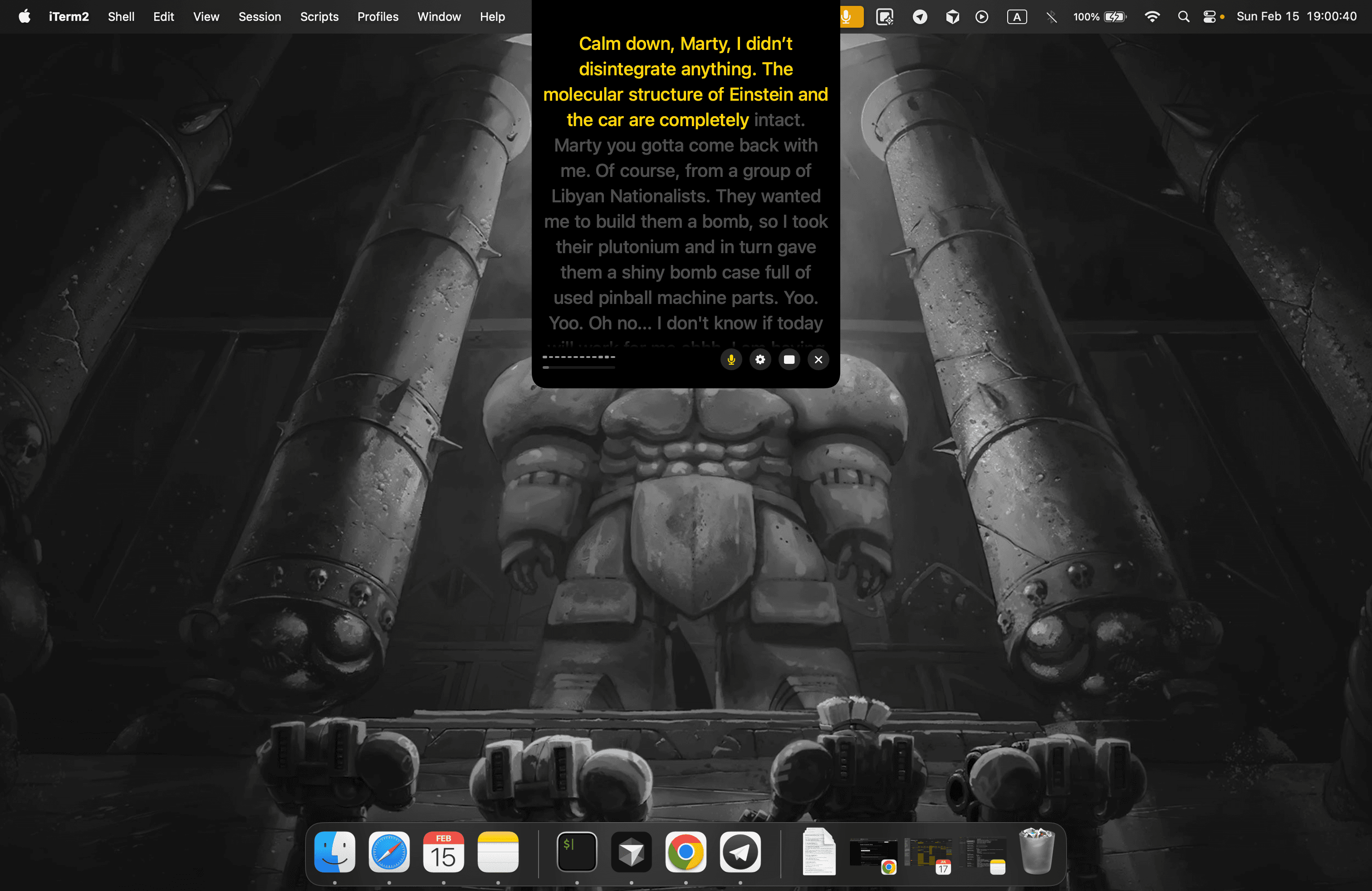
Your AI teleprompter sits right inside the MacBook notch — closest to the camera for natural eye contact. Still completely invisible during screen sharing and recording.
Globally Usable
ShareSpeak follows your voice in 30+ languages, from English and Spanish to Turkish and Portuguese.
Highly customizable
Fully resizable — drag the window to exactly the size you need, and it remembers. Set transparency, change colors, use keyboard shortcuts, and more.
Your Scripts Library
Save a script per call, per account, per video. Live word count and speaking-time estimates while you write — hit Play and your script loads straight into the teleprompter.
![ShareSpeak 0.4.2 Scripts Library in the AI teleprompter for Mac: saved scripts with search, Import and New buttons, a product demo script with # headings and [cues], a live word count and speaking-time estimate, Apple Speech and the Play button](/scripts-library-0.4.2.webp)
Best AI Speech Models
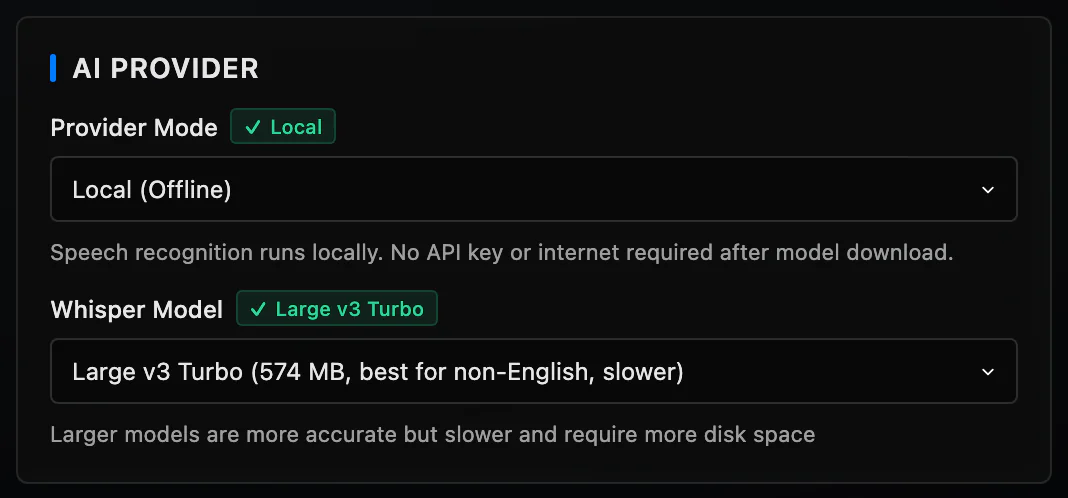
Choose between Gemini, Whisper, or Apple Speech Recognition. Go fully offline with local models — no API key, no internet, no data leaving your Mac.
Simple, One-Time Payment
No subscriptions, no hidden fees.
$12.50
first 400 users
$14.99
first 1,000 users
$17.99
after 1,000 users
Pay once, use forever
- Lifetime updates
- All ShareSpeak features
- 2 devices per license (floating — switch between devices anytime)
- Mobile version: no ads
Price rises to $17.99 after 1,000 users
21-Day Refund Policy

What our users say
From intuitive design to powerful features, our app has become an essential tool for users around the world.
Now In Your Notch Bar
Invisible AI teleprompter now in your Mac's notch — right next to the camera, so your eye contact feels natural
Scroll to explore
Questions? We've got answers
Is it invisible during sharing?
What platforms are supported?
Can I get a refund if I don't like it?
How can I contact support?
Do you store recordings?
What speech recognition models are available?
Which languages does ShareSpeak support?
Can I scroll at a fixed speed or by hand?
What if I go off script or lose my place?
Does ShareSpeak have a mirror mode for a teleprompter glass rig?
Can I use a presentation clicker or a foot pedal?
Does ShareSpeak have a countdown or a timer?
Can I import a Word document or a text file?
Which devices support the Notch Bar mode?
Tell us what you're missing
We're still very young and trying to build a better product, together with our users.
If you feel like there's something critical you're missing that blocks you from using ShareSpeak, just speak with us. Your voice really matters.
Got an idea?